

"Woman enjoying granola with berries and yogurt"
"Kimberly Guilfoyle at the amfAR Gala in Cannes"
"Meghan Markle at the one year to go event"

Homepage

The One Android Setting Experts Say You Should Change To Improve Battery Life

July 16, 2026 by Abigail Connolly
shefinds | Homepage
Featured image

If you’re an Android user who wants to optimize not just your overall phone’s performance, but battery life as well, then it’s key to know what settings to pay attention to.

Androids, like all smartphones, can operate super well, but once they start hitting a certain low point with their battery life, they can start to lag and become really inconvenient. There are a lot of things that can contribute to a low Android battery, but something that can certainly help it last longer are certain settings that tech experts suggest turning on or off to optimize your experience. Read more about one Android setting tech pros say can improve your battery life below.

house unit img
Women Are Swapping Their Boring Water For This Ice Pop Electrolyte Mix!
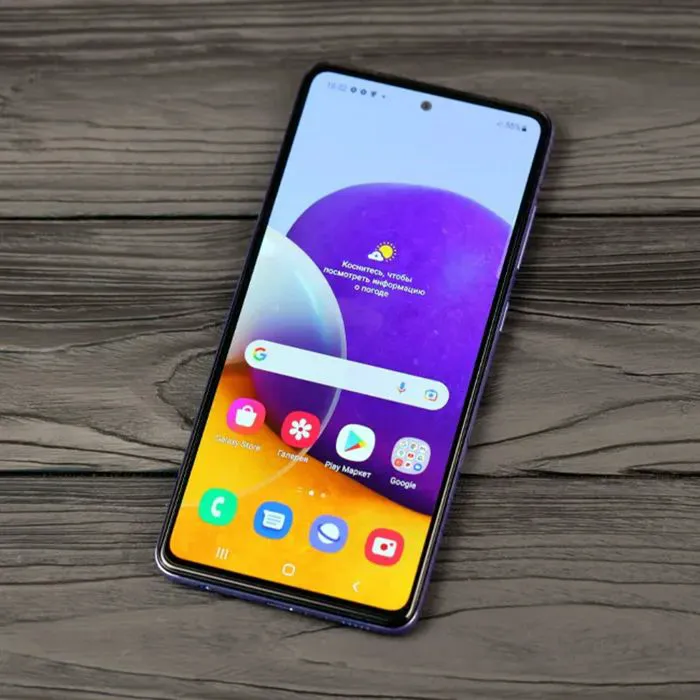
"Samsung Galaxy A72 Android smartphone"

One Android Setting To Improve Battery Life

As convenient and useful as Androids and all smartphones can be, when they reach a certain stage of low battery life, their function can start going downhill.


When someone's smartphone battery begins to die, there can be a multitude of things that contribute to it. For instance, sometimes, when there's not enough storage space left on a phone, it can start to die faster. Other things can contribute, like the way you charge it, what time, which chargers you use, and more. However, one thing that can help is the settings you have turned on or off.


Several settings included on most modern Androids can help ensure your battery performs well and lasts as long as possible, but many tech pros list a specific one that can make a big difference, as it prevents your phone from doing too much when you're not using it.


"The thing I do when I troubleshoot a slow Android is to check how many apps are refreshing in the background," explains tech and IT manager Noam Birnbaum. "A lot of people may not even realize that they have dozens of apps doing this, refreshing to receive new data while the screen is off. All those apps that are refreshing are using processing power and battery."


Want to know how to turn on this setting and ensure you're getting the best out of it?


Noam's directions are as follows: "Go to Settings, down to Battery, and then to Battery Usage; this will allow you to see the apps using your battery. You will be amazed. I recently had numerous applications on one of my customers' phones, refreshing every 15 minutes 24/7, and that is why his phone was so slow. After shutting down all the applications except for messaging and email, I could see a difference in less than one hour."

Author:

Editorial Assistant

Abigail is a journalist based in Brooklyn, New York. As an Editorial Assistant for SheFinds, she covers topics ranging from celebrity news and fashion to wellness. She has written for other publications, including Chip Chick, Bandsintown, BroadwayWorld, and more. When she isn't writing, Abigail loves spending time in the city with her friends, being a 'dog mom' to her Chihuahua, and singing along to some of her favorite music.

"Gigi Hadid and Bradley Cooper at a public event"
"Michelle Obama at The 2024 Albies event"
"Selena Gomez at the premiere of Netflix's 'Marty: Life Is Short'"
"Kim Kardashian with her daughter Chicago"
"Close-up of a woman's face"
"Ariana Grande at the Golden Globes"
"Whoopi Goldberg at Lincoln Center Theater Off-Broadway Opening Night"
"Woman having a healthy breakfast"
"Kate Middleton and Prince William with French President Emmanuel Macron"
"Usha Vance and Donald Trump"
"Jennifer Lopez and Ben Affleck at ELLE Celebrates Women in Hollywood"
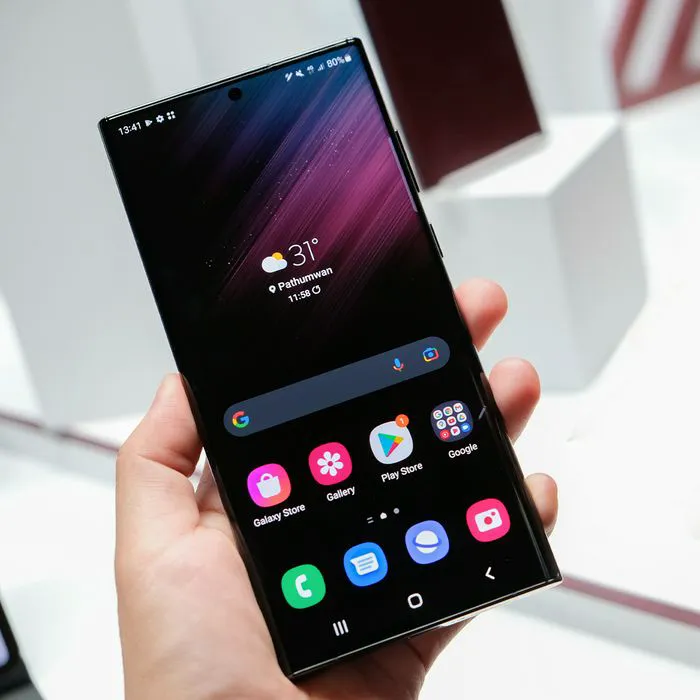
"Samsung Galaxy S22 smartphone"
"Cheetos Flaming Hot Dill Pickles Smoothie Bowl from Aldi"
"Nicole Kidman at the Met Gala"
"Donald Trump and Kamala Harris"
"Kim Kardashian with Lewis Hamilton"
"General Mills headquarters and cereal"
"Jay-Z with Beyoncé and Rihanna"
"Stylish summer bottoms for warm weather getaway"
"Britney Spears at the GLAAD Awards"
Gigi Hadid and Bradley Cooper at a glamorous event
Michelle Obama at The 2024 Albies awards ceremony
Selena Gomez at the premiere of Netflix's "Marty: Life is Short."
Kim Kardashian with daughter Chicago at a family event.
Close-up of a woman's face showcasing healthy skin
Ariana Grande at the Golden Globes red carpet event.
Whoopi Goldberg at The Whoopi Monologues opening night.
Woman enjoying a healthy breakfast meal.
Kate Middleton and Prince William with French President Macron.
Usha Vance and Donald Trump at a political event.
JLo and Ben Affleck at ELLE's Women in Hollywood celebration.
Samsung Galaxy S22 smartphone with sleek design
Cheetos Flaming Hot Dill Pickles smoothie bowl from Aldi
Nicole Kidman at the Met Gala fashion event.
Donald Trump and Kamala Harris during a debate.
Kim Kardashian with Lewis Hamilton at a red carpet event.
General Mills headquarters with iconic cereal products
Jay-Z with Beyoncé and Rihanna at a gala event.
Stylish summer bottoms perfect for warm weather getaways

Fashion

I love a dress because you don't have to ...

Britney Spears at the GLAAD Awards ceremony.