Chic hairstyles for women over 50 in 2026.
Donald Trump discussing maternal healthcare initiatives.
Queen Camilla and Kate Middleton at a royal event.

|

6 ‘Harmful’ Settings Mistakes That Could Be Draining Your iPhone’s Battery, Apple Experts Warn: A Too-Bright Screen & More

June 11, 2024 by Lisa Cupido
shefinds | |
Featured image

It doesn’t take much to set your iPhone up for success — being cautious about how you use some of the settings on your phone is a good way to start. Some settings are simply more draining when they are always on or when they aren’t being used conservatively. If you’re fed up with your battery because it’s constantly draining too fast and you always need to have a charger on hand, you can take steps to mitigate the problem. Start by addressing these six settings that can cause battery drainage.

Brightness

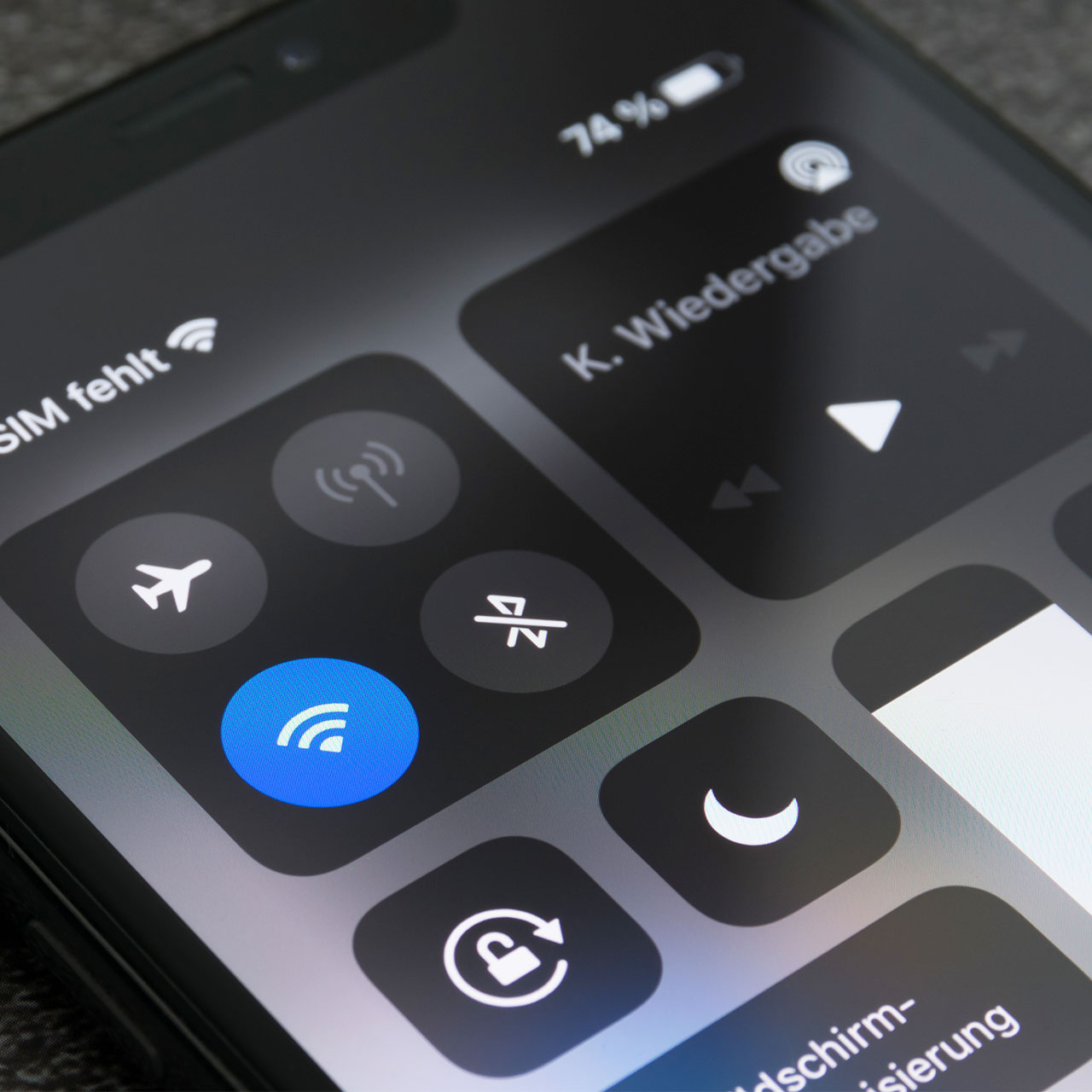
You may not even realize how bright your phone is set until you turn down the light source and see that you can live perfectly fine with a less bright device. In the meantime though, your super-bright phone is taking up battery power in a major way. Aside from turning down the brightness lever in Settings, you can also enable Night Shift by swiping down from the top right corner of your screen to access Control Center, pressing and holding the Brightness icon, and tapping Night Shift. This adjusts your display to show warmer hues.

house unit img
Women Are Swapping Their Boring Water For This Ice Pop Electrolyte Mix!
someone-placing-iphone-wireless-charger

Push Notifications


Not only are Push Notifications distracting and annoying — they alert and “nudge” you anytime an app updates its content, such as when you receive a new message on Facebook on Snapchat — but they’re killing your phone. Turn them off once and for all by going to Settings > Notifications and turning off the slider next to the apps.


Background App Refresh


Do you really need a setting on your phone to consistently update all of your apps all of the time? As you can probably imagine, such an undertaking takes up massive amounts of battery power. And, although it’s convenient to open an app and have everything updated and waiting for you without having to give it a few seconds to update, it’s not necessary. To turn this setting off, go to Settings > General > Background App Refresh.


Bluetooth


Make sure your Bluetooth setting is only enabled when you’re using it. Otherwise, it can drain your battery power and give you nothing back in return. Go to Settings > Bluetooth.
woman-typing-iphone

Vibration Mode


Did you know that having the Vibration Mode on your phone calls enabled can actually take up a small amount of battery power? To save as much battery as possible, switch this back to a regular old chime sound.


Turn Off Siri


Siri is always listening in — which can be both creepy AND battery consuming. Turn it off by going to Settings > Siri & Search > disable the “Hey Siri” option.


Author:

Lisa Fogarty is a lifestyle writer and reporter based in New York who covers health, wellness, relationships, sex, beauty, and parenting.

Boar's Head deli meats assortment on display.
Donald Trump and Hillary Clinton during a debate.
Melania Trump expressing love and gratitude in a candid moment.
Close-up of a modern hair cut highlighting precision and style.
Melinda Gates and Bill Gates attending an event together.
Jessica Biel and Justin Timberlake at Trolls screening event.
Kim Kardashian and North West sharing a sweet moment.
Nicole Kidman and Keith Urban at AFI Awards Gala.
Woman applying serum to her face in close-up.
North West and Kim Kardashian enjoying a fun day.
Fresh fruit displayed in a grocery store aisle.
Gigi Hadid at WWD Honors Awards ceremony.
Ariana Grande at the 30th Annual Critics Choice Awards.
Jennifer Lawrence walking the red carpet at Cannes Film Festival.
Preparing a protein shake to boost metabolism.
Natalie Portman at the Cannes Film Festival event.
Kendall Jenner walking in L’Oreal show at Paris Fashion Week.
Lauren Sanchez attending the amfAR Gala event.
Tom Brady and Gisele Bundchen at Hollywood For Science Gala.
Kendall Jenner at the Vanity Fair Oscars party.
Boar's Head deli meats assortment on display.
Donald Trump and Hillary Clinton during a debate.
Melania Trump expressing love and gratitude in a candid moment.
Close-up of a modern hair cut highlighting precision and style.
Melinda Gates and Bill Gates attending an event together.
Jessica Biel and Justin Timberlake at Trolls screening event.
Kim Kardashian and North West sharing a sweet moment.
Nicole Kidman and Keith Urban at AFI Awards Gala.
Woman applying serum to her face in close-up.
North West and Kim Kardashian enjoying a fun day.
Fresh fruit displayed in a grocery store aisle.
Gigi Hadid at WWD Honors Awards ceremony.
Ariana Grande at the 30th Annual Critics Choice Awards.
Jennifer Lawrence walking the red carpet at Cannes Film Festival.
Preparing a protein shake to boost metabolism.
Natalie Portman at the Cannes Film Festival event.
Kendall Jenner walking in L’Oreal show at Paris Fashion Week.
Lauren Sanchez attending the amfAR Gala event.
Tom Brady and Gisele Bundchen at Hollywood For Science Gala.
Kendall Jenner at the Vanity Fair Oscars party.