"Jennifer Aniston and Benny Blanco at a recent event"
"The Best Summer Scents And Fragrances of 2026"
"Julia Roberts at the Critics' Choice Awards"

Homepage

Want Better iPhone Photos? Try These 2 Expert-Approved Tips For High-Quality Pictures

November 13, 2024 by Lisa Cupido
shefinds | Homepage
Featured image

Even if you lack any photo-taking skills whatsoever, the iPhone makes it easy to snap decent-looking pictures that provide a good balance between light and dark and offer ways of centering your subject and creating depth and contrast. Unless you are pointing your camera at your feet, it’s very difficult to take a monstrously bad photo with your phone, and the more modern your phone model is, the more advanced its camera technology has become. For many people, the iPhone is a perfect replacement for a bulkier professional camera.

But there are simple ways that you can take even better, more beautiful, and more artsy photos using your phone.

If you want better photos from your iPhone, one tech expert offers simple and reliable tips that will make a big difference in the quality of your images.

house unit img
Women Are Swapping Their Boring Water For This Ice Pop Electrolyte Mix!
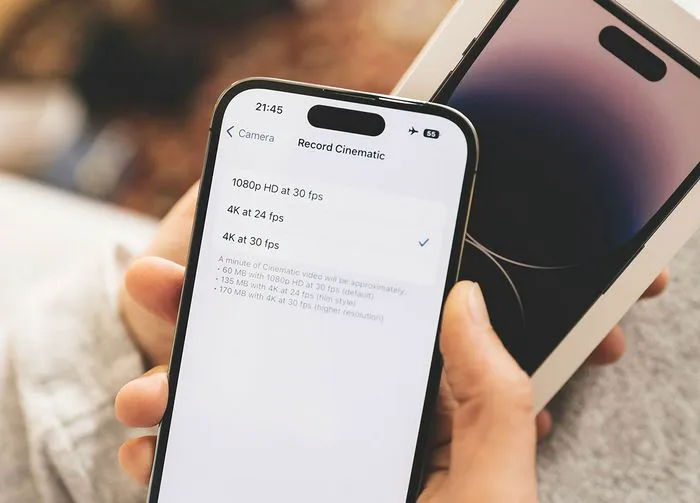
iphone-record-cinematic-settings

Shoot Photos in Portrait Mode


The next time you open your camera app to take a photo of your best friend or a group of people standing in front of a landmark, switch from Photo to Portrait mode and adjust your lighting preferences so that you are taking photos in “Natural light.” Now swap “1X” for “2X” and slide the “f” icon all the way down to 1.4. Making these quick changes creates a crisper, more focused, and vibrant photo of your subjects.


But you’re not finished yet — don’t ignore all of the possibilities available to you via Edits.
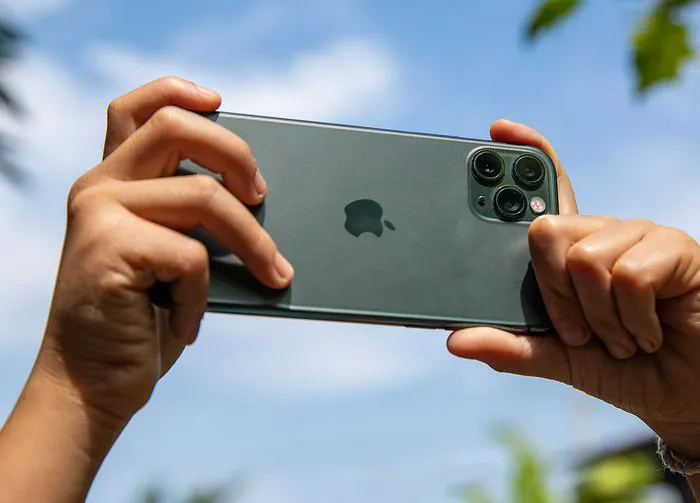
person-holding-up-iphone

Edit Photos


After you’ve snapped your photo, go into the Photos file and choose the picture you just shot. Edit it in the following ways: change natural lighting to studio lighting, change the brilliance and “pump it up,” and then go to contrast and “pump” that up, as well. Head to vibrance and increase that to make everything more saturated except for your skin shade. Lastly, go to Vignette and bring that up a bit so that the edges get a little bit darker.


With these few adjustments and additions you can create an amazing, professional-looking photo using your iPhone.


Author:

Lisa Fogarty is a lifestyle writer and reporter based in New York who covers health, wellness, relationships, sex, beauty, and parenting.

"Sofia Vergara at the Oscars"
"Kate Middleton with Prince George"
"A well-organized soda aisle"
"Gwyneth Paltrow at the Golden Globes"
"Donald Trump and Melania Trump at an event"
"Angelina Jolie at AFI Fest"
"Taylor Swift and Travis Kelce together"
"Makeup tips from Nikol Johnson"
"Ivanka Trump at the Fontainebleau Las Vegas Grand Opening Party"
"Crofton cold brew maker with glasses"
"Barron Trump at Donald Trump's inauguration"
"Ariana Grande at the Oscars"
"Wooden board with bagels, blueberries, and butter"
"Close-up of male hands holding an Apple iPhone 17 Pro Max"
"Common skincare mistakes for women over 40"
"Haircuts and hairstyles to divert attention from jowls"
"Meghan Markle at the Invictus Games"
"Gigi Hadid attending the Le Grand Diner du Louvre"
"Using an iPhone for photography"
"Holding an iPhone with various apps displayed"
Sofia Vergara at the Oscars in a stunning gown.
Kate Middleton and Prince George share a sweet moment.
Image from SHEfinds
Gwyneth Paltrow glamorous look at the Golden Globes awards.
Donald and Melania Trump at a public event.
Angelina Jolie at the AFI Fest premiere.
Taylor Swift and Travis Kelce together at an event.
Image from SHEfinds
Ivanka Trump at the Fontainebleau Grand Opening Party.
Image from SHEfinds
Barron Trump during his father's inauguration ceremony.
Ariana Grande attending the Oscars in glamorous attire.
Image from SHEfinds
Image from SHEfinds
Common skincare mistakes affecting women over 40's fine lines.
Image from SHEfinds
Meghan Markle at the Invictus Games Day 4.
Gigi Hadid arriving at Le Grand Diner du Louvre.
Image from SHEfinds
Image from SHEfinds