

"Woman concerned about her skin"
"Ariana Grande at the Oscars"
"Woman suffering from back pain"

Homepage

A Security Pro Shares The Most Dangerous iPhone Habits That Could Be Exposing You To Hackers Right Now

June 2, 2025 by Lisa Cupido
shefinds | Homepage
Featured image

Sometimes phones get hacked — and it’s a headache when that happens. But just because it’s an incident that happens at times doesn’t mean you should make it as easy as possible for hackers to access your data. There are steps you can take on your end to secure your phone as much as possible. Curbing the permissions that your apps have are a big help, as is making sure your passwords are top-notch and that you aren’t re-using them for every website and app.

A few dangerous iPhone habits could be exposing you to hackers right now. The best way to keep this from happening is to change these four bad iPhone habits.

house unit img
Women Are Swapping Their Boring Water For This Ice Pop Electrolyte Mix!
wifi-bluetooth-settings

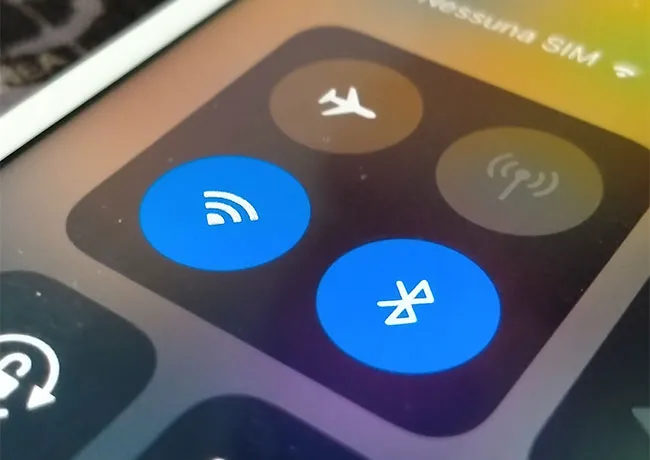
1. Leaving Bluetooth Turned On for Apps


Hackers can take control of your data by exploiting Bluetooth if it’s turned on for all of your apps. Giving apps Bluetooth access allows them to collect data about nearby devices (your device!), which might be used to infer your habits, contacts, or even your social network. Only allows apps that need Bluetooth to operate to have it (such as fitness trackers and headphones). Turn it off for all other apps.
disable-location-services-iphone

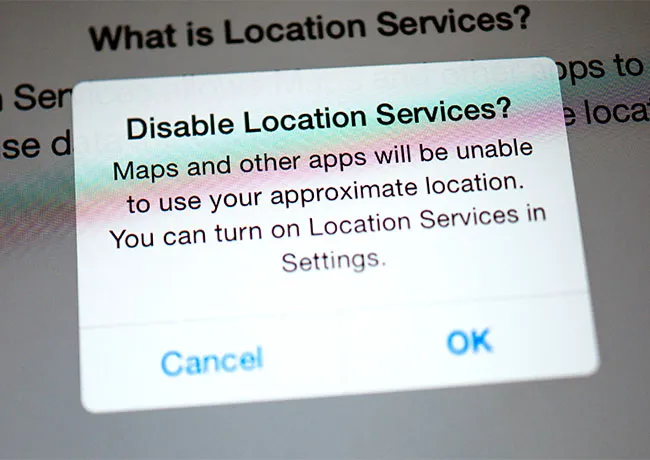
2. Location Services is Turned On for All Apps


You might be surprised at the number of apps that are accessing your location and possibly using your location data to sell to advertisers. Apps that are known for this practice include social media, navigation, and free weather apps.


Go to Settings > Privacy & Security > Location Services. Scroll through the list to see which apps are marked: Never, Ask Next Time, While Using the App, and Always. Change permissions for apps so that most do not have access to your location, or can only see it when you’re using the app and it’s required.
apple-id-password

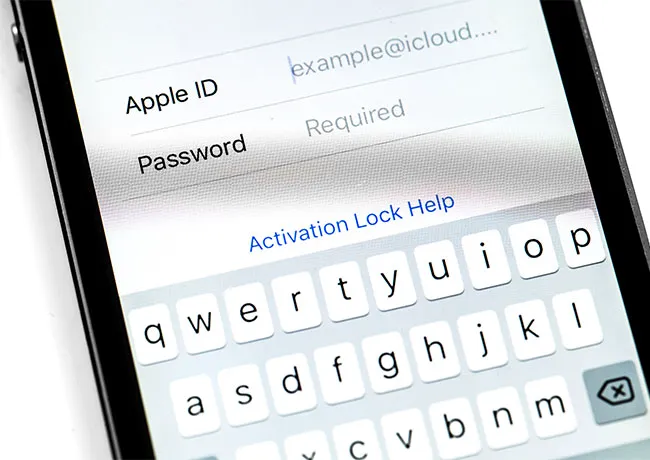
3. Re-Using the Same Weak Passwords


It’s hard to remember 40 unique passwords, which is why using a password manager is an excellent idea and will generate that password you need without forcing you to remember it (or write it down). Whatever you do, avoid re-using the same weak password — you know the one — your dog’s name with your birthday. Hackers can figure out simple passwords easily.

authenticator-app-iphone

4. Not Enabling Two-Factor Authentication


Two-factor authentication is a setting that makes an enormous difference when it comes to your security. When this setting is enabled, you will be required to enter your regular passcode for a website in addition to a code sent to your phone or email, as an added layer of protection. This two-step process makes it a lot more difficult for hackers to gain entry into websites that have highly confidential data, such as your banking information.

Author:

Lisa Fogarty is a lifestyle writer and reporter based in New York who covers health, wellness, relationships, sex, beauty, and parenting. Contact Lisa: lisa@shefinds.com.

"Melania Trump celebrating Women's History Month"
"Woman getting her hair blow dried at the salon"
"Charlize Theron at an Emmy event in Seoul"
"Romeo Beckham at David Beckham's Hollywood Walk of Fame ceremony"
"North West at Fashion Week"
"Four anti-aging skincare ingredients recommended by dermatologists"
"Julia Roberts at the Golden Globes"
"Walmart promotional image"
"Karoline Leavitt holding a briefing"
"Bianca Censori at the Grammys"
"Penelope Disick on the red carpet"
"Barack Obama and Caitlin Clark at an event"
"Heidi Klum at a L'Oreal Paris celebration"
"Oprah Winfrey at the American Ballet Theatre Fall Gala"
"Jennifer Aniston and Jim Curtis at an event"
"Zendaya at the Golden Globes"
"Michelle Obama at the Democratic National Convention"
"Melania Trump at the Fostering the Future Together Global Coalition Summit"
"Five bob haircuts recommended for women with thinning hair"
"Smash Foods jammy protein bites and frozen bars at Costco"
Melania Trump celebrates Women's History Month with a heartfelt message.
Woman getting a stylish blowout at the salon.
Charlize Theron at the Odyssey Palm Royale event in Seoul.
Romeo Beckham at David Beckham's Hollywood Walk of Fame star unveiling.
North West Fashion Week runway event highlights
Effective anti-aging skincare ingredients recommended by dermatologists
Julia Roberts at the Golden Globes ceremony
Walmart store showcasing various products
Karoline Leavitt discusses skincare and aging at a briefing.
Bianca Censori at the Grammys showcasing elegant beauty and style.
Penelope Disick showcasing youthful beauty and style
Barack Obama and Caitlin Clark smiling together at an event.
Heidi Klum at L'Oreal Paris celebration event.
Oprah at the American Ballet Theatre Fall Gala event.
Jennifer Aniston and Jim Curtis posing together, smiling happily.
Zendaya's glamorous look at the Golden Globes event.
Michelle Obama addressing the audience at the Democratic National Convention.
Melania Trump speaking at the Global Coalition Summit event.
Recommended bob haircuts for women with thinning hair
Jammy protein bites for healthy snacking from Costco