



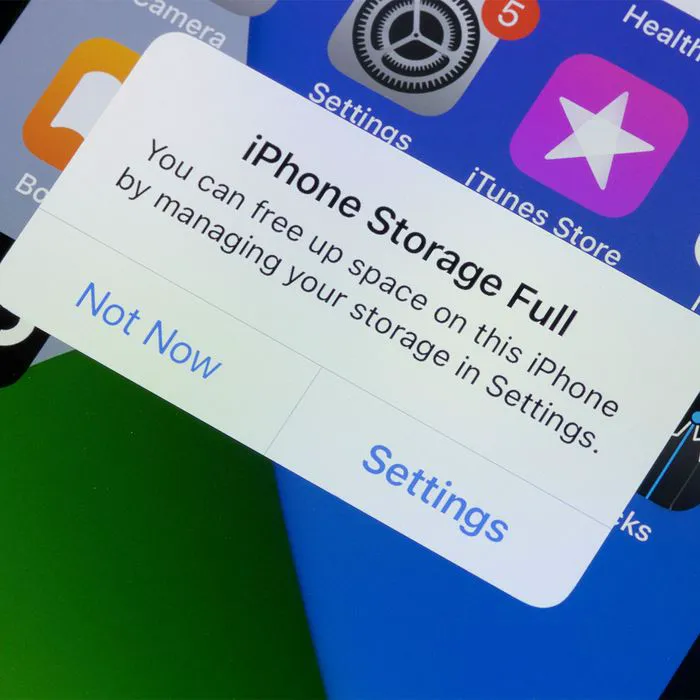
Let’s talk about iPhone settings. Some of them are worth adjusting, like ASAP, in order to save battery power — things like your screen’s brightness, which probably doesn’t need to be able to seen from Mars. But it’s almost guaranteed that you have certain other settings turned off when they should be turned on, because enabling them can save you so much storage space. Anyone who has dealt with storage full pop-ups at inopportune times knows the value of having enough storage. Instead of shelling out the purchase more space or deleting countless videos and photos that you’d really rather keep, Vladislav Bilay, a Cloud DevOps engineer | Tech Lead at Aquiva Labs, recommends turning on this iPhone setting to save so much storage.
Offload Unused Apps
Enable Offload Unused Apps right now —right this very minute — because the setting can help save storage on your iPhone more effectively. “This setting automatically removes infrequently used apps from your device while preserving their data,” Bilay says. “Let’s delve into why this setting is essential and how it optimizes your storage:
When you enable “Offload Unused Apps,” your iPhone analyzes your app usage patterns and identifies apps that you haven’t used in a while. It then intelligently offloads those apps, which means the app itself is removed from your device, but the app’s data and documents are preserved.”
Bilay also adds that by offloading unused apps, you can significantly reclaim storage space on your iPhone. “Many apps can occupy a considerable amount of storage due to their size, media files, and cached data,” he says. “However, if you haven’t used an app for an extended period, it’s likely that you can temporarily do without it, freeing up valuable storage for other purposes.”

Women Are Swapping Their Boring Water For This Ice Pop Electrolyte Mix!

What’s more: when you reinstall an offloaded app from the App Store or launch it from the Home screen, your iPhone re-downloads the app and restores its data and settings seamlessly, Bilay notes. “This process ensures a smooth user experience, allowing you to access your apps as if they were never offloaded. Moreover, offloading unused apps has another advantage. It helps manage your device's performance and enhances overall system efficiency. When your iPhone's storage space is running low, it can impact the device's speed and responsiveness. By offloading apps you don't frequently use, you reduce the strain on system resources, leading to smoother performance.”
To enable the "Offload Unused Apps" setting on your iPhone, go to Settings, tap on "General," then "iPhone Storage." You'll find the option to toggle the setting on, Bilay instructs. Once enabled, your iPhone will take care of identifying and offloading apps automatically, ensuring your storage remains optimized.
“Remember that while offloading unused apps can save storage space, it's essential to review the list of offloaded apps occasionally,” Bilay says. “Some apps, even if infrequently used, may contain important data or have specific functionalities you may need in the future. Assess your app usage patterns and consider the apps you genuinely don't require before allowing the setting to offload them.”
Enjoy gaining back all of that precious storage space you need!