
Jennifer Lopez shines in balloon-sleeved blouse at American Music Awards.
Emma Stone at the Annual Actor Awards event.
Salma Hayek in a lavender gown at the Breakthrough Prize Ceremony.

Homepage

The Surprising iPhone Settings To Turn Off Because They’re Killing Your Battery Life: Screen Brightness & More

August 24, 2025 by Lisa Cupido
shefinds | Homepage
Featured image

There’s nothing worse than glancing at your iPhone midday and realizing your battery is already nearly depleted, especially when you were at 100 percent just a few hours ago. If you feel like you’re constantly tethered to a charger or power bank, you’re not imagining things. Some iPhone settings are useful, but are also drain your battery much faster than you’d expect. With a few quick changes, you can keep your phone going strong all day long.

By adjusting just three iPhone settings, you can give your iPhone’s battery life a serious boost. These small changes can help your phone use energy more efficiently, so you’re not caught off guard when you need it most. Whether you’re out running errands, heading to work, or just don’t want to be glued to an outlet, these battery-saving tips for three settings can make a big difference.

house unit img
Women Are Swapping Their Boring Water For This Ice Pop Electrolyte Mix!
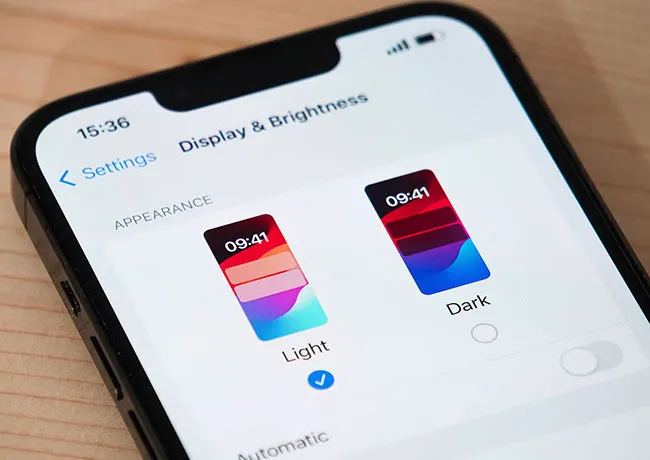
iphone-screen-brightness

1. Screen Brightness


Keeping your screen brightness turned up all the way is one of the fastest ways to drain your iPhone battery — especially if you’re frequently on your phone throughout the day. A bright screen demands more power, plain and simple. To conserve battery, lower your brightness manually in Control Center or enable Auto-Brightness by going to Settings > Accessibility > Display & Text Size and toggling it on. This will prompt your phone brightness to adjust based on lighting conditions in your environmement.
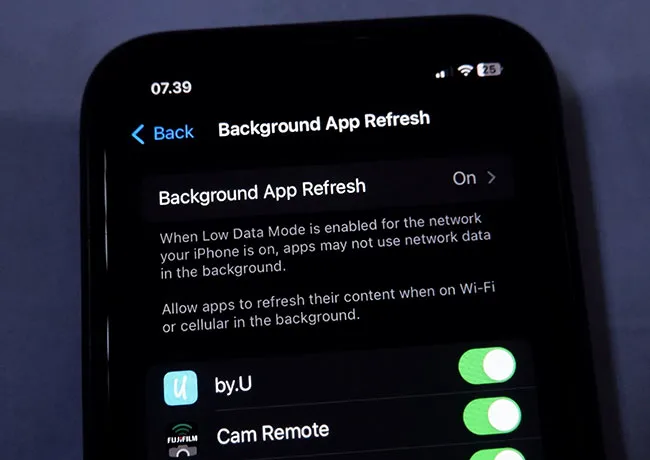
background-app-refresh

2. Background App Refresh


Background App Refresh lets apps update their content even when you're not using them — which sounds convenient, but it’s a battery killer. Apps like email, social media, and news platforms constantly checking for updates in the background use both battery and data.


To limit this battery drain, head to Settings > General > Background App Refresh and switch it off or select Wi-Fi only. You can also disable it for specific apps that don’t need to run in the background. 
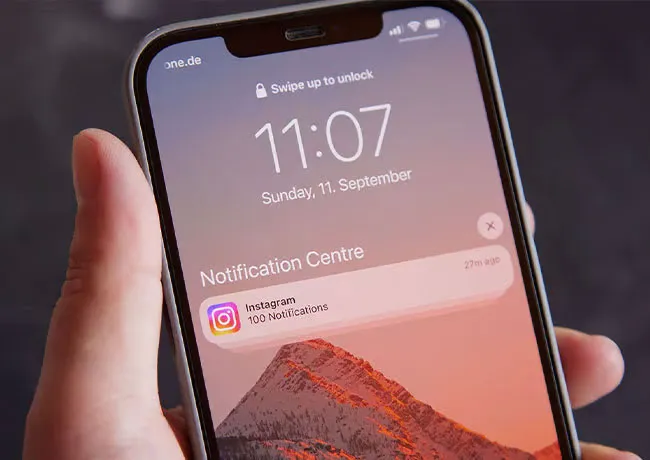
iphone-push-notifications

3. Push Notifications


Push notifications might seem harmless, but every alert forces your phone to light up, make a sound, and connect to servers in the background — all of which drain your battery. When too many apps are sending constant updates, it adds up fast. To take control, go to Settings > Notifications and scroll through your apps. Turn off notifications for any apps that aren’t essential, or at least disable sounds and banners. Your battery will thank you.


 

Tags:

Author:

Lisa Fogarty is a lifestyle writer and reporter based in New York who covers health, wellness, relationships, sex, beauty, and parenting.

Middle-aged woman enjoying a glass of wine at home.
Best beauty deals on Amazon for Prime Day shoppers.
Ariana Grande at the Golden Globes, stunning red carpet look.
Kylie Jenner's Met Gala 2025 outfit featuring sophisticated black tailoring.
Woman applying sunscreen for sun protection and skincare.
Taylor Swift and Travis Kelce together at an event.
Healthy seeds, not pastries, promoting nutritious snacking choices.
Ivanka Trump and Jared Kushner at a public appearance.
Bad Bunny at the Grammy Awards red carpet.
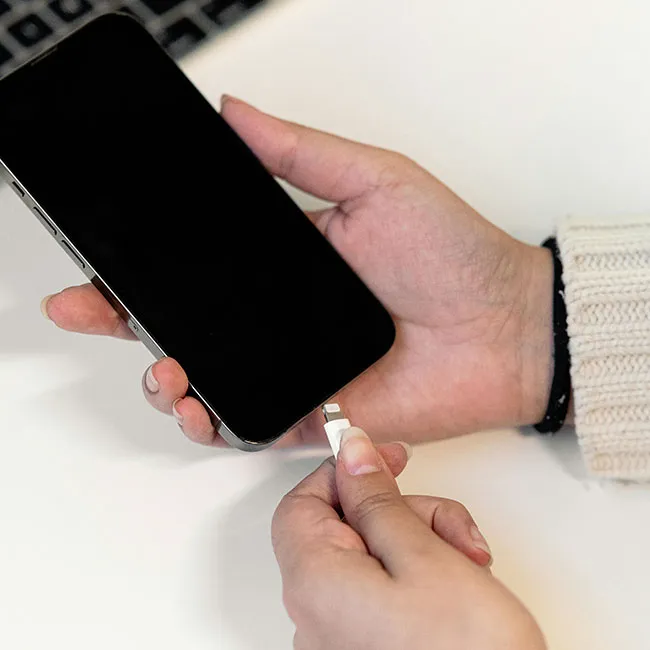
iPhone charging plugged into a laptop for convenience.
iPhone settings screen showing charging options and battery status.
Trendy Italian bob hairstyle that’s popular this summer.
Angelina Jolie receiving the Trophee Chopard award.
Selena Gomez at the Rare Impact Fund Benefit gala.
Pool lounger with cocktail and trail mix for relaxation.
Brad Pitt and Ines de Ramon at the F1 premiere.
Queen Camilla with Prince Harry and Meghan Markle.
Travis Kelce and Taylor Swift at an event.
Barack Obama with Michelle, Malia, and Sasha Obama.
Amazon Prime Day week logo on smartphone and laptop screens.
Middle-aged woman enjoying a glass of wine at home.
Best beauty deals on Amazon for Prime Day shoppers.

Beauty

Prime Day is basically a holiday for anyone who's ...

Ariana Grande at the Golden Globes, stunning red carpet look.
Kylie Jenner's Met Gala 2025 outfit featuring sophisticated black tailoring.
Woman applying sunscreen for sun protection and skincare.
Taylor Swift and Travis Kelce together at an event.
Healthy seeds, not pastries, promoting nutritious snacking choices.
Ivanka Trump and Jared Kushner at a public appearance.
Bad Bunny at the Grammy Awards red carpet.
iPhone charging plugged into a laptop for convenience.
iPhone settings screen showing charging options and battery status.
Trendy Italian bob hairstyle that’s popular this summer.
Angelina Jolie receiving the Trophee Chopard award.
Selena Gomez at the Rare Impact Fund Benefit gala.
Pool lounger with cocktail and trail mix for relaxation.
Brad Pitt and Ines de Ramon at the F1 premiere.
Queen Camilla with Prince Harry and Meghan Markle.
Travis Kelce and Taylor Swift at an event.
Barack Obama with Michelle, Malia, and Sasha Obama.
Amazon Prime Day week logo on smartphone and laptop screens.

Fashion

This summer, I might be shopping for more clothes and ...