


Prince William and Prince Harry at a royal event.
Woman experiencing hair loss and seeking solutions.
Woman enjoying a donut late at night, smiling.

Homepage

4 Unexpected iPhone Settings You Should Disable Immediately To Boost Battery Life

August 5, 2024 by Lisa Cupido
shefinds | Homepage
Featured image

Your iPhone settings can make your phone user experience so much better. If you don’t feel like waiting even a second for your apps to load new content — there’s a setting for that. Want to be notified the second you have a new message or DM on a social media app — there’s another setting for that. But, as you can probably guess, the more you’re asking your phone to do for you, the more battery power your phone is going to rely on to get those tasks completed.

If you’re concerned about fast battery drainage, the solution becomes: picking and choosing which settings you have enabled with more care and also deciding which you can disable for the sake of battery longevity. Here are four unexpected iPhone settings that you can disable to boost your battery power.

house unit img
Women Are Swapping Their Boring Water For This Ice Pop Electrolyte Mix!
soft-focus-iphone

Location Services


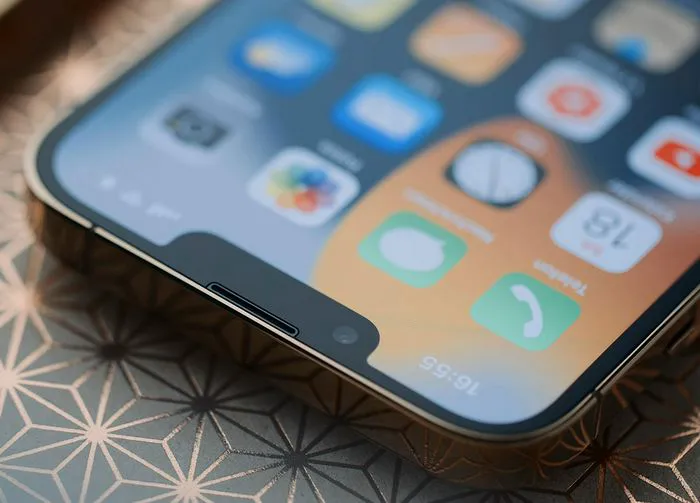
Some apps need location services enabled so they can do their jobs properly. Apps like Apple Maps and Weather, for example, can’t function if this setting isn’t enable. However, the majority of your apps don’t need your location. Sharing it at all times isn’t just a battery drain, but it’s also risky for your privacy. Go to Settings > Privacy & Security > Location Services and disable location for all of the apps that don’t require it. Then consider only allowing certain apps to access your location when you’re using the app.


Background App Refresh


That aforementioned great setting that updates app content in the background is convenient, it’s true. But it’s also a top source of battery drainage. Manage it by going to Settings > General > Background App Refresh and either disabling it completely or turning it on only for specific apps.
white-iphone

Push Notifications


Unless you need to be notified the second you have a message, turn off Push Notifications by going to Settings > Notifications and disabling the setting. This will give your battery a much-needed break AND give you back some peace as you can check your notifications on your terms.


Auto Brightness


A too-bright phone screen is one of the leading reasons your battery can’t keep up with your demands. It’s a great idea to turn on the auto brightness setting, which detects the light in your environment and compensates with your phone brightness accordingly. In other words: if you’re in sunlight, your phone screen won’t use up as much battery as it would if you’re in a darkened room. Go to Settings > Accessibility > Display & Text Size and toggle on Auto-Brightness.
Author:

Lisa Fogarty is a lifestyle writer and reporter based in New York who covers health, wellness, relationships, sex, beauty, and parenting.

David Vance and Usha Vance at Elysee Palace in Paris.
Shania Twain performing at the Annual Academy of Country Music.
Modern workspace with a person typing on a laptop.
Chic haircuts for women over 50 trending in 2026.
Donald Trump speaking at a maternal healthcare event.
Queen Camilla and Kate Middleton at a royal event.
Middle-aged woman working out, focused on her fitness goals.
Kim Kardashian at Kering's Caring for Women dinner.
Kylie Jenner with Stormi and Timothée Chalamet at a gathering.
Madonna stunning at the Met Gala.
Taylor Swift arriving in a private jet, 2024.
Woman experiencing fatigue from lack of sleep.
Banana nice cream served in a bowl with toppings.
Jennifer Lopez wearing Defiance at the AMAs 2025.
Vittoria Ceretti and Leonardo DiCaprio at an event.
Emma Stone at the Annual Actor Awards ceremony.
Salma Hayek at the 12th Annual Breakthrough Prize Ceremony.
Superfoods to enhance collagen and glowing skin this summer.
Kate Middleton during a state visit.
Middle-aged woman sipping wine, relaxing after a long day.
David Vance and Usha Vance at Elysee Palace in Paris.
Shania Twain performing at the Annual Academy of Country Music.
Modern workspace with a person typing on a laptop.
Chic haircuts for women over 50 trending in 2026.
Donald Trump speaking at a maternal healthcare event.
Queen Camilla and Kate Middleton at a royal event.
Middle-aged woman working out, focused on her fitness goals.
Kim Kardashian at Kering's Caring for Women dinner.
Kylie Jenner with Stormi and Timothée Chalamet at a gathering.
Madonna stunning at the Met Gala.
Taylor Swift arriving in a private jet, 2024.
Woman experiencing fatigue from lack of sleep.
Banana nice cream served in a bowl with toppings.
Jennifer Lopez wearing Defiance at the AMAs 2025.
Vittoria Ceretti and Leonardo DiCaprio at an event.
Emma Stone at the Annual Actor Awards ceremony.
Salma Hayek at the 12th Annual Breakthrough Prize Ceremony.
Superfoods to enhance collagen and glowing skin this summer.
Kate Middleton during a state visit.
Middle-aged woman sipping wine, relaxing after a long day.

















