



Tired woman showing effects of lack of sleep on her face.
Creamy banana nice cream in a bowl with toppings.
Jennifer Lopez at 2025 American Music Awards in stylish outfit.

Homepage

Android Users: Change This Hidden Privacy Setting Now To Stop Apps From Tracking You

December 3, 2025 by Abigail Connolly
shefinds | Homepage
Featured image

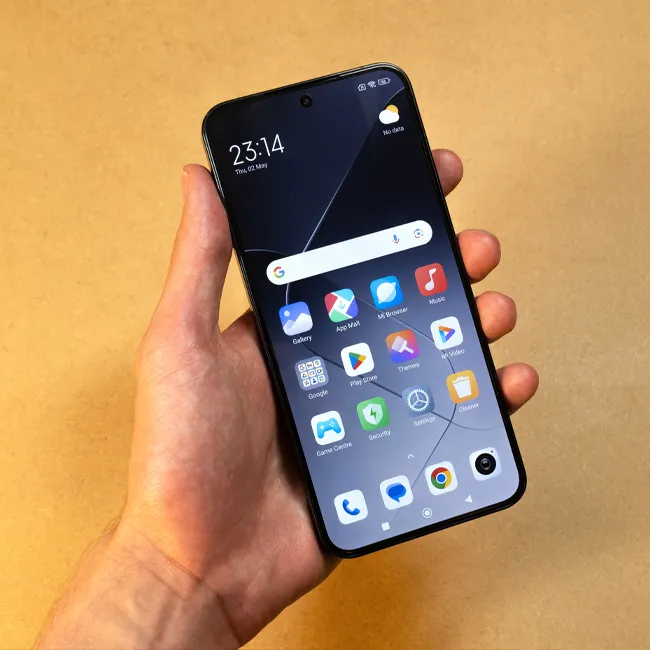
When you have a smartphone like an Android, there are often many safety measures already put in place, but there are also a few you should look out for.

One of the biggest concerns with today’s technology and our reliance on smartphones is the risk of other people, scammers, or even apps tracking us. Of course, some apps need your location to function, but there are others that, at the end of the day, don’t need that kind of access to that information. If you’re worried about your Android apps potentially tracking you or having unnecessary access to where you are, read more about how to take care of them below.

house unit img
Women Are Swapping Their Boring Water For This Ice Pop Electrolyte Mix!

The Importance Of Checking Your Android's App Tracking

These days, you see so many articles and videos about iPhone safety and ways for iPhone users to keep themselves safe, but these issues are just as important for Android users!


Androids, like most smartphones these days, come with built-in safety features that keep you as safe as possible from harm and scammers. However, technology is still technology, and every once in a while, your safety can be put at risk.


One of the most precious pieces of information you carry around with your phone is your location, which you don't want getting into the hands of the wrong person. It's always a good idea to double-check which apps have your location, especially whenever you download new ones or update your device.


"App tracking has its pros and cons," wrote tech experts at Mint Mobile. "As a consumer, we think it's important that you know what your options are. You might love getting software improvements based on your activity, or getting recommended products that are useful and relevant to your lifestyle. But if you don't, you deserve to know what your rights are as a consumer and how to keep your app activity customized to your privacy preferences. The power is in your hands."
Image from SHEfinds

How To Disable App Tracking On Your Android

Thankfully, the process for checking which apps on your Android have access to your location and how to track them is quite easy.


First, you'll go into your Settings, then Apps, then App Management. From there, you can see all of your apps and specifically look at the permissions each one has. For instance, you might notice that a random gaming or social media app has access to your location, microphone, and more, which is not ideal.


You can then go into each app and change its permissions, limiting what it has access to. So, if you want your go-to GPS app to have your location but not a social media app you hardly use, you can fix that.


Author:

Editorial Assistant

Abigail is a journalist based in Brooklyn, New York. As an Editorial Assistant for SheFinds, she covers topics ranging from celebrity news and fashion to wellness. She has written for other publications, including Chip Chick, Bandsintown, BroadwayWorld, and more. When she isn't writing, Abigail loves spending time in the city with her friends, being a 'dog mom' to her Chihuahua, and singing along to some of her favorite music.

Salma Hayek at 12th Annual Breakthrough Prize Ceremony red carpet.
Collagen-boosting superfoods for glowing summer skin.
Middle-aged woman enjoying wine for relaxation.
Best Prime Day beauty deals on Amazon right now.
Ariana Grande at the Golden Globes red carpet.
Kylie Jenner at the 2025 Met Gala showcasing elegant black tailoring.
Woman applying sunscreen for sun protection.
Taylor Swift and Travis Kelce together at a public event.
Nutrient-rich seeds as a healthy snack alternative
Ivanka Trump and Jared Kushner attending a formal gathering.
Bad Bunny performing at the Grammy Awards ceremony.
iPhone charging plugged into laptop for convenience.
iPhone charging settings displayed on screen.
Viral Italian bob hairstyle trend for summer 2023.
Angelina Jolie receiving the Trophee Chopard Award at a gala.
Selena Gomez at the 3rd Annual Rare Impact Fund Benefit event.
Colorful cocktail and snack mix by the poolside.
Brad Pitt with Ines de Ramon at the F1 World Premiere.
Queen Camilla with Prince Harry and Meghan Markle at a royal event.
Travis Kelce and Taylor Swift spotted together at an event.
Salma Hayek at 12th Annual Breakthrough Prize Ceremony red carpet.
Collagen-boosting superfoods for glowing summer skin.
Middle-aged woman enjoying wine for relaxation.
Best Prime Day beauty deals on Amazon right now.

Beauty

Prime Day is basically a holiday for anyone who's ...

Ariana Grande at the Golden Globes red carpet.
Kylie Jenner at the 2025 Met Gala showcasing elegant black tailoring.
Woman applying sunscreen for sun protection.
Taylor Swift and Travis Kelce together at a public event.
Nutrient-rich seeds as a healthy snack alternative
Ivanka Trump and Jared Kushner attending a formal gathering.
Bad Bunny performing at the Grammy Awards ceremony.
iPhone charging plugged into laptop for convenience.
iPhone charging settings displayed on screen.
Viral Italian bob hairstyle trend for summer 2023.
Angelina Jolie receiving the Trophee Chopard Award at a gala.
Selena Gomez at the 3rd Annual Rare Impact Fund Benefit event.
Colorful cocktail and snack mix by the poolside.
Brad Pitt with Ines de Ramon at the F1 World Premiere.
Queen Camilla with Prince Harry and Meghan Markle at a royal event.
Travis Kelce and Taylor Swift spotted together at an event.

















