



Tired woman showing effects of lack of sleep.
Delicious banana nice cream dessert for healthy eating.
Jennifer Lopez stunning in Defaience at AMAs 2025.

Homepage

A Tech Pro Reveals The Android Setting You Should Turn Off Immediately To Improve Your Device's Speed

February 23, 2026 by Abigail Connolly
shefinds | Homepage

When you’re an Android user, most likely, you just want your phone to run as smoothly as possible.

It can be super irritating when your smartphone begins to slow down on you, as well as a bit concerning, as it can be hard to figure out exactly what is going on that’s causing your Android not to run at its best capacity. A slow Android can also easily lead to a draining battery. We spoke with a tech pro about the Android setting that you should turn off, not just to save battery life, but also improve its performance. Read more about what he had to say below.

house unit img
Women Are Swapping Their Boring Water For This Ice Pop Electrolyte Mix!
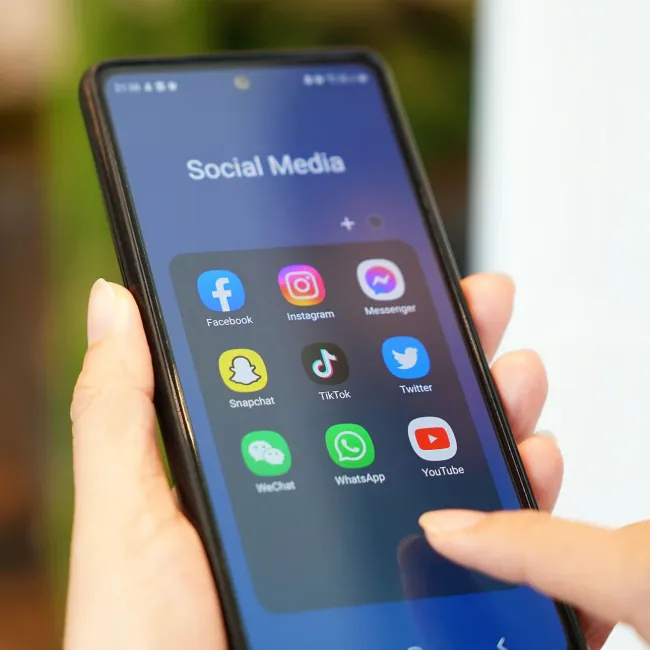
Image from SHEfinds

The Android Setting You Should Turn Off To Improve Performance & Save Battery Life

While having a smartphone can be super exciting and entertaining, there are some tech issues that can really put a damper on your experience. Some of those issues include dealing with a constantly draining battery and a slow-moving phone.


When users start facing these issues, they tend to assume there's something wrong with their device, like a software issue or a defective battery, often leaving them tempted to purchase a new phone. However, there are a lot of Android owners out there who tend to forget just how much their settings can have an impact on how well their phone runs.


In regard to a setting you should turn off to improve your phone's performance and battery, tech pro Michael Pedrotti suggests looking at Background Data Usage.


"Most users will be able to stop apps from consuming excess resources by limiting how these apps can behave in the background," he explains. "First, navigate to settings, then go to apps. Then, choose the app you'd like to limit. Within that app's settings, scroll through the list until you reach the mobile data and Wi-Fi or a similar name heading."


"In that section, simply flip the switch next to Background data to the Off position," he continues. "When the Background Data option is disabled for an app, the app cannot fetch or use data or power unless the user opens the app again."


Author:

Editorial Assistant

Abigail is a journalist based in Brooklyn, New York. As an Editorial Assistant for SheFinds, she covers topics ranging from celebrity news and fashion to wellness. She has written for other publications, including Chip Chick, Bandsintown, BroadwayWorld, and more. When she isn't writing, Abigail loves spending time in the city with her friends, being a 'dog mom' to her Chihuahua, and singing along to some of her favorite music.

Image from SHEfinds
Image from SHEfinds
Middle-aged woman enjoying a glass of wine at home.
Image from SHEfinds
Image from SHEfinds
Kylie Jenner's stylish black outfit at Met Gala 2025.
Image from SHEfinds
Taylor Swift and Travis Kelce together in candid moment.
Healthy seeds instead of pastries for nutritious snacking.
Ivanka Trump and Jared Kushner at social event.
Bad Bunny performing at the Grammy Awards.
iPhone charging plugged into a laptop for power.
iPhone settings displayed while charging.
Exploring the Italian bob hair trend for summer 2023
Angelina Jolie receiving The Trophee Chopard Award.
Selena Gomez at Rare Impact Fund Benefit event.
Pool lounger with cocktail and trail mix from Aldi.
Brad Pitt and Ines de Ramon at F1 World Premiere.
Queen Camilla with Prince Harry and Meghan Markle.
Travis Kelce and Taylor Swift sharing a moment together.
Image from SHEfinds
Image from SHEfinds
Middle-aged woman enjoying a glass of wine at home.
Image from SHEfinds

Beauty

Prime Day is basically a holiday for anyone who's ...

Image from SHEfinds
Kylie Jenner's stylish black outfit at Met Gala 2025.
Image from SHEfinds
Taylor Swift and Travis Kelce together in candid moment.
Healthy seeds instead of pastries for nutritious snacking.
Ivanka Trump and Jared Kushner at social event.
Bad Bunny performing at the Grammy Awards.
iPhone charging plugged into a laptop for power.
iPhone settings displayed while charging.
Exploring the Italian bob hair trend for summer 2023
Angelina Jolie receiving The Trophee Chopard Award.
Selena Gomez at Rare Impact Fund Benefit event.
Pool lounger with cocktail and trail mix from Aldi.
Brad Pitt and Ines de Ramon at F1 World Premiere.
Queen Camilla with Prince Harry and Meghan Markle.
Travis Kelce and Taylor Swift sharing a moment together.

















