Eight chic hairstyles for women over 50 in 2026.
Donald Trump discusses maternal healthcare at event.
Queen Camilla and Kate Middleton sharing a moment.

Homepage

A Tech Expert Says Checking These 3 iPhone Settings Are 'Essential' For 'Maximum Security': Camera, More

September 13, 2025 by Abigail Connolly
shefinds | Homepage
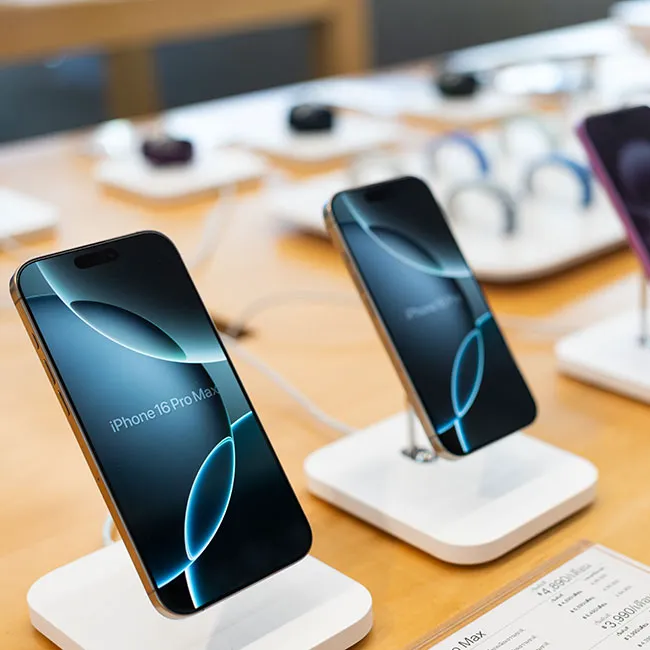
Featured image

When we’re using our iPhones, we sometimes forget that there are so many different types of settings we can adjust. Some of those settings are things we really should take a look at in order to protect our safety.

After downloading a certain app that requests permission to specific settings in your phone, you may want to double-check to ensure that it has access to only essential pieces of information. To help “maximize” your iPhone’s security and protect yourself, tech expert and content creator Scott Polderman shared three “essential” settings in a recent TikTok video that you should consider looking over or adjusting to “maximize the security on your iPhone.” Read more about them below.

house unit img
Women Are Swapping Their Boring Water For This Ice Pop Electrolyte Mix!
Image from SHEfinds

1. Camera Settings

When you download apps, mainly social media ones like Instagram or Snapchat, it will often ask you to access your camera so that you can take a picture or video from within the app. That's not uncommon, but did you know that some apps other than these may ask to use your camera as well?


Scott encourages his viewers to open the 'Privacy & Security' page of your Settings, then enter the  'Camera' portion and look at all the apps you've given access to your camera to ensure everything looks correct.


"Go through each app and make sure you want the camera turned on for these apps," he explains. "If you don't need them or don't use the camera, turn it off."
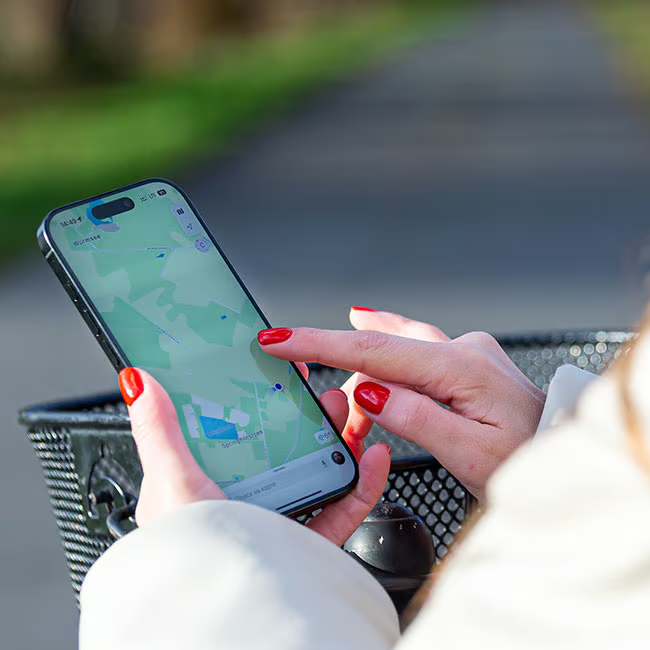
Image from SHEfinds

2. Location Services

Having your location services for very specific apps, like finding your loved one's location in an emergency or using a map to navigate where you're going, is crucial. Other than that, it may not be necessary to have them turned on for different apps, and in some cases, it can be dangerous.


Repeating the same action as your 'Camera' setting, Scott encourages his audience to open up the 'Location Services' page within their 'Privacy & Security' settings and "make sure each of [your] apps are set up correctly."


"I have mine on either 'while using' or 'never' as far as the app's ability to follow my location," he adds.

Image from SHEfinds

3. Microphone

Similarly to the Camera setting, many social media apps or any app where you need to record something will typically request permission to use your iPhone's microphone. However, some apps simply may not need it, and for your safety, you'll want to turn it off in 'Privacy & Security.'


"Go through each of these apps as well and make sure you want the microphone turned on," Scott explains. "For some reason, when I update my iOS system, some of these tend to change. But each time I add an app, I go and check and make sure that I have the settings for that set up correctly."


Author:

Editorial Assistant

Abigail is a journalist based in Brooklyn, New York. As an Editorial Assistant for SheFinds, she covers topics ranging from celebrity news and fashion to wellness. She has written for other publications, including Chip Chick, Bandsintown, BroadwayWorld, and more. When she isn't writing, Abigail loves spending time in the city with her friends, being a 'dog mom' to her Chihuahua, and singing along to some of her favorite music.

Kylie Jenner, Stormi, and Timothée Chalamet enjoying a moment together.
Madonna attending the Met Gala in stunning attire.
Taylor Swift with private jet in 2024.
Tired woman showing effects of sleep deprivation the next morning.
Healthy banana nice cream dessert in a bowl.
Jennifer Lopez in Defaience at 2025 American Music Awards.
Vittoria Ceretti with Leonardo DiCaprio at event.
Emma Stone at Annual Actor Awards ceremony.
Salma Hayek at the 12th Annual Breakthrough Prize Ceremony.
Image from SHEfinds
Kate Middleton during a state visit event.
Image from SHEfinds
Image from SHEfinds
Ariana Grande at the Golden Globes in glamorous outfit.
Kylie Jenner showcasing black style at Met Gala 2025.
Woman applying sunscreen for sun protection and skincare.
Taylor Swift and Travis Kelce together in public.
Seeds arranged artistically, showcasing healthy eating options.
Ivanka Trump and Jared Kushner at an event.
Brad Pitt and Ines De Ramon at F1 movie premiere.
Kylie Jenner, Stormi, and Timothée Chalamet enjoying a moment together.
Madonna attending the Met Gala in stunning attire.
Taylor Swift with private jet in 2024.
Tired woman showing effects of sleep deprivation the next morning.
Healthy banana nice cream dessert in a bowl.
Jennifer Lopez in Defaience at 2025 American Music Awards.
Vittoria Ceretti with Leonardo DiCaprio at event.
Emma Stone at Annual Actor Awards ceremony.
Salma Hayek at the 12th Annual Breakthrough Prize Ceremony.
Image from SHEfinds
Kate Middleton during a state visit event.
Image from SHEfinds
Image from SHEfinds

Beauty

Prime Day is basically a holiday for anyone who's ...

Ariana Grande at the Golden Globes in glamorous outfit.
Kylie Jenner showcasing black style at Met Gala 2025.
Woman applying sunscreen for sun protection and skincare.
Taylor Swift and Travis Kelce together in public.
Seeds arranged artistically, showcasing healthy eating options.
Ivanka Trump and Jared Kushner at an event.
Brad Pitt and Ines De Ramon at F1 movie premiere.