
Madonna in blue mini dress and metallic boots at Paris event.
Taylor Swift's private jet amidst wedding preparations controversy.
Woman showing signs of fatigue from lack of sleep.

Homepage

3 iPhone Settings Could Instantly Improve Battery Life, According To Tech Experts

March 16, 2026 by Abigail Connolly
shefinds | Homepage
Featured image

When your iPhone starts running out of battery, it can be easy to feel panicked and frustrated. That’s why it’s best to do whatever you can to conserve it.

There are a whole lot of things that can contribute to a fast-draining iPhone battery, from an internal device issue to not having enough storage available. While it might feel like things are out of your control, there are some actions you can take to prevent your phone’s battery life from diminishing too quickly, and a lot of them take place in your settings. We’re listing three iPhone settings tech pros say can quickly improve your battery life – read more about them below.

house unit img
Women Are Swapping Their Boring Water For This Ice Pop Electrolyte Mix!
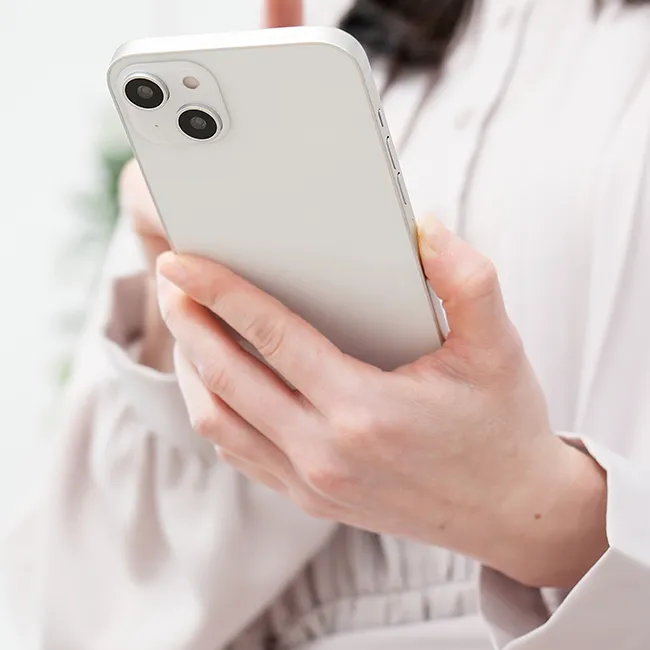
Image from SHEfinds

1. Reduce Notifications

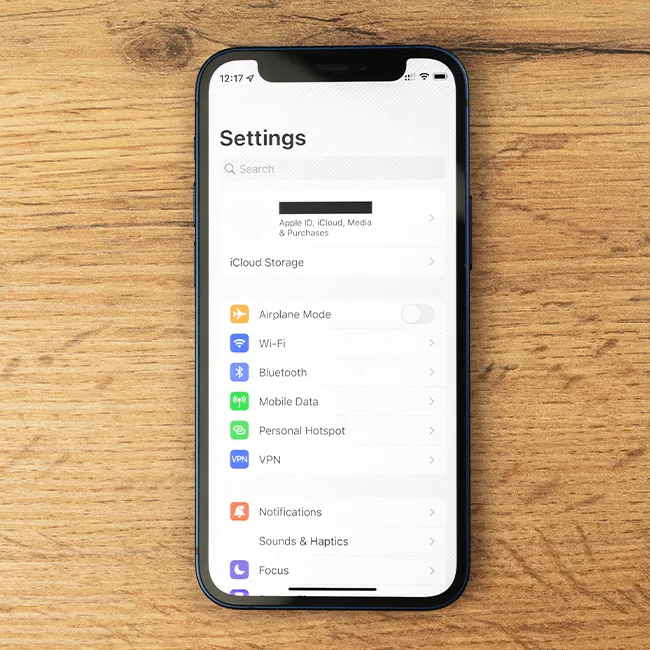
If you love staying up-to-date on all your group chats, emails, social media posts, and more, then you likely have a lot of push notifications hitting your iPhone daily. As it turns out, when your phone has to constantly show these notifications to you, that can drain its battery faster, which is why you should limit them.


"Go to Settings > Notifications, and scroll to the bottom to see each individual app's settings," instructs tech pro Laura Moynihan. "Turn off as many as you can entirely by tapping the "Allow Notifications" toggle to off. For others, consider badge notifications only, which are a nice but passive way to display a notification with a red dot and a number inside, indicating the number of notifications that are unread. All of these reduce the battery load, and reduce the number of interruptions in your day — including falling victim to "Notification Blindness" — your brain automatically ignoring notifications because you get too many in your day."

Image from SHEfinds

2. Turn Off Background App Refresh

When you have a lot of social media apps, news apps, and more, they tend to do a lot of work behind the scenes to keep things refreshed, even if you're not using them.


Therefore, if the Background App Refresh setting is turned on, these apps are still draining your battery in the moments you're not using them. "If it's enabled, it'll update your apps even if you aren't using them," explains tech expert Steven Athwal. "Social media, email, and news apps can repeatedly check for updates throughout the day, which keeps the phone's processor and network active. Turning this off for non-essential apps can really reduce passive battery drain."

Image from SHEfinds

3. Using Low Power Mode 24/7

Have you noticed that when your iPhone is running low on battery, typically as it hits 20%, it'll give you the option to turn on 'Low Power Mode' to preserve it for as long as possible? Well, there's actually a way to ensure that feature stays on all the time.


"Go to settings > Battery > Power Mode, turn on 'Low Power Mode,'" says Moynihan. "This will limit some background activities (automatic mail fetching and downloads, for instance) and a whole host of other tweaks, such as lowering the display brightness. Most users will not notice much difference in the performance of their device, and they can always push through notifications by opening the apps."
Author:

Editorial Assistant

Abigail is a journalist based in Brooklyn, New York. As an Editorial Assistant for SheFinds, she covers topics ranging from celebrity news and fashion to wellness. She has written for other publications, including Chip Chick, Bandsintown, BroadwayWorld, and more. When she isn't writing, Abigail loves spending time in the city with her friends, being a 'dog mom' to her Chihuahua, and singing along to some of her favorite music.

Jennifer Lopez in stunning Defaience gown at American Music Awards 2025.
Emma Stone shines at the Annual Actor Awards red carpet event.
Salma Hayek attends the 12th Annual Breakthrough Prize Ceremony in style.
Collagen-boosting superfoods for glowing skin this summer season.
Middle-aged woman enjoying a glass of wine in a cozy setting.
Best Prime Day beauty deals available on Amazon right now.
Ariana Grande at the Golden Globes in glamorous attire.
Kylie Jenner showcasing black style at the 2025 Met Gala.
Woman applying sunscreen for sun protection and skincare.
Taylor Swift and Travis Kelce at a public event.
Healthy seeds as a snack alternative to pastries.
Ivanka Trump and Jared Kushner posing together.
Bad Bunny performing at the Grammys.
iPhone charging while plugged into a laptop for convenience.
iPhone charging settings displayed on the screen.
Viral Italian bob haircut trend for summer 2023.
Angelina Jolie receiving the Trophee Chopard Award.
Selena Gomez at the 3rd Annual Rare Impact Fund Benefit.
Pool lounger with cocktail and trail mix for a relaxing day.
Brad Pitt and Ines de Ramon at the F1 World Premiere.
Jennifer Lopez in stunning Defaience gown at American Music Awards 2025.
Emma Stone shines at the Annual Actor Awards red carpet event.
Salma Hayek attends the 12th Annual Breakthrough Prize Ceremony in style.
Collagen-boosting superfoods for glowing skin this summer season.
Middle-aged woman enjoying a glass of wine in a cozy setting.
Best Prime Day beauty deals available on Amazon right now.

Beauty

Prime Day is basically a holiday for anyone who's ...

Ariana Grande at the Golden Globes in glamorous attire.
Kylie Jenner showcasing black style at the 2025 Met Gala.
Woman applying sunscreen for sun protection and skincare.
Taylor Swift and Travis Kelce at a public event.
Healthy seeds as a snack alternative to pastries.
Ivanka Trump and Jared Kushner posing together.
Bad Bunny performing at the Grammys.
iPhone charging while plugged into a laptop for convenience.
iPhone charging settings displayed on the screen.
Viral Italian bob haircut trend for summer 2023.
Angelina Jolie receiving the Trophee Chopard Award.
Selena Gomez at the 3rd Annual Rare Impact Fund Benefit.
Pool lounger with cocktail and trail mix for a relaxing day.
Brad Pitt and Ines de Ramon at the F1 World Premiere.