
<link rel="stylesheet" href="https://www.shefinds.com/wp-content/themes/shefinds_14/custom-content-builder/styles/ccb-frontend.min.css?ver=1.0.10"> Skip to main content
Serena Williams at Met Gala showcasing her stunning weight loss transformation.
Prince William, Kate Middleton, Prince Harry, and Meghan Markle at an event.
Woman applying sunscreen while checking the UV index outdoors.

Homepage

Tech Experts Reveal 2 Hidden iPhone Settings That Free Up Storage Fast—Without Deleting Your Photos

February 26, 2026 by Abigail Connolly
shefinds | Homepage
Featured image

There are many iPhone users who have gone through the same struggle -periods of full storage.

When your phone’s storage is full, it can cause a myriad of issues. Not only is it frustrating because it can prevent you from taking new photos or downloading new things, but it can also easily cause your device to slow down, affecting your day-to-day activities. When people’s storage runs out, sometimes their first instinct is to delete photos and videos they might not be ready to let go of, but there are actually some ‘hidden’ settings tech experts suggest you adjust before doing so. Read more about them below.

house unit img
The Difference Between Dragging Through Your Day And Feeling Great On Your Feet? These Arch Support Insoles
Image from SHEfinds

1. Offload Unused Apps

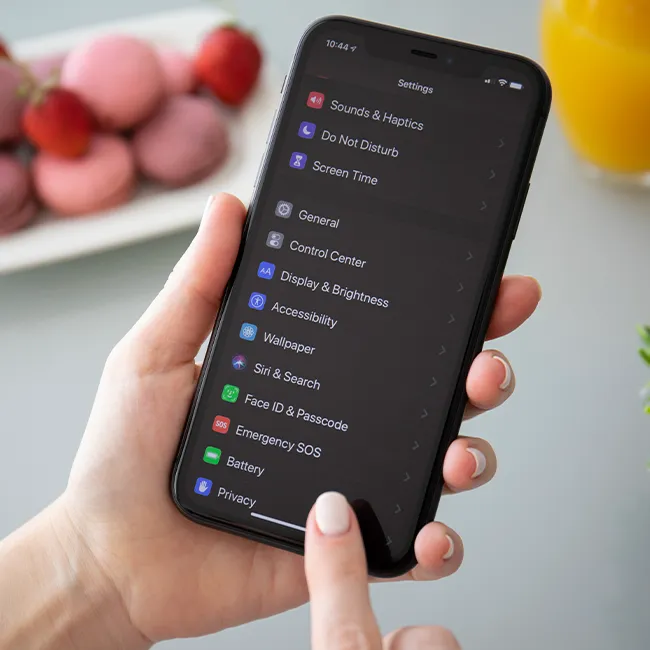
When people first get their iPhones, it can be super common to download a bunch of apps that you might not use after a while. Then, instead of sorting through those apps and deleting them, they sit on your phone, taking up storage. Using the 'offload unused apps' feature can help take care of that issue.


"Use the offload unused apps feature," suggests tech pro Steven Athwal. "Even if you're not using an app, it's storing large files, patches, and cached data, which is just growing and growing. Offloading apps lets you remove the heavy data, but keep your settings. Essentially, cut the dead weight but keep all you need. It's perfect for people who keep apps 'just in case.'"

Image from SHEfinds

2. Clear Website Data

Most iPhone users spend a lot of time on Safari, the built-in browsing app. Subsequently, there are a lot of websites browsed and logged into, which can end up causing your device to store a lot of extra data, taking up more storage over time.


"Data is stored in the local drive of websites to load faster, yet this starts accumulating to hundreds of megabytes over time," explains tech expert Paul DeMott. "Deleting it liberates space and can even make Safari faster as the corrupted cache files slow page rendering."

Author:

Editorial Assistant

Abigail is a journalist based in Brooklyn, New York. As an Editorial Assistant for SheFinds, she covers topics ranging from celebrity news and fashion to wellness. She has written for other publications, including Chip Chick, Bandsintown, BroadwayWorld, and more. When she isn't writing, Abigail loves spending time in the city with her friends, being a 'dog mom' to her Chihuahua, and singing along to some of her favorite music.

Kylie Jenner at Vanity Fair Oscar Party red carpet event.
iPhone 14 displaying various apps on the screen.
Woman getting a lob haircut at a salon.
Karoline Leavitt speaking at the 2025 CPAC conference in DC.
Ariana Grande and Ethan Slater at a public event.
Katy Perry at the MTV Video Music Awards red carpet.
Prince Harry and Prince William at a public event.
Angelina Jolie, Brad Pitt, and Jennifer Aniston at a premiere.
Woman wearing elegant jewelry at a social gathering.
Kai Trump speaking at the Republican National Convention.
Gigi Hadid at the 12th Annual Breakthrough Prize Ceremony.
Meghan Markle at the Fifteen Percent Pledge fundraising gala.
Top three mature skin foundations displayed on a table.
Grilled chicken breast with fries, salad, and dipping sauces.
Olivia Rodrigo performing at the Grammy Awards.
Beyoncé and Meghan Markle at a celebrity event together.
iPhone charging settings screen displayed on a smartphone.
Person applying sunscreen to protect from UV rays.
Peacock logo visible on a smartphone case.
Savannah Guthrie and Jenna Bush Hager on a talk show.
Kylie Jenner at Vanity Fair Oscar Party red carpet event.
iPhone 14 displaying various apps on the screen.
Woman getting a lob haircut at a salon.
Karoline Leavitt speaking at the 2025 CPAC conference in DC.
Ariana Grande and Ethan Slater at a public event.
Katy Perry at the MTV Video Music Awards red carpet.
Prince Harry and Prince William at a public event.
Angelina Jolie, Brad Pitt, and Jennifer Aniston at a premiere.
Woman wearing elegant jewelry at a social gathering.

Shop

I love fashion, but it's jewelry that really makes ...

Kai Trump speaking at the Republican National Convention.
Gigi Hadid at the 12th Annual Breakthrough Prize Ceremony.
Meghan Markle at the Fifteen Percent Pledge fundraising gala.
Top three mature skin foundations displayed on a table.
Grilled chicken breast with fries, salad, and dipping sauces.
Olivia Rodrigo performing at the Grammy Awards.
Beyoncé and Meghan Markle at a celebrity event together.
iPhone charging settings screen displayed on a smartphone.
Person applying sunscreen to protect from UV rays.
Peacock logo visible on a smartphone case.
Savannah Guthrie and Jenna Bush Hager on a talk show.