



Tired woman showing effects of lack of sleep on her face.
Creamy banana nice cream in a bowl with toppings.
Jennifer Lopez at 2025 American Music Awards in stylish outfit.

Homepage

Experts Say You Should Never Have These 3 iPhone Settings Turned On If You Want To Make Your Device Run Faster

February 12, 2026 by Abigail Connolly
shefinds | Homepage
Featured image

Having an iPhone is a privilege and a really convenient, often fun experience, except when it begins to slow down on you.

There are many things that can contribute to a slow-running iPhone, from not having enough storage available to not updating your software. Sometimes, it can feel like there’s a lot out of your control regarding keeping your device running fast enough. However, according to tech experts, there are a few things you can adjust in your settings to get your iPhone functioning at a faster pace, including some settings you should turn off. Read more about three of them below.

house unit img
Women Are Swapping Their Boring Water For This Ice Pop Electrolyte Mix!
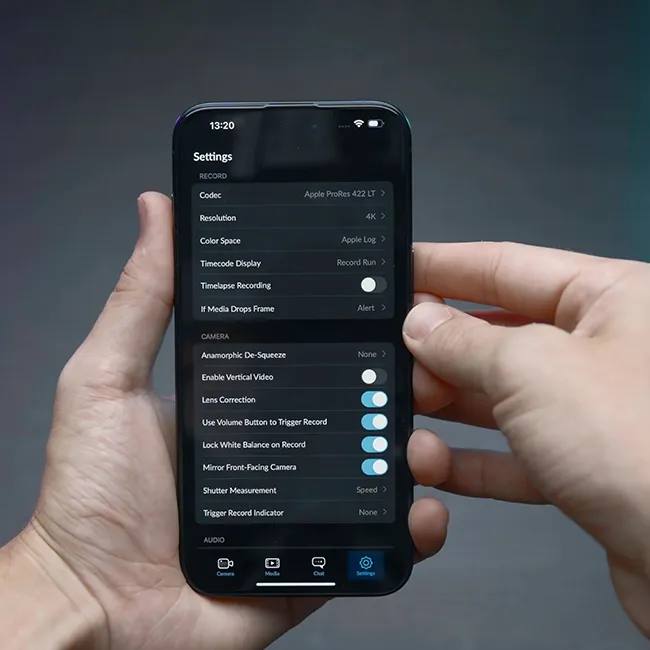
Image from SHEfinds

1. Background App Refresh

Although it might not look like it, the apps on your phone might be doing a lot of things behind the scenes whenever you're not using them. These are typically apps that need to keep things up to date often, like news or certain social media apps. However, this activity can easily make your phone slow down.


"Turn off Background App Refresh located in Settings, then General, then Background App Refresh," suggests tech pro Paul DeMott. "For apps that you do not use on a constant basis. This feature allows applications to update the content in the background even when it's closed, which uses processing power and drains the battery all the time."
Image from SHEfinds

2. Location Services

It's no secret that some of your iPhone's features and apps simply need to have access to your location at all times, like your go-to GPS or your Find My feature. But, there are also a lot that don't need it, and having too many apps constantly tracking your location is not only risky regarding your safety, but can also cause your phone to function more slowly.


"Many apps request access for location, which they don't need," says IT and tech expert Mark Friend. "And every single request activates the GPS hardware and steals processing power. Go to Settings, then Privacy & Security, then Location Services, and tick the list. From what I see, there are dozens of apps on 'Always' or 'While Using', even though 'Never' would be fine. Trimming those permissions reduces the background work and assists with the speed as well as the battery."
Image from SHEfinds

3. Motion And Visual Effects

Nowadays, iPhones come with all sorts of fancy animations and visual effects that sort of elevate a user's experience. While they might be entertaining at first, some of them simply aren't necessary and often go unnoticed. Therefore, it's best to save your phone from working too hard and adjust it.


"On Settings, then Accessibility, then Motion, turn off motion effects and transparency," instructs DeMott. "The parallax effects, animations and transparency features look good but they require constant processing by the GPU to render smoothly. Older devices in particular do not handle these visual effects well, and there is lag as their apps are opened or the device transitions from one screen to another. Turning this off makes the interface feel instantly more responsive as the system no longer has to calculate complex animations for every interaction."


Author:

Editorial Assistant

Abigail is a journalist based in Brooklyn, New York. As an Editorial Assistant for SheFinds, she covers topics ranging from celebrity news and fashion to wellness. She has written for other publications, including Chip Chick, Bandsintown, BroadwayWorld, and more. When she isn't writing, Abigail loves spending time in the city with her friends, being a 'dog mom' to her Chihuahua, and singing along to some of her favorite music.

Salma Hayek at 12th Annual Breakthrough Prize Ceremony red carpet.
Collagen-boosting superfoods for glowing summer skin.
Middle-aged woman enjoying wine for relaxation.
Best Prime Day beauty deals on Amazon right now.
Ariana Grande at the Golden Globes red carpet.
Kylie Jenner at the 2025 Met Gala showcasing elegant black tailoring.
Woman applying sunscreen for sun protection.
Taylor Swift and Travis Kelce together at a public event.
Nutrient-rich seeds as a healthy snack alternative
Ivanka Trump and Jared Kushner attending a formal gathering.
Bad Bunny performing at the Grammy Awards ceremony.
iPhone charging plugged into laptop for convenience.
iPhone charging settings displayed on screen.
Viral Italian bob hairstyle trend for summer 2023.
Angelina Jolie receiving the Trophee Chopard Award at a gala.
Selena Gomez at the 3rd Annual Rare Impact Fund Benefit event.
Colorful cocktail and snack mix by the poolside.
Brad Pitt with Ines de Ramon at the F1 World Premiere.
Queen Camilla with Prince Harry and Meghan Markle at a royal event.
Travis Kelce and Taylor Swift spotted together at an event.
Salma Hayek at 12th Annual Breakthrough Prize Ceremony red carpet.
Collagen-boosting superfoods for glowing summer skin.
Middle-aged woman enjoying wine for relaxation.
Best Prime Day beauty deals on Amazon right now.

Beauty

Prime Day is basically a holiday for anyone who's ...

Ariana Grande at the Golden Globes red carpet.
Kylie Jenner at the 2025 Met Gala showcasing elegant black tailoring.
Woman applying sunscreen for sun protection.
Taylor Swift and Travis Kelce together at a public event.
Nutrient-rich seeds as a healthy snack alternative
Ivanka Trump and Jared Kushner attending a formal gathering.
Bad Bunny performing at the Grammy Awards ceremony.
iPhone charging plugged into laptop for convenience.
iPhone charging settings displayed on screen.
Viral Italian bob hairstyle trend for summer 2023.
Angelina Jolie receiving the Trophee Chopard Award at a gala.
Selena Gomez at the 3rd Annual Rare Impact Fund Benefit event.
Colorful cocktail and snack mix by the poolside.
Brad Pitt with Ines de Ramon at the F1 World Premiere.
Queen Camilla with Prince Harry and Meghan Markle at a royal event.
Travis Kelce and Taylor Swift spotted together at an event.

















