Kim Kardashian at Kering's 3rd Annual Caring for Women Dinner.
Madonna at the Met Gala looking stunning in designer attire.
Taylor Swift arriving at her private jet in 2024.

Homepage

Out Of iPhone Space? Apple Experts Say This One Trick Is A ‘Life-Saver’

July 5, 2025 by Lisa Cupido
shefinds | Homepage
Featured image

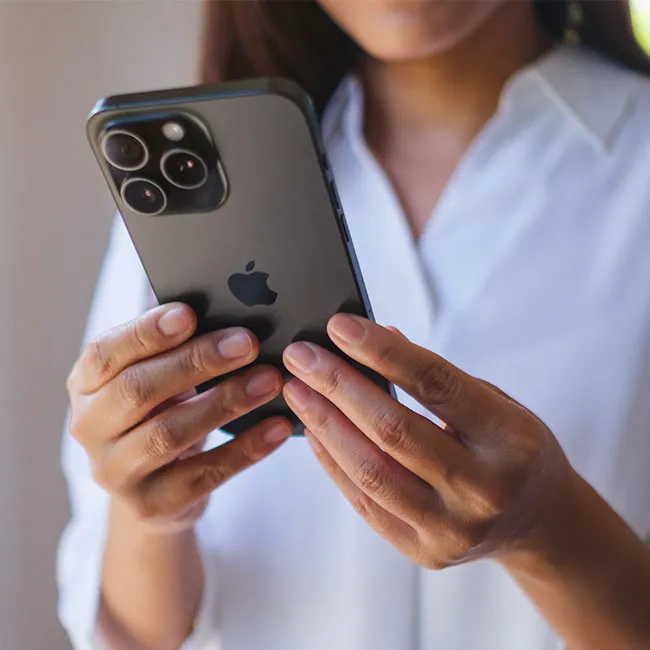
If your iPhone keeps running out of storage and you’re not sure why, you’re definitely not alone. Between photos, apps, and messages (often containing attachments), it can feel like your space disappears faster than you can keep up with. And even when you delete a few things, it doesn’t always make a noticeable dent. But you don’t have to suffer with a less efficient phone that lacks storage space. There are several lesser-known settings and smart tricks you can use to free up space, without having to part with all your favorite apps or videos and photos. From managing background data to tweaking how your iPhone stores media, small changes can make a big difference. Here’s one little-known trick that you can try today to help free up storage space without deleting Instagram and TikTok.

house unit img
Women Are Swapping Their Boring Water For This Ice Pop Electrolyte Mix!
offload-unused-apps

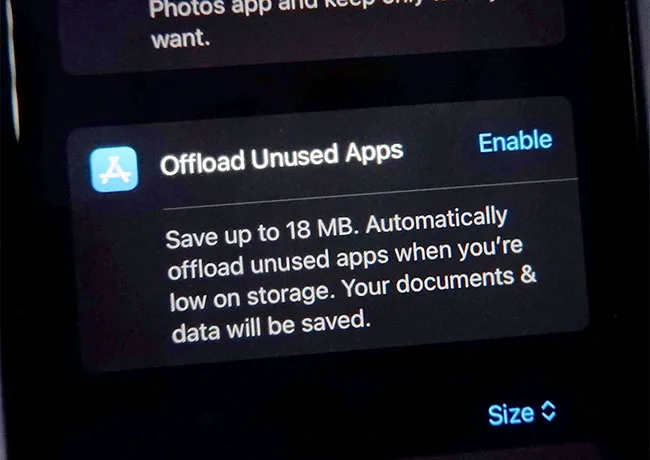
Offload Unused Apps


One of the easiest and most effective ways to free up storage on your iPhone is by offloading unused apps. This feature is built right into iOS and allows your phone to automatically remove apps you haven’t used in a while, but the good thing about this is it still preserves all of your data and documents. That means if you decide to re-download the app later, everything will be right where you left it. Offloading is especially helpful for apps that take up a lot of space but aren’t used often, like games with intense graphics or travel apps. It keeps your iPhone running more smoothly and prevents that annoying “Storage Almost Full” alert from popping up constantly.
iphone-settings-offload-apps

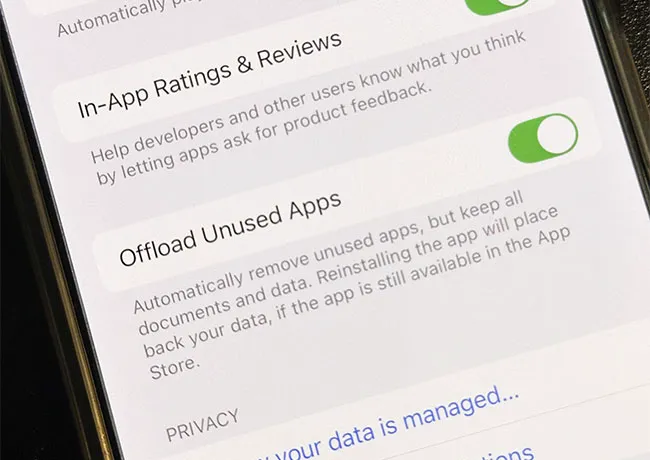
How to Offload Unused Apps


To turn on automatic offloading, go to Settings > App Store, then toggle on Offload Unused Apps. You can also do this manually for individual apps by heading to Settings > General > iPhone Storage. Here you’ll see a list of your apps sorted by how much space they use. Tap on any app you rarely use, and you’ll see the option to offload it. This feature is a great middle ground between deleting an app completely and letting it sit there taking up space. Take advantage of this smart little trick and you’ll gain back much-needed storage space.


Author:

Lisa Fogarty is a lifestyle writer and reporter based in New York who covers health, wellness, relationships, sex, beauty, and parenting.

Banana nice cream dessert in a bowl
Jennifer Lopez in Defaience at 2025 American Music Awards.
Vittoria Ceretti and Leonardo DiCaprio posing together at an event.
Emma Stone at the Annual Actor Awards event.
Salma Hayek at the 12th Annual Breakthrough Prize Ceremony.
Collagen-boosting superfoods for achieving glowing summer skin.
Kate Middleton during a formal state visit, showcasing royal elegance.
Middle-aged woman enjoying a glass of wine.
Best Prime Day beauty deals on Amazon.
Ariana Grande at the Golden Globes, dazzling in a glamorous gown.
Kylie Jenner showcasing black style with impeccable tailoring at Met Gala 2025.
Woman applying sunscreen for sun protection.
Taylor Swift and Travis Kelce enjoying a night out.
Healthy seeds displayed, not pastries.
Ivanka Trump and Jared Kushner attending an event together.
Brad Pitt and Ines de Ramon at F1 movie premiere event.
Bad Bunny celebrating a Grammy win with vibrant stage presence.
iPhone charging while connected to a laptop.
iPhone settings screen while charging.
Trending Italian bob hairstyle for summer.
Banana nice cream dessert in a bowl
Jennifer Lopez in Defaience at 2025 American Music Awards.
Vittoria Ceretti and Leonardo DiCaprio posing together at an event.
Emma Stone at the Annual Actor Awards event.
Salma Hayek at the 12th Annual Breakthrough Prize Ceremony.
Collagen-boosting superfoods for achieving glowing summer skin.
Kate Middleton during a formal state visit, showcasing royal elegance.
Middle-aged woman enjoying a glass of wine.
Best Prime Day beauty deals on Amazon.

Beauty

Prime Day is basically a holiday for anyone who's ...

Ariana Grande at the Golden Globes, dazzling in a glamorous gown.
Kylie Jenner showcasing black style with impeccable tailoring at Met Gala 2025.
Woman applying sunscreen for sun protection.
Taylor Swift and Travis Kelce enjoying a night out.
Healthy seeds displayed, not pastries.
Ivanka Trump and Jared Kushner attending an event together.
Brad Pitt and Ines de Ramon at F1 movie premiere event.
Bad Bunny celebrating a Grammy win with vibrant stage presence.
iPhone charging while connected to a laptop.
iPhone settings screen while charging.
Trending Italian bob hairstyle for summer.