



Madonna in blue mini dress and metallic boots at Paris event.
Taylor Swift's private jet amidst wedding preparations controversy.
Woman showing signs of fatigue from lack of sleep.

Homepage

Tech Experts Reveal The One iPhone Setting You Need To Turn Off ASAP To Protect Your Privacy

October 27, 2025 by Abigail Connolly
shefinds | Homepage
Featured image

iPhones have so many settings that can help you adjust your user experience that it can be challenging to keep track of them all.

However, there are also specific settings that you should pay attention to, not just to improve the quality of your experience, but to protect yourself. Most iPhones are already set to keep your data safe, but there are some that might not be preventing your phone from doing certain things, like tracking your locations, etc. We spoke with tech experts about one of the most important settings you should adjust to keep yourself safe. Read more about it below.

house unit img
Women Are Swapping Their Boring Water For This Ice Pop Electrolyte Mix!
Image from SHEfinds

The One Setting You Should Turn Off To Protect Your Privacy

Something that a lot of people with iPhones worry about is their location and being tracked. After all, when hackers, scammers, or simply the 'wrong person' get hold of your location, it can be quite scary. These days, our phones are super reliant on our locations, as they tend to need them for GPS and all other sorts of things. However, there are also a handful of services that likely don't need your location.


When you think about your iPhone needing to know your location at all times, what do you think of? Perhaps it's your Maps app, which needs your location in order to tell you where you are and where to go. It could also be your Find My app, which can share your precise location with loved ones in case of an emergency.


What you might not think of are apps like Instagram or gaming apps. As it turns out, there are several apps, including third-party ones, that may ask for permission to use your location services, and there's a chance you might just give them permission without thinking twice. However, it's super important to take these things into consideration. That's why you should consistently check your Tracking settings to see which apps have access to your location and which ones don't.
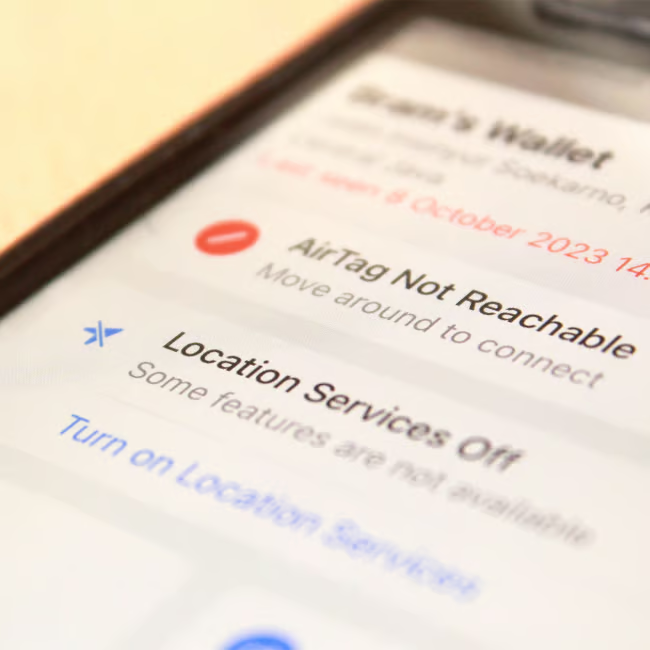
Image from SHEfinds

How To Adjust The 'Tracking' Settings And Turn Some Off

To take a look at all this information, you begin by opening up your Settings app, followed by Privacy & Security, and then tap on Tracking. From there, you can get a look at all the apps on your phone that have asked to access your location. Some of them might be surprising to you, and you'll likely realize that there are some apps on your device that, at the end of the day, simply do not need that information.


From the Tracking settings, you can go through the apps that want to access your location, and choose to turn them on or off. You can also turn off 'Allow Apps to Request to Track,' which will prevent all of your apps from asking for access to your location.


"By turning this option off, it will help to minimize the ability for other apps on your device to track your activity while using their app and any other activity on your device," says expert Craig Ford with Cyber Unicorns. "This is super important to help reduce unnecessary tracking of what you do online, on apps, and to help improve your overall safety."


Author:

Editorial Assistant

Abigail is a journalist based in Brooklyn, New York. As an Editorial Assistant for SheFinds, she covers topics ranging from celebrity news and fashion to wellness. She has written for other publications, including Chip Chick, Bandsintown, BroadwayWorld, and more. When she isn't writing, Abigail loves spending time in the city with her friends, being a 'dog mom' to her Chihuahua, and singing along to some of her favorite music.

Jennifer Lopez in stunning Defaience gown at American Music Awards 2025.
Emma Stone shines at the Annual Actor Awards red carpet event.
Salma Hayek attends the 12th Annual Breakthrough Prize Ceremony in style.
Collagen-boosting superfoods for glowing skin this summer season.
Middle-aged woman enjoying a glass of wine in a cozy setting.
Best Prime Day beauty deals available on Amazon right now.
Ariana Grande at the Golden Globes in glamorous attire.
Kylie Jenner showcasing black style at the 2025 Met Gala.
Woman applying sunscreen for sun protection and skincare.
Taylor Swift and Travis Kelce at a public event.
Healthy seeds as a snack alternative to pastries.
Ivanka Trump and Jared Kushner posing together.
Bad Bunny performing at the Grammys.
iPhone charging while plugged into a laptop for convenience.
iPhone charging settings displayed on the screen.
Viral Italian bob haircut trend for summer 2023.
Angelina Jolie receiving the Trophee Chopard Award.
Selena Gomez at the 3rd Annual Rare Impact Fund Benefit.
Pool lounger with cocktail and trail mix for a relaxing day.
Brad Pitt and Ines de Ramon at the F1 World Premiere.
Jennifer Lopez in stunning Defaience gown at American Music Awards 2025.
Emma Stone shines at the Annual Actor Awards red carpet event.
Salma Hayek attends the 12th Annual Breakthrough Prize Ceremony in style.
Collagen-boosting superfoods for glowing skin this summer season.
Middle-aged woman enjoying a glass of wine in a cozy setting.
Best Prime Day beauty deals available on Amazon right now.

Beauty

Prime Day is basically a holiday for anyone who's ...

Ariana Grande at the Golden Globes in glamorous attire.
Kylie Jenner showcasing black style at the 2025 Met Gala.
Woman applying sunscreen for sun protection and skincare.
Taylor Swift and Travis Kelce at a public event.
Healthy seeds as a snack alternative to pastries.
Ivanka Trump and Jared Kushner posing together.
Bad Bunny performing at the Grammys.
iPhone charging while plugged into a laptop for convenience.
iPhone charging settings displayed on the screen.
Viral Italian bob haircut trend for summer 2023.
Angelina Jolie receiving the Trophee Chopard Award.
Selena Gomez at the 3rd Annual Rare Impact Fund Benefit.
Pool lounger with cocktail and trail mix for a relaxing day.
Brad Pitt and Ines de Ramon at the F1 World Premiere.

















