


Laptops aren’t quite desktop computers and they’re not quite mobile devices, either. They don’t always get treated with the “respect” they deserve. You shove them in your bag, you bang them on tables, shred the power cords, prop them at odd angles and go between stuffing them full of charge and driving them down to dangerously low battery levels. I’m not wrong–am I?
This is your daily reminder that all your devices, including your laptop computers, will last longer if you break these bad habits. Including–not making these key charging mistakes that experts say should be avoided at all costs:

Women Are Swapping Their Boring Water For This Ice Pop Electrolyte Mix!

Never Charge Your Laptop On A Pillow
"With your laptop, you have to be careful about the heat it takes to run the device, which will drain your battery faster and ruin battery life," Tom Brant, hardware analyst at PCMag tells us.
"The biggest problems come from the laptop's ventilation ports, when objects obstruct airflow - often times a pillow or blanket. When charging your laptop, never lay your device on a pillow or blanket - this causes poor air-flow and retains heat from the system - essentially frying your battery. Avoid this by always charging your laptop on a flat, firm surface like a table or desk, which won't block airflow or cooling." Wow--good to know.
Don't Keep Your Laptops Plugged In
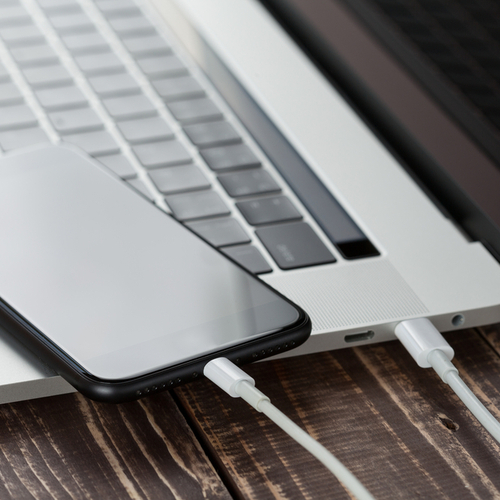
"If we are using our laptops at home, most people find it more comfortable to keep their laptops plugged to the power adapter and treat it like a desktop computer," Somdip Dey, Embedded AI scientist and mobile platform researcher at the University of Essex describes. "The biggest issue with this is that it damages the battery capacity."
Why? It's similar to the concept of not over-charging your iPhone devices. It's all about the charge cycles that every device is built with.

"Every battery pack comes with a "charge-cycle" capacity, and one charge-cycle is where your battery goes from empty or near-empty to full, and most batteries come with a specific number of charge-cycles before they die off," he explains. "When we continuously charge our laptops using our power adapter than what's required then due to the chemical reaction caused in the ion exchange inside the battery hurts the overall charging capacity." Yikes!
"Additionally, this also keeps the temperature of the battery as well as the laptop higher than it would be if the device is only being charged when the battery is low. Research has also shown that 10-15 degree Celsius rise in the operating temperature of the device could lead to 2 times more reduction in the lifespan of the device and hence keeping the battery charged/plugged at all times or a majority of the time would lead to both reduction in device's lifespan as well as the charging capacity of the battery over time."