



<link rel="stylesheet" href="https://www.shefinds.com/wp-content/themes/shefinds_14/custom-content-builder/styles/ccb-frontend.min.css?ver=1.0.10"> The 3 Settings You Should Turn Off To Make Your iPhone Run Faster -... Skip to main content
Sarah Jessica Parker showcasing the 'Quiet Silver' hair trend
Two friends discussing the 'Quiet Silver' hair trend for women over 50.
Post Malone at the 57th Annual CMA Awards showcasing his unique style.

Homepage

The 2 Settings You Should Turn Off To Make Your iPhone Run Faster Instantly, According To Tech Pros

April 25, 2026 by Abigail Connolly
shefinds | Homepage
Featured image

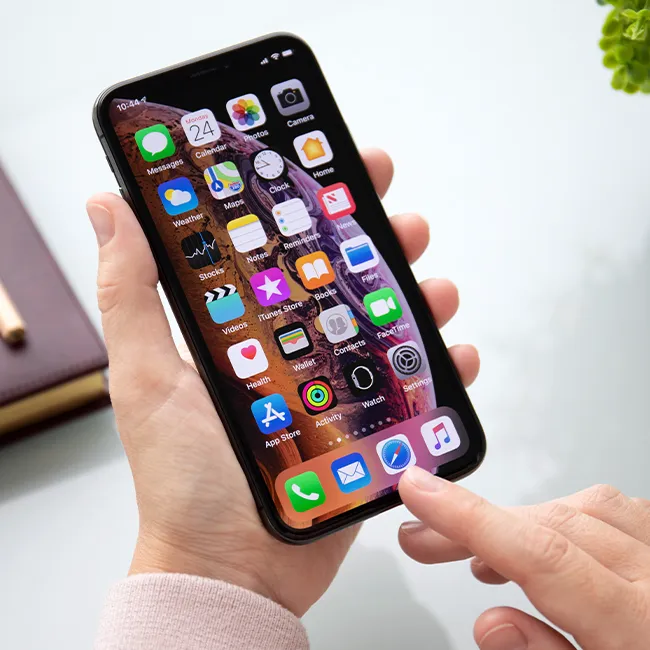
When your iPhone starts lagging and moving slowly, you might think there’s no choice but to get a new phone. However, that might not be the case.

We’re living in such a tech-driven world that for many of us smartphone users, when our devices start to slow down or fade, it can be really easy to panic. Though it might seem like you’re set up to be forced into buying a new iPhone the second yours slows down, there are things you should try first. This includes adjusting certain settings that can drastically improve performance. Read more about three tech pros say you should turn off below.

house unit img
The Difference Between Dragging Through Your Day And Feeling Great On Your Feet? These Arch Support Insoles
Image from SHEfinds

1. Leaving Background App Refresh On

One setting that is actually super influential on your iPhone's battery life is Background App Refresh, which ensures that all of your social media apps, news apps, etc., are consistently updating and refreshing, even when you're not using them. Though you might believe your app activity stops once you close it out, hoping to save battery, if this setting is on, the opposite can happen.


"iPhones have many features that are designed to make them smarter and more personalized to their owner," says tech pro Luke Ford. "One of these features is Background App Refresh. This feature tracks the apps you use the most, the exact time of day that you use them, and then automatically updates them. This happens, so when you open the app next, it will display the latest information for you. Clearly, this is an awesome feature, but it will drain your battery fast!"

Image from SHEfinds

2. Turn Off Location Services

Of course, your device needs your location for specific and important things, like your GPS or Find My iPhone. Still, not everything on your phone requires your location, so for the sake of your battery, device speed, and even your safety, you should go into your settings to disable various unnecessary apps from tracking you "always."


"Many apps constantly track your precise location, even when not in use, which is a major battery drain," explains tech pro Abbie Richie. "Change app permissions to 'While Using the App' instead of 'Always'."


Author:

Editorial Assistant

Abigail is a journalist based in Brooklyn, New York. As an Editorial Assistant for SheFinds, she covers topics ranging from celebrity news and fashion to wellness. She has written for other publications, including Chip Chick, Bandsintown, BroadwayWorld, and more. When she isn't writing, Abigail loves spending time in the city with her friends, being a 'dog mom' to her Chihuahua, and singing along to some of her favorite music.

Gisele Bündchen at the Met Gala
Ozzy and Sharon Osbourne posing together
Hairdresser giving a trendy haircut to a client
Princess Beatrice with Princess Eugenie and King Charles at an event
Bianca Censori at the 67th Annual Grammy Awards, showcasing fashion
Christina Aguilera celebrating The Abbey's 35th Anniversary Party
King Charles with Prince William and Sarah Ferguson at a gathering
Beauty tools for an at-home spa experience
Donald Trump during a news conference at Mar-a-Lago Club
Ariana Grande and Ethan Slater sharing a moment together
Nicole Kidman attending the 4th Annual Academy Museum Gala
Bill Gates with Melinda Gates at a public appearance
Vitamins and supplements displayed on a shelf
Delicious cooked salmon with rice and greens
Jaden Smith at the premiere of Focus Features' Nosferatu
Person holding smartphone displaying various apps
Woman applying sunscreen for skin protection and beauty.
Angelina Jolie at a photocall for her latest project
Inside a Costco store showcasing products
Jennifer Garner supporting Baby2Baby charity event
Gisele Bündchen at the Met Gala
Ozzy and Sharon Osbourne posing together
Hairdresser giving a trendy haircut to a client
Princess Beatrice with Princess Eugenie and King Charles at an event
Bianca Censori at the 67th Annual Grammy Awards, showcasing fashion
Christina Aguilera celebrating The Abbey's 35th Anniversary Party
King Charles with Prince William and Sarah Ferguson at a gathering
Beauty tools for an at-home spa experience

Beauty

You know the saying, "An artist is only as good ...

Donald Trump during a news conference at Mar-a-Lago Club
Ariana Grande and Ethan Slater sharing a moment together
Nicole Kidman attending the 4th Annual Academy Museum Gala
Bill Gates with Melinda Gates at a public appearance
Vitamins and supplements displayed on a shelf
Delicious cooked salmon with rice and greens
Jaden Smith at the premiere of Focus Features' Nosferatu
Person holding smartphone displaying various apps
Woman applying sunscreen for skin protection and beauty.
Angelina Jolie at a photocall for her latest project
Inside a Costco store showcasing products
Jennifer Garner supporting Baby2Baby charity event

















