Emma Stone at the Annual Actor Awards event.
Salma Hayek in a lavender gown at the Breakthrough Prize Ceremony.
Collagen-boosting superfoods for glowing summer skin.

Homepage

The Warning Signs Your iPhone Might Be Infected With Malware—And How To Protect Yourself

January 24, 2026 by Abigail Connolly
shefinds | Homepage
Featured image

These days, owning a smartphone like an iPhone is almost a rite of passage for anyone who needs to communicate. However, they do come with their fair share of risks.

iPhones keep coming out with more and more security features and software from Apple, so it can seem like you don’t have to do much to keep yourself safe from hackers or spammers. However, it never hurts to protect yourself. In order to do that, you also need to know what to be on the lookout for. Tech experts have shared what to look out for if there’s malware on your device, and what you should do to protect yourself. Read more about it below.

house unit img
Women Are Swapping Their Boring Water For This Ice Pop Electrolyte Mix!
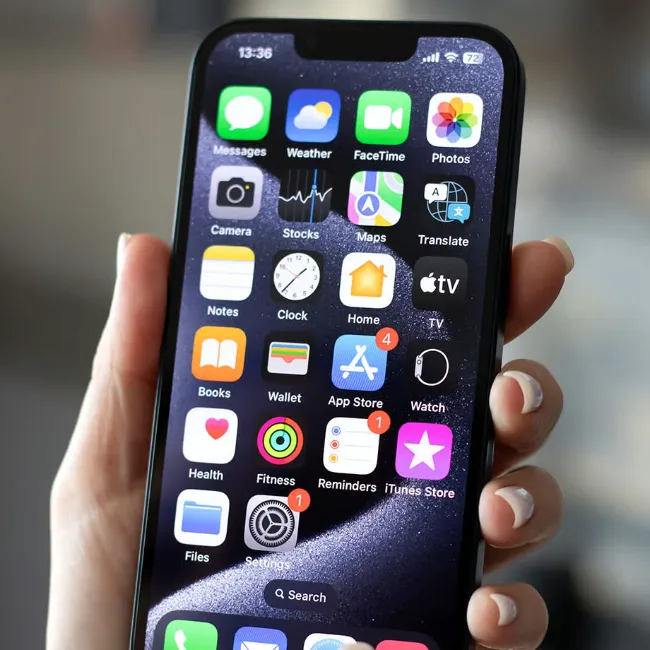
Image from SHEfinds

How To Tell If Your iPhone Is Infected With Malware

There is a common misconception out there that iPhones can easily get 'viruses,' which are types of malware that can spread throughout a device. Actually, it's quite rare for an iPhone to get a virus, thanks to its strong security features and software. However, it's not impossible.


Malware is a big threat to most people these days, and it can be really scary to know that there's something suspicious going on with your phone. It's especially scary because these 'infections' and invasions are often happening in the background, and it can be difficult to notice. Still, there are some telltale signs that your device might be infected, and it often will just act 'off.'


"If the battery is hot, the phone takes a long time to turn on, or there's a lot more data usage than you expect, these can be telltale signs that another app is controlling your device," former U.K. law enforcement detective Darren Stanton told cybersecurity pros at Forbes.
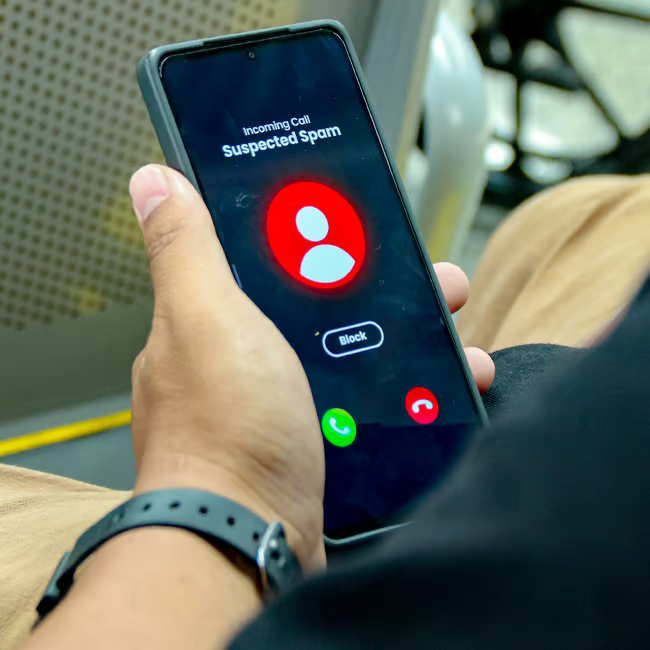
Image from SHEfinds

How To Protect Yourself

Keeping your device safe from hackers and scammers is super important in this day and age, no matter how invincible your iPhone may seem.


One of the easiest ways to do so is to keep updating your iPhone's Apple software. No matter how much of a fuss people may put up about the newer software downloads, when you keep them updated, you do get the latest security features automatically on your device.


"Apple frequently releases these updates to fix vulnerabilities, so don't ignore them," says tech experts with Certo Software.


It's also essential to keep an eye out for phishing schemes and scams that try to get your attention and information by pretending to be from your bank, insurance company, etc. Simply clicking on a link from one of these sketchy, unverified sources can set you up for getting scammed.


"Hackers often use phishing to steal credentials or trick you into downloading malware," adds the Certo expert.


Author:

Editorial Assistant

Abigail is a journalist based in Brooklyn, New York. As an Editorial Assistant for SheFinds, she covers topics ranging from celebrity news and fashion to wellness. She has written for other publications, including Chip Chick, Bandsintown, BroadwayWorld, and more. When she isn't writing, Abigail loves spending time in the city with her friends, being a 'dog mom' to her Chihuahua, and singing along to some of her favorite music.

Best beauty deals on Amazon for Prime Day shoppers.
Ariana Grande at the Golden Globes, stunning red carpet look.
Kylie Jenner's Met Gala 2025 outfit featuring sophisticated black tailoring.
Woman applying sunscreen for sun protection and skincare.
Taylor Swift and Travis Kelce together at an event.
Healthy seeds, not pastries, promoting nutritious snacking choices.
Ivanka Trump and Jared Kushner at a public appearance.
Bad Bunny at the Grammy Awards red carpet.
iPhone charging plugged into a laptop for convenience.
iPhone settings screen showing charging options and battery status.
Trendy Italian bob hairstyle that’s popular this summer.
Angelina Jolie receiving the Trophee Chopard award.
Selena Gomez at the Rare Impact Fund Benefit gala.
Pool lounger with cocktail and trail mix for relaxation.
Brad Pitt and Ines de Ramon at the F1 premiere.
Queen Camilla with Prince Harry and Meghan Markle.
Travis Kelce and Taylor Swift at an event.
Barack Obama with Michelle, Malia, and Sasha Obama.
Amazon Prime Day week logo on smartphone and laptop screens.
Woman applying concealer for a flawless makeup finish.
Best beauty deals on Amazon for Prime Day shoppers.

Beauty

Prime Day is basically a holiday for anyone who's ...

Ariana Grande at the Golden Globes, stunning red carpet look.
Kylie Jenner's Met Gala 2025 outfit featuring sophisticated black tailoring.
Woman applying sunscreen for sun protection and skincare.
Taylor Swift and Travis Kelce together at an event.
Healthy seeds, not pastries, promoting nutritious snacking choices.
Ivanka Trump and Jared Kushner at a public appearance.
Bad Bunny at the Grammy Awards red carpet.
iPhone charging plugged into a laptop for convenience.
iPhone settings screen showing charging options and battery status.
Trendy Italian bob hairstyle that’s popular this summer.
Angelina Jolie receiving the Trophee Chopard award.
Selena Gomez at the Rare Impact Fund Benefit gala.
Pool lounger with cocktail and trail mix for relaxation.
Brad Pitt and Ines de Ramon at the F1 premiere.
Queen Camilla with Prince Harry and Meghan Markle.
Travis Kelce and Taylor Swift at an event.
Barack Obama with Michelle, Malia, and Sasha Obama.
Amazon Prime Day week logo on smartphone and laptop screens.

Fashion

This summer, I might be shopping for more clothes and ...

Woman applying concealer for a flawless makeup finish.