This article has been updated since it originally published on February 12, 2023.
You may not know it yet, but your iPhone could work so much better with a little tinkering here and there. More specifically, the settings that you barely (or never) think about on your phone could, with just a little tweaking, deliver some pretty amazing benefits: better battery life and more storage. Imagine not having to rush around looking for a charger every few hours or having the freedom to download apps and take photos and videos without dealing with pop-ups that alert you to how little storage you have left. These are the hidden settings on your iPhone that tech experts say you would change to give your phone an immediate boost.
Limiting the use of Bluetooth by apps
iOS 13 introduced a feature that notifies you when an app has requested Bluetooth access, and there are a surprising amount of apps that wish to use Bluetooth for activities such as location monitoring with Bluetooth beacons and Chromecast device scanning, according to Leo Ye, a Forbes 30U30 member and co-founder and CEO of CUBO. “This is an excellent list to inspect to ensure that no apps are connecting to Bluetooth sources in the background without your permission, which can deplete your battery,” Ye said. “It’s perfectly acceptable to grant Bluetooth access to apps that require it for Bluetooth-enabled accessories, but it’s probably a good idea to deny access to retail outlets.”
Here’s how to access the Bluetooth settings, according to Ye: “Launch the App Settings. Access Privacy. Utilize Bluetooth. Deactivate any apps on this list that do not require a Bluetooth connection to function. It is recommended to be lenient when disabling access; if you limit access and a functionality within an app stops working, you may simply turn Bluetooth back on. Bluetooth is utilized by AirPods, Apple Watches, and other accessories, so turning it off may save a little bit of battery life, but it’s not a good idea for the majority of users.”

Women Are Swapping Their Boring Water For This Ice Pop Electrolyte Mix!

Display timeout setting
Another hidden settings that can be changed to improve battery life is the display timeout setting, according to Tech Expert Jimmy Huh at ThinkWave. “The display timeout setting determines how long your phone’s display stays on before turning off,” Huh said. “By reducing the display timeout, you can help conserve battery life. You can find this setting in the display settings of your phone’s settings menu.”
Brightness setting
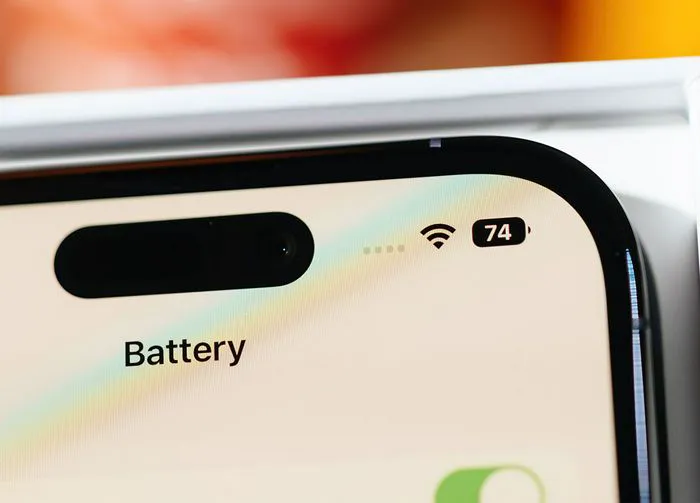
The brightness setting determines how bright your phone’s display is — but by reducing the brightness, you can help conserve battery life, Huh said. You can find this setting in the display settings of your phone’s settings menu.
App caching
Finally, you can also improve storage by changing the app caching settings. “App caching is when the apps you use to store their data on your device,” Huh said. “By reducing the app caching, you can help reduce the amount of storage used. You can find this setting in the app settings of your phone’s settings menu.”
If you’re frustrated with your battery power or storage capabilities, try making these simple changes to get more out of your device.