Jennifer Lopez shines in balloon-sleeved blouse at American Music Awards.
Emma Stone at the Annual Actor Awards event.
Salma Hayek in a lavender gown at the Breakthrough Prize Ceremony.

Homepage

2 iMessage Habits That Are Taking Up So Much Unnecessary Space On Your iPhone

May 18, 2026 by Abigail Connolly
shefinds | Homepage
Featured image

If you’re an iPhone user, then there’s a chance you’ve encountered issues with your storage space, which can be really annoying.

If your iPhone is constantly running low on storage, you might notice slower performance, delayed loading times, and all sorts of other issues. As it turns out, your iMessage habits could be to blame. Many users fail to realize just how much storage their iMessages can contain, and tend to ignore the preinstalled app when it comes to doing a storage cleanout. Read more about two iMessage habits tech users encourage you to avoid in order to clear some storage on your iPhone below.

house unit img
Women Are Swapping Their Boring Water For This Ice Pop Electrolyte Mix!
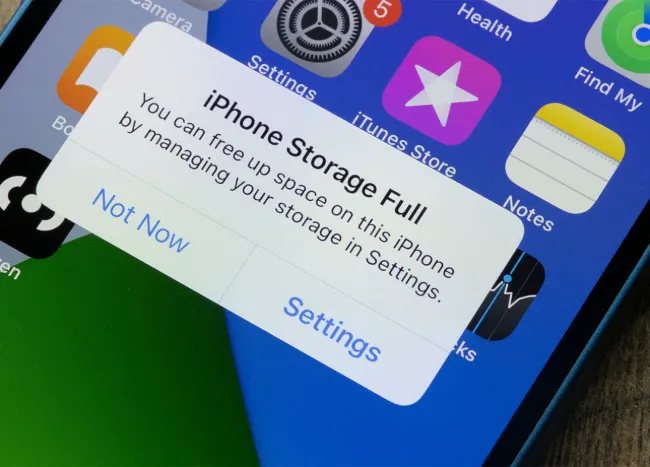
Image from SHEfinds

1. Not Deleting Excess Photos & Videos From Your Messages

If you're a social person or love keeping in touch with friends and family by sending lots of photos and videos back and forth, then you likely still have a lot built up on your device. Additionally, pictures you send from your camera roll stay on there as well as live in your iMessages app, which only duplicates them and causes them to take up more space. Therefore, instead of ignoring them, you should delete them through the 'Review Large Attachments' portion of your Settings.


"If I were asked to mention one thing that secretly consumes a lot of storage space, then it would definitely be the various photographs and videos that we don't even know we are storing," explains tech pro Harry Morton. "Whenever we take several pictures of a single event or keep any picture we get during chatting, it just keeps on accumulating without our knowledge."

Image from SHEfinds

2. Keeping Text Messages 'Forever'

There are a lot of people who treat their iMessage app almost like a little library, whether they realize it or not. Some people like to look back at old conversations from years ago, and others simply don't realize their iPhone is holding onto so many previous conversations. Unless you have a strong reason for needing to read some of your earliest text messages, you should ensure that in your Settings, under Keep Messages, you change it from Forever to 1 Year or 30 Days to prevent old texts from taking up all your storage space.


"Messages holds all your text conversations," adds tech expert Steven Athwal. "Over time, these conversations accumulate many attachments, including photos, videos, GIFs, and audio messages. These media files stay on your device unless you manually delete them."


Author:

Editorial Assistant

Abigail is a journalist based in Brooklyn, New York. As an Editorial Assistant for SheFinds, she covers topics ranging from celebrity news and fashion to wellness. She has written for other publications, including Chip Chick, Bandsintown, BroadwayWorld, and more. When she isn't writing, Abigail loves spending time in the city with her friends, being a 'dog mom' to her Chihuahua, and singing along to some of her favorite music.

Middle-aged woman enjoying a glass of wine at home.
Best beauty deals on Amazon for Prime Day shoppers.
Ariana Grande at the Golden Globes, stunning red carpet look.
Kylie Jenner's Met Gala 2025 outfit featuring sophisticated black tailoring.
Woman applying sunscreen for sun protection and skincare.
Taylor Swift and Travis Kelce together at an event.
Healthy seeds, not pastries, promoting nutritious snacking choices.
Ivanka Trump and Jared Kushner at a public appearance.
Bad Bunny at the Grammy Awards red carpet.
iPhone charging plugged into a laptop for convenience.
iPhone settings screen showing charging options and battery status.
Trendy Italian bob hairstyle that’s popular this summer.
Angelina Jolie receiving the Trophee Chopard award.
Selena Gomez at the Rare Impact Fund Benefit gala.
Pool lounger with cocktail and trail mix for relaxation.
Brad Pitt and Ines de Ramon at the F1 premiere.
Queen Camilla with Prince Harry and Meghan Markle.
Travis Kelce and Taylor Swift at an event.
Barack Obama with Michelle, Malia, and Sasha Obama.
Amazon Prime Day week logo on smartphone and laptop screens.
Middle-aged woman enjoying a glass of wine at home.
Best beauty deals on Amazon for Prime Day shoppers.

Beauty

Prime Day is basically a holiday for anyone who's ...

Ariana Grande at the Golden Globes, stunning red carpet look.
Kylie Jenner's Met Gala 2025 outfit featuring sophisticated black tailoring.
Woman applying sunscreen for sun protection and skincare.
Taylor Swift and Travis Kelce together at an event.
Healthy seeds, not pastries, promoting nutritious snacking choices.
Ivanka Trump and Jared Kushner at a public appearance.
Bad Bunny at the Grammy Awards red carpet.
iPhone charging plugged into a laptop for convenience.
iPhone settings screen showing charging options and battery status.
Trendy Italian bob hairstyle that’s popular this summer.
Angelina Jolie receiving the Trophee Chopard award.
Selena Gomez at the Rare Impact Fund Benefit gala.
Pool lounger with cocktail and trail mix for relaxation.
Brad Pitt and Ines de Ramon at the F1 premiere.
Queen Camilla with Prince Harry and Meghan Markle.
Travis Kelce and Taylor Swift at an event.
Barack Obama with Michelle, Malia, and Sasha Obama.
Amazon Prime Day week logo on smartphone and laptop screens.

Fashion

This summer, I might be shopping for more clothes and ...