



Keeping your iPhone as private and secure as possible is more important than ever, especially with so many apps requesting access to your location, contacts, and other personal data. While most of us want to protect our information, the reality is that some apps, like maps, weather, or Uber and other ride-sharing services — simply won’t function properly without certain permissions. It can feel like a constant balancing act: giving apps just enough access to work as intended, while still maintaining control over your privacy.
The good news is that Apple gives you a lot of flexibility when it comes to managing these settings. With just a few quick adjustments, you can limit which apps track your location and when they’re allowed to do it. Here are three key iPhone location settings you should be aware of— settings that may be worth changing to help ensure your personal data stays as protected as possible.

Women Are Swapping Their Boring Water For This Ice Pop Electrolyte Mix!
1. iPhone Camera Location Settings
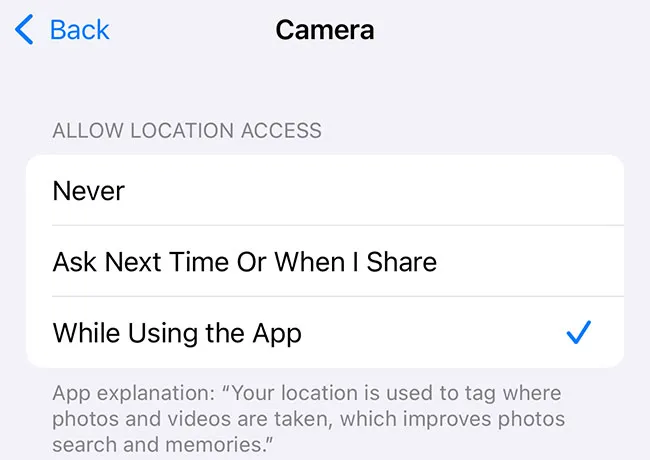
Your iPhone camera can tag photos with location data, which is also known as geotagging. While this feature can be helpful for organizing memories by place, it can also pose a privacy risk, especially when you’re sharing photos online on Facebook or Instagram. Anyone who receives a photo with embedded location data may be able to see exactly where it was taken, which could unintentionally reveal your home, workplace, or other locations you travel to and from regularly. To turn this off, go to Settings > Privacy & Security > Location Services > Camera, and set it to Never or Ask Next Time. This small change helps protect your privacy without affecting the quality of your photos.
2. Location Services for Apps
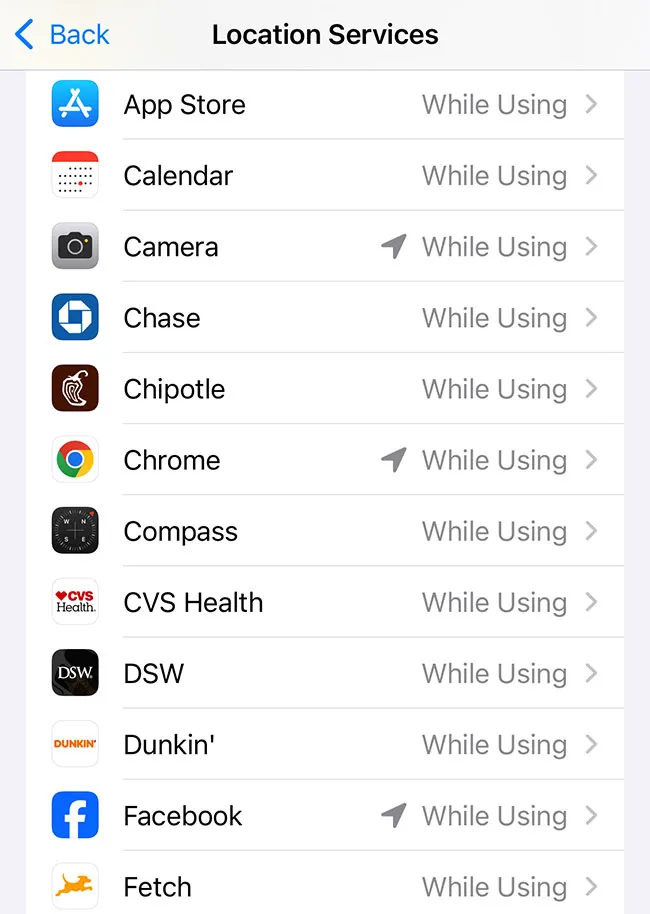
Many apps request access to your location, but not all of them truly need it to function. Some may use location data for targeted advertising or data collection, even when you're not actively using the app. This can lead to unnecessary exposure of your movements and habits. To manage this, go to Settings > Privacy & Security > Location Services, and review the list of apps. For each one, decide how comfortable you feel with one of the following settings: While Using the App or Never, instead of Always. This helps minimize background tracking and keeps more control in your hands.
3. Significant Locations
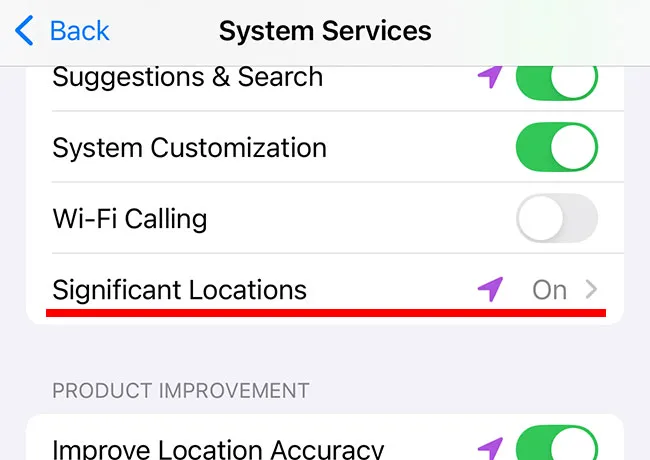
The Significant Locations feature keeps a running log of places you visit frequently, such as your home, office, or favorite stores. While this is designed to make your life more convenient, it also means your iPhone is storing your every whereabouts and move. For those concerned about privacy, this level of tracking can feel intrusive. To turn it off, go to Settings > Privacy & Security > Location Services > System Services > Significant Locations, and toggle it off. You can also clear your location history from this screen.