



Bianca Censori in sheer dress and cat mask on date night.
Gwyneth Paltrow and Brad Falchuk during a public appearance.
Celebrity event showcasing glamorous fashion and red carpet moments.

Homepage

Pros Say This One iPhone Mistake Is Making Your Device Run Hot—Here’s How To Fix It

July 3, 2025 by Lisa Cupido
shefinds | Homepage
Featured image

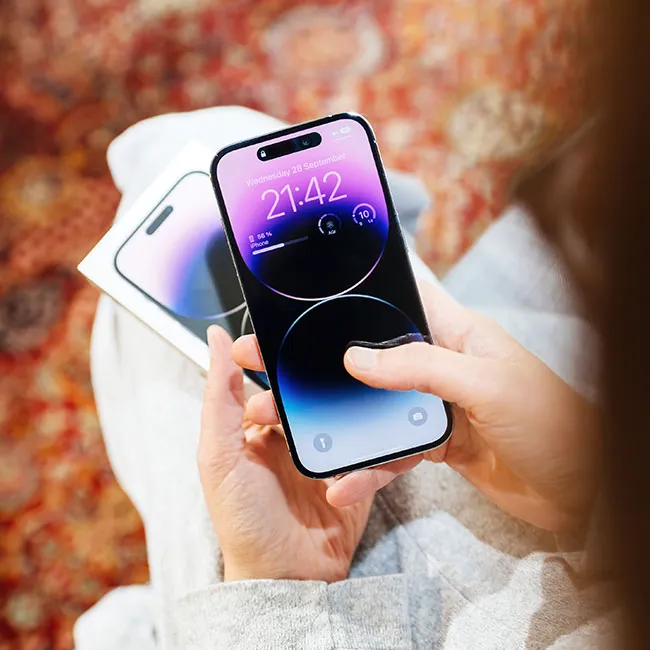
Your iPhone might be tough, but its battery definitely has limits, especially when it comes to temperature. Whether it’s freezing cold or you’re in the middle of a heat wave, extreme temperatures can put serious stress on your phone’s battery, causing it to drain faster, perform poorly, or even shut down unexpectedly. Apple actually recommends keeping your iPhone in settings between 32°F and 95°F (0°C to 35°C) for best performance, and going outside that range too often can shorten your battery’s lifespan over time.

While you can’t always control the weather, there’s one super common (and totally avoidable) mistake that could be making your iPhone heat up even more than it needs to: keeping your phone on its highest brightness setting at all times. Here’s what you need to know about this under-the-radar mistake that can easily be avoided.

house unit img
Women Are Swapping Their Boring Water For This Ice Pop Electrolyte Mix!
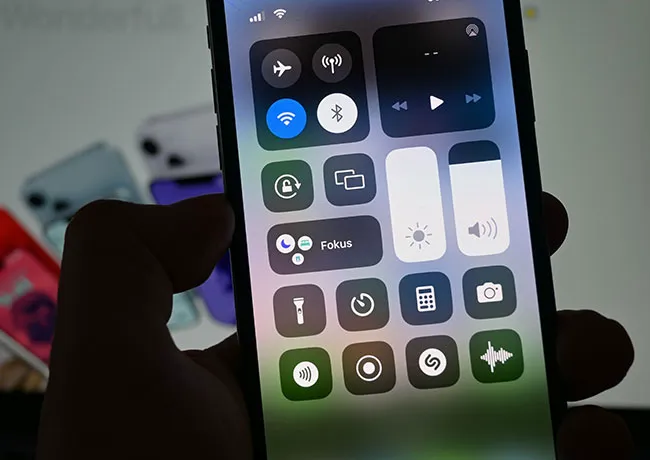
iphone-control-center

How Does a Too-Bright Phone Affect Your Battery?


Keeping your iPhone screen too bright might make everything look sharp and vivid, but it can take a real toll on your battery. The display is one of the most power-hungry parts of your phone, and when it’s constantly set to maximum brightness — especially in well-lit environments or outdoors — it drains your battery much faster than necessary. You might not notice it right away, but over time, that extra screen glow adds up and can leave you reaching for your charger more often. Lowering your brightness manually or using auto-brightness wisely can make a big difference in preserving your phone’s energy throughout the day.
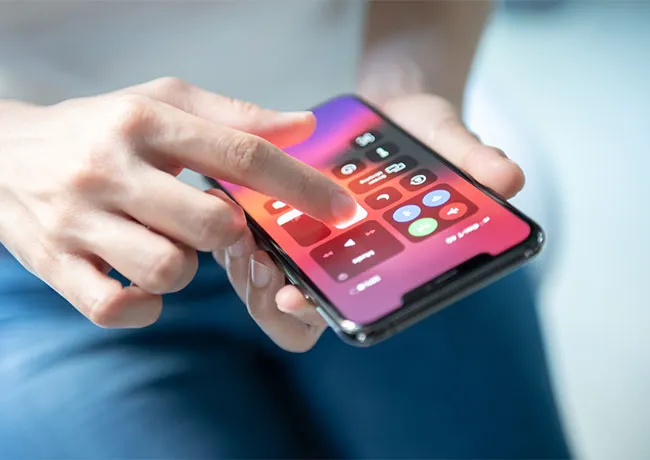
turning-up-iphone-brightness

How to Lower Your Screen Brightness


Lowering your iPhone’s screen brightness is super easy and can really help stretch your battery life. To adjust it manually, swipe down from the top-right corner of your screen (on Face ID models) or up from the bottom (on Touch ID models) to open the Control Center—then slide the brightness bar down to a level that’s comfortable for your eyes. If you’d rather let your phone adjust it for you automatically, go to Settings > Accessibility > Display & Text Size, scroll down, and turn on Auto-Brightness. This lets your iPhone use its ambient light sensor to dim or brighten the screen based on your surroundings, which can save power without you having to think about it.


Author:

Lisa Fogarty is a lifestyle writer and reporter based in New York who covers health, wellness, relationships, sex, beauty, and parenting.

Tom Brady and Gisele Bündchen walking together at a public event.
Popular coffee shops including Dunkin', Chick-fil-A, and Starbucks logos.
JD Vance visiting the University of Georgia during his college tour.
Jennifer Aniston and Benny Blanco at a social event.
Vibrant summer fragrances highlighted by beauty editors for 2026.
Julia Roberts attending the Critics' Choice Awards ceremony.
Various iPhone apps displayed on a smartphone screen.
Sofia Vergara on the red carpet at the Oscars.
Kate Middleton and Prince George at a public appearance.
Woman sweetening aromatic coffee with sugar in a cozy setting.
Gwyneth Paltrow at the Golden Globes awards ceremony.
Donald Trump and Melania Trump at a formal event.
Angelina Jolie at the AFI Fest film festival.
Taylor Swift and Travis Kelce attending a public event together.
Makeup tips video featuring Nikol Johnson on YouTube.
Ivanka Trump at the Fontainebleau Las Vegas grand opening party.
Crofton cold brew maker with stylish drinking glasses from Aldi.
Barron Trump at the inauguration of Donald Trump.
Ariana Grande at the Oscars red carpet event.
Wooden board displaying delicious bagels, blueberries, and butter.
Tom Brady and Gisele Bündchen walking together at a public event.
Popular coffee shops including Dunkin', Chick-fil-A, and Starbucks logos.
JD Vance visiting the University of Georgia during his college tour.
Jennifer Aniston and Benny Blanco at a social event.
Vibrant summer fragrances highlighted by beauty editors for 2026.

Beauty

Summer is my favorite season. If I could bottle up ...

Julia Roberts attending the Critics' Choice Awards ceremony.
Various iPhone apps displayed on a smartphone screen.
Sofia Vergara on the red carpet at the Oscars.
Kate Middleton and Prince George at a public appearance.
Woman sweetening aromatic coffee with sugar in a cozy setting.
Gwyneth Paltrow at the Golden Globes awards ceremony.
Donald Trump and Melania Trump at a formal event.
Angelina Jolie at the AFI Fest film festival.
Taylor Swift and Travis Kelce attending a public event together.
Makeup tips video featuring Nikol Johnson on YouTube.
Ivanka Trump at the Fontainebleau Las Vegas grand opening party.
Crofton cold brew maker with stylish drinking glasses from Aldi.
Barron Trump at the inauguration of Donald Trump.
Ariana Grande at the Oscars red carpet event.
Wooden board displaying delicious bagels, blueberries, and butter.

















