



Tired woman showing effects of lack of sleep.
Delicious banana nice cream dessert for healthy eating.
Jennifer Lopez stunning in Defaience at AMAs 2025.

Homepage

iPhone Fans Discover A Secret 'Red Mode' Feature That Helps You 'See Better In The Dark': 'Won’t Hurt Your Eyes'

December 17, 2024 by Lisa Cupido
shefinds | Homepage
Featured image

Every once in a while Apple drops its users a unique carrot — a feature that goes unknown and unfounded for a little bit until talk of it goes viral. This is exactly what is happening in the case of something called the “Red Mode” which users have discovered turns their widgets clock red, but that more importantly helps users “see better in the dark.” The mode “won’t hurt your eyes” when you’re straining at night to make heads or tails of what’s on your phone.

But there’s a trick to finding the red mode. Here’s how tech experts say you can unlock this fairly new, and very interesting features on your phone.

house unit img
Women Are Swapping Their Boring Water For This Ice Pop Electrolyte Mix!
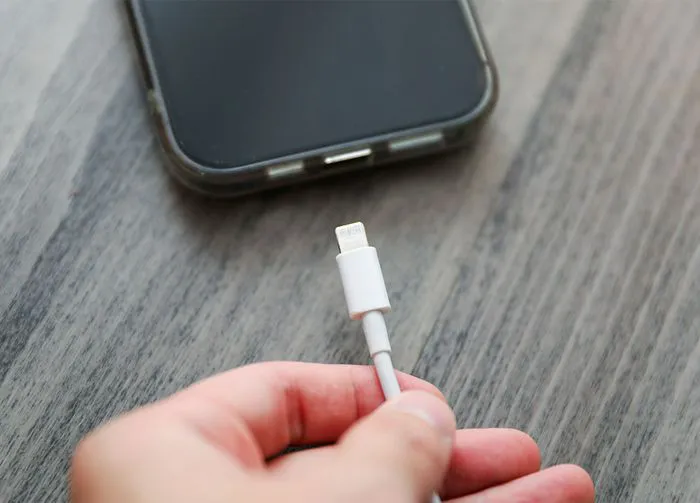
plugging-in-iphone

iPhone Standby


The red-colored Lock Screen clock and weather widget is part of iPhone’s Standby feature. Standby was added to Apple’s iOS 17 update in 2023 and, as Apple explains, “You can use StandBy to turn your iPhone into a bedside clock, a photo frame, a display for viewing widgets or Live Activities in full screen, and more."


To view the red mode the first thing you’ll need to do is make sure you have iOS 17. Go to Settings > General > Software Update. Download new software if you are running an older program.
woman-using-iphone-bed

The next step is to go to Settings > Standby and toggle it on. Connect your phone to a charger and place it down on a surface on its long side so that the screen is in landscape position. Press the side button for StandBy to become active. At this point, you can begin customizations. "Swipe left or right to switch between widgets, photos, and clocks," Apple says. "Swipe up or down to scroll between options for each of these views."


If you happen to be in a dark room while you’re customizing your phone on Standby, you may notice the widgets turn red. "When Night Mode is turned on for StandBy, the screen adapts to low ambient light at night," Apple explains. "And displays items with a red tint so that it’s not intrusive while you’re sleeping."


Since red is a comfortable color to view in the dark, this explains Apple’s mysterious setting — turns out it’s better for your eyes at night!


Author:

Lisa Fogarty is a lifestyle writer and reporter based in New York who covers health, wellness, relationships, sex, beauty, and parenting.

Image from SHEfinds
Image from SHEfinds
Image from SHEfinds
Image from SHEfinds
Image from SHEfinds
Kylie Jenner's stylish black outfit at Met Gala 2025.
Image from SHEfinds
Taylor Swift and Travis Kelce together in candid moment.
Healthy seeds instead of pastries for nutritious snacking.
Ivanka Trump and Jared Kushner at social event.
Bad Bunny performing at the Grammy Awards.
iPhone charging plugged into a laptop for power.
iPhone settings displayed while charging.
Exploring the Italian bob hair trend for summer 2023
Angelina Jolie receiving The Trophee Chopard Award.
Selena Gomez at Rare Impact Fund Benefit event.
Image from SHEfinds
Brad Pitt and Ines de Ramon at F1 World Premiere.
Queen Camilla with Prince Harry and Meghan Markle.
Travis Kelce and Taylor Swift sharing a moment together.
Image from SHEfinds
Image from SHEfinds
Image from SHEfinds
Image from SHEfinds

Beauty

Prime Day is basically a holiday for anyone who's ...

Image from SHEfinds
Kylie Jenner's stylish black outfit at Met Gala 2025.
Image from SHEfinds
Taylor Swift and Travis Kelce together in candid moment.
Healthy seeds instead of pastries for nutritious snacking.
Ivanka Trump and Jared Kushner at social event.
Bad Bunny performing at the Grammy Awards.
iPhone charging plugged into a laptop for power.
iPhone settings displayed while charging.
Exploring the Italian bob hair trend for summer 2023
Angelina Jolie receiving The Trophee Chopard Award.
Selena Gomez at Rare Impact Fund Benefit event.
Image from SHEfinds
Brad Pitt and Ines de Ramon at F1 World Premiere.
Queen Camilla with Prince Harry and Meghan Markle.
Travis Kelce and Taylor Swift sharing a moment together.

















