



Best summer scents of 2026 by beauty editors
Julia Roberts in blazer and Bermuda shorts
Apps slowing down your iPhone performance

Homepage

The One iPhone Setting You Should Disable ASAP If Your iPhone Storage Is Full

January 18, 2022 by Lisa Cupido
shefinds | Homepage
Featured image

If you’re all too familiar with that annoying pop-up on your iPhone that lets you know you are dangerously close to being out of storage, you’ll also know the feeling of frantically trying anything to gain back storage in the moment. You might rush to delete text messages or even start getting rid of apps like social media and streaming apps in order to rapidly gain back that storage (which isn’t always the best long-term solution, by the way). But there’s a better way to get there — and it’s something you can do right now before you get to that point where you are running out of storage power. This is the one iPhone setting you should disable ASAP if your iPhone storage is full. 

Disable My Photo Stream

If your phone storage is full, the one iPhone setting several tech experts recommend disabling is My Photo Stream. “It uses up a lot of free storage because it duplicates your pictures from the last 30 days and syncs them across all your Apple devices,” says Steve Flores, Information Technology Engineer at Technology Solutions. “Turning it off would stop your phone from saving extra pictures. Deleting those photos would also remove them from the other devices that have My Photo Stream turned on and are synced with your iPhone.” To disable it, go to Settings > Photos and select My Photo Stream.

house unit img
Women Are Swapping Their Boring Water For This Ice Pop Electrolyte Mix!

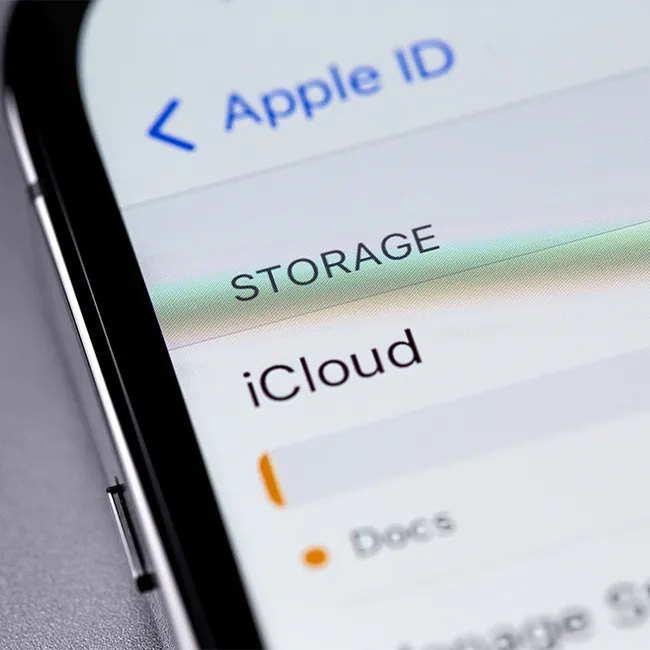
iphone storage

To ensure your iPhone storage is even more full, Jamie Knight, the CEO of Data Source Hub, recommends turning your focus on another photo feature: disable the 'keep normal photos option' in settings — when you take a photo always save HDR photos only. “iPhone users have the opportunity to save both the normal versions of the photo and the HDR version,” Knight says. “Saving both photos will consume a lot of storage. So in order to save unwanted storage usage always turn off this option in your settings>Photos & Camera > switch off Keep Normal Photos.”


Try making these changes to your photos setting to improve your storage capabilities pronto. 

Author:

Lisa Fogarty is a lifestyle writer and reporter based in New York who covers health, wellness, relationships, sex, beauty, and parenting.

Kate Middleton and Prince George share a sweet moment.
Colorful soda aisle with various beverage options.
Gwyneth Paltrow at Golden Globes in stunning gown.
Donald and Melania Trump at event
Angelina Jolie at AFI Fest red carpet
Taylor Swift and Travis Kelce together
Nikol Johnson sharing makeup tips on YouTube.
Ivanka Trump at Fontainebleau Las Vegas opening
Crofton cold brew maker with stylish drinking glasses.
Barron Trump at Donald Trump's inauguration
Ariana Grande at the Oscars ceremony
Wooden board featuring bagels, blueberries, and butter.
Close-up of hands holding an iPhone 17 Pro Max.
Common skincare mistakes for women over 40 highlighting fine lines.
Haircuts and hairstyles that lift the face and minimize jowls.
Meghan Markle at Invictus Games Day 4 event.
Gigi Hadid at Le Grand Diner du Louvre photocall.
Close-up of an iPhone displaying various apps.
Person holding iPhone with open background apps.
Nate Bargatze at the Stand Up For Heroes benefit.
Kate Middleton and Prince George share a sweet moment.
Colorful soda aisle with various beverage options.
Gwyneth Paltrow at Golden Globes in stunning gown.
Donald and Melania Trump at event
Angelina Jolie at AFI Fest red carpet
Taylor Swift and Travis Kelce together
Nikol Johnson sharing makeup tips on YouTube.
Ivanka Trump at Fontainebleau Las Vegas opening
Crofton cold brew maker with stylish drinking glasses.
Barron Trump at Donald Trump's inauguration
Ariana Grande at the Oscars ceremony
Wooden board featuring bagels, blueberries, and butter.
Close-up of hands holding an iPhone 17 Pro Max.
Common skincare mistakes for women over 40 highlighting fine lines.
Haircuts and hairstyles that lift the face and minimize jowls.
Meghan Markle at Invictus Games Day 4 event.
Gigi Hadid at Le Grand Diner du Louvre photocall.
Close-up of an iPhone displaying various apps.
Person holding iPhone with open background apps.
Nate Bargatze at the Stand Up For Heroes benefit.


















