

Prince William and Prince Harry at a public event.
Woman struggling with hair loss, looking concerned.
Woman enjoying a donut at night, cozy setting.

Homepage

Want To Keep Your Personal Data Safe? Turn These 3 iPhone Settings Off ASAP, Security Experts Say

June 20, 2023 by Lisa Cupido
shefinds | Homepage
Featured image

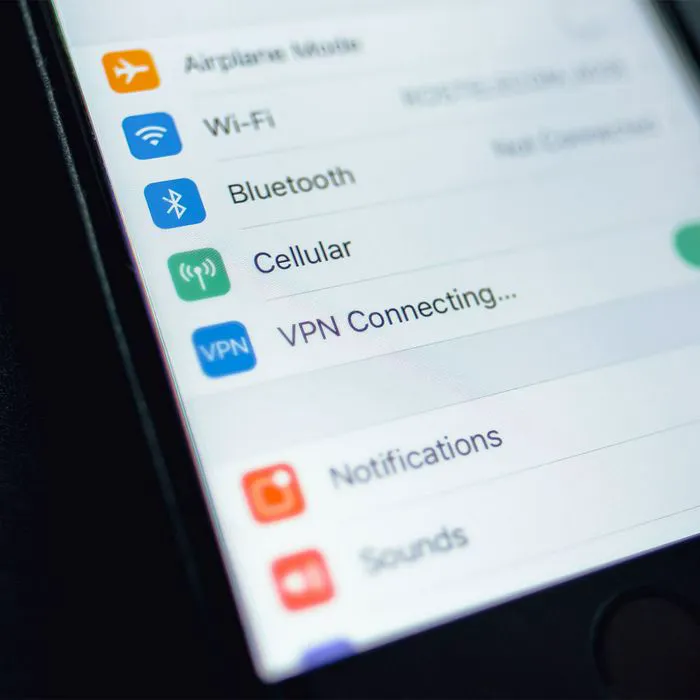
f you’re like most people, your phone contains so much personal data that it might be shocking to sit and truly think about how much of your life is on your device. And that means, of course: the last thing you want is for your data to fall into strange hands. In order to keep your phone as safe as possible, you may want to start by adjusting these three settings, which can leave you less vulnerable to data breaches.

Disable Location Services for Unused Apps

Location Services allow apps to access your device’s GPS and use location-related features, according to Vladislav Bilay, a Cloud Solution engineer and Tech Lead. “However, having Location Services enabled for all apps, including those you rarely use, can drain battery power unnecessarily,” he says. “By reviewing and disabling Location Services for apps that don’t require it, you prevent those apps from continually tracking your location, reducing battery consumption and improving overall battery life.”

Keeping your phone from tracking your location also helps preserve your privacy. 

Login Security Settings 

Make it impossible for anyone who picks up your phone to gain access to it by creating extraordinarily complex log-in passwords. Starting with your passcode, which is a four to six digit number, come up with something random that few people will be able to guess (in other words, birthdays and anniversaries are out of the question). Then, every time you create a new password, either use a password manager service to come up with complex codes for you or make sure you’re using a combination of uppercase and lowercase letters with numbers and symbols. And try not to re-use the same password for different sites. 

house unit img
Women Are Swapping Their Boring Water For This Ice Pop Electrolyte Mix!
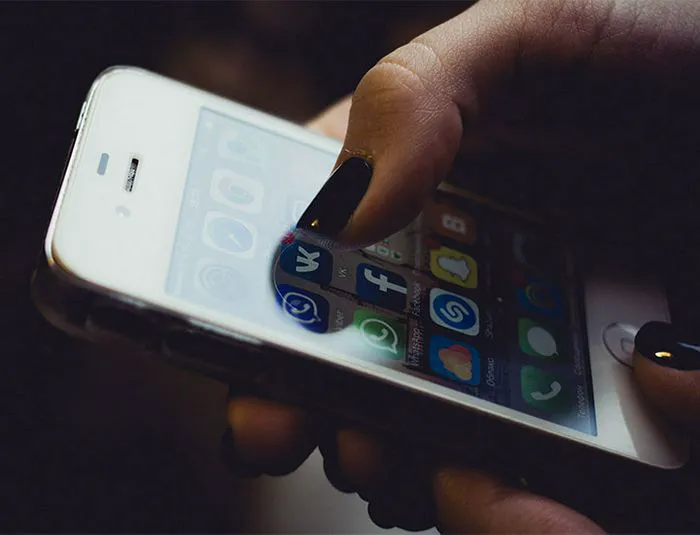
young-woman-manicure-iphone

Enable Two-Factor Authentication


Creating complex passwords is step one in securing your phone and protecting your data, but there’s an important step two: enabling two-factor authentication. With 2FA, a website will not only accept your password, but will then send a code to your phone that you’ll have to enter before gaining access to your accounts on the websites you frequent. This gives you an added layer of protection — and helps keep prying eyes out. 


To enable two-factor authentication: go to Settings > Password & Security > turn on Two-Factor Authentication. Tap “Continue” and enter the phone number where you’d like to receive your codes. Verify the phone number and you’re all done.


It IS possible to make your phone more secure — start with a few quick and easy adjustments to your settings. 
 

Tags:

Author:

Lisa Fogarty is a lifestyle writer and reporter based in New York who covers health, wellness, relationships, sex, beauty, and parenting.

David JD Vance and Usha Vance at Elysee Palace in Paris.
Shania Twain performing at the Annual Academy of Country Music.
Modern workspace with a person typing on a laptop.
Chic haircuts for women over 50 trending in 2026.
Donald Trump discussing maternal healthcare at a public event.
Queen Camilla and Kate Middleton attending a royal function.
Middle-aged woman engaged in a fitness routine.
Kim Kardashian at the Kering's 3rd Annual Caring for Women Dinner.
Kylie Jenner and Stormi Aire with Timothée Chalamet at an event.
Madonna at the Met Gala in a stunning outfit.
Taylor Swift arriving in a private jet in 2024.
Woman experiencing fatigue after a sleepless night.
Creamy banana nice cream topped with fresh fruit.
Jennifer Lopez in Defaience at the 2025 American Music Awards.
Vittoria Ceretti with Leonardo DiCaprio at a gala.
Emma Stone attending the Annual Actor Awards ceremony.
Salma Hayek at the 12th Annual Breakthrough Prize Ceremony.
Summer superfoods for boosting collagen and glowing skin.
Kate Middleton during a state visit looking elegant.
Middle-aged woman enjoying a glass of wine at home.
David JD Vance and Usha Vance at Elysee Palace in Paris.
Shania Twain performing at the Annual Academy of Country Music.
Modern workspace with a person typing on a laptop.
Chic haircuts for women over 50 trending in 2026.
Donald Trump discussing maternal healthcare at a public event.
Queen Camilla and Kate Middleton attending a royal function.
Middle-aged woman engaged in a fitness routine.
Kim Kardashian at the Kering's 3rd Annual Caring for Women Dinner.
Kylie Jenner and Stormi Aire with Timothée Chalamet at an event.
Madonna at the Met Gala in a stunning outfit.
Taylor Swift arriving in a private jet in 2024.
Woman experiencing fatigue after a sleepless night.
Creamy banana nice cream topped with fresh fruit.
Jennifer Lopez in Defaience at the 2025 American Music Awards.
Vittoria Ceretti with Leonardo DiCaprio at a gala.
Emma Stone attending the Annual Actor Awards ceremony.
Salma Hayek at the 12th Annual Breakthrough Prize Ceremony.
Summer superfoods for boosting collagen and glowing skin.
Kate Middleton during a state visit looking elegant.
Middle-aged woman enjoying a glass of wine at home.