<link rel="stylesheet" href="https://www.shefinds.com/wp-content/themes/shefinds_14/custom-content-builder/styles/ccb-frontend.min.css?ver=1.0.10"> 3 Storage-Hogging iPhone Apps You Probably Don’t Use—Delete The... Skip to main content
Bianca Censori in bold latex jumpsuit at Grammy Awards
Christina Aguilera at The Abbey's 35th Anniversary Party wearing stunning attire.
King Charles and Prince William with Sarah Ferguson at a royal event.

3 Storage-Hogging iPhone Apps You Probably Don’t Use—Delete Them To Clear Up Space

May 11, 2024 by Lisa Cupido
shefinds |
Featured image

Lacking storage space on your iPhone is one of the most annoying realizations — you may not even know this is the case until you are confronted with a pop-up that alerts you to this fact. Alongside this pop-up you’ll find your ability to use your phone in ways that you want can be limited. You won’t be able to take as many (or any) videos and photos. Your ability to download files could be affected — and much more.

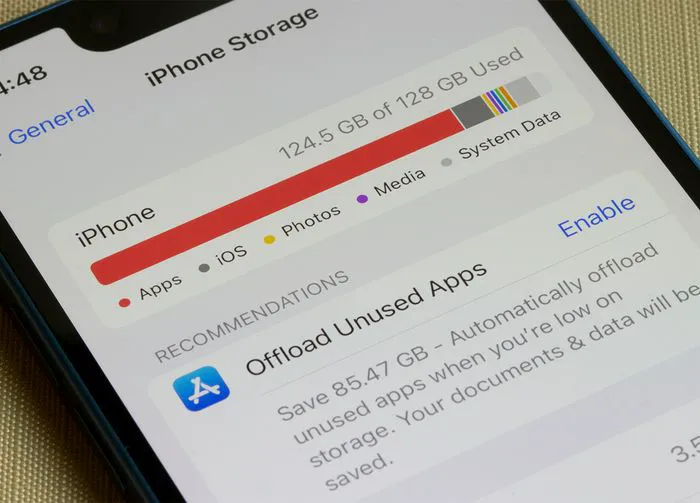
Unless you purchase more storage space, you’ll have to find ways to curb the space you’re currently using up. One of the ways to do this is by deleting storage-hogging apps that you may not even be using — or that you won’t miss much when they’re gone.

Start by deleting these three storage-stealing apps to get back previous storage space.

Instagram

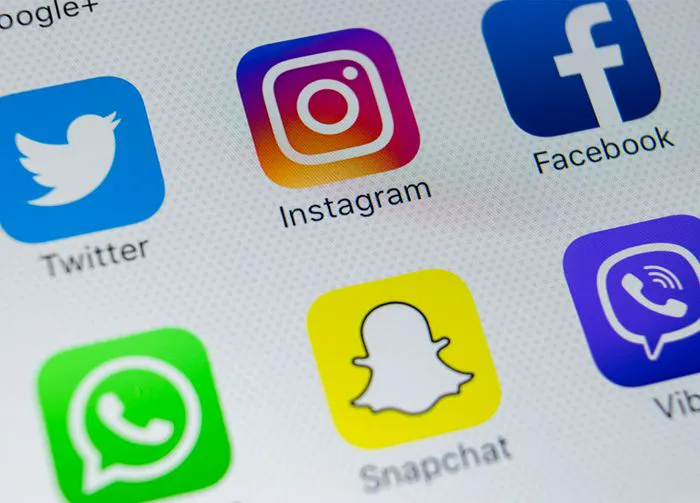
Instagram is taking up a lot of storage space on your iPhone — there’s no denying it. With all of the photos and videos you take and upload using this app, it’s not a shock that it (along with several other social media apps) is among the worst offenders when it comes to storage space. Deleting the app will be your best best for regaining lots of storage space, but we get that it’s not an easy thing to do. Another move is to manually delete the Instagram cache on your iPhone by going to Settings > General > iPhone Storage > search for Instagram. Now clear its cache.

house unit img
The Difference Between Dragging Through Your Day And Feeling Great On Your Feet? These Arch Support Insoles
iphone-apps

Messages


No, you should not never use your Messages app again. But what you can do to save a lot of storage space is to delete any messages you have saved that contain images. These messages are larger files that take up more space. If you feel comfortable setting Messages to automatically delete messages after a certain length of time, like 30 days, even better.

woman-using-iphone

Music and Podcasts


Music and podcast apps are great for helping you discover new tunes and shows you enjoy listening to. But if you aren’t deleting old files after they have been downloaded, all of that data stays on your phone and eats away at storage space. Use these apps — by all means — but get into the habit of deleting files that no longer serve you to conserve storage space.


Author:

Lisa Fogarty is a lifestyle writer and reporter based in New York who covers health, wellness, relationships, sex, beauty, and parenting.

Nicole Kidman with natural curls at Academy Museum Gala
Bill Gates and Melinda Gates at a public event
Shelf displaying various vitamins and supplements
Cooked salmon, rice, avocado, and greens on a plate.
Jaden Smith at the premiere of Nosferatu.
Android phone displaying various apps.
Woman applying sunscreen for skin protection.
Angelina Jolie at a Maria photocall event.
Inside view of a Costco store.
Jennifer Garner supporting Baby2Baby charity event with a smile.
Taylor Swift performing at the 65th Annual Grammy Awards.
Gisele Bündchen attending Hollywood for Science Gala, elegant attire.
Donald Trump discussing U.S.-Japan trade deal at a conference.
Serena Williams stunning at the Met Gala in a designer gown.
Prince William, Kate Middleton, Meghan Markle, and Prince Harry together.
Woman checking UV index before sunscreen application.
Woman taking magnesium supplement for health.
Kylie Jenner enjoying the Vanity Fair Oscar Party, stylish outfit.
iPhone 14 showcasing popular apps on screen.
Getting a trendy lob haircut at a salon.
Nicole Kidman with natural curls at Academy Museum Gala
Bill Gates and Melinda Gates at a public event
Shelf displaying various vitamins and supplements
Cooked salmon, rice, avocado, and greens on a plate.
Jaden Smith at the premiere of Nosferatu.
Android phone displaying various apps.
Woman applying sunscreen for skin protection.
Angelina Jolie at a Maria photocall event.
Inside view of a Costco store.
Jennifer Garner supporting Baby2Baby charity event with a smile.
Taylor Swift performing at the 65th Annual Grammy Awards.
Gisele Bündchen attending Hollywood for Science Gala, elegant attire.
Donald Trump discussing U.S.-Japan trade deal at a conference.
Serena Williams stunning at the Met Gala in a designer gown.
Prince William, Kate Middleton, Meghan Markle, and Prince Harry together.
Woman checking UV index before sunscreen application.
Woman taking magnesium supplement for health.
Kylie Jenner enjoying the Vanity Fair Oscar Party, stylish outfit.
iPhone 14 showcasing popular apps on screen.
Getting a trendy lob haircut at a salon.