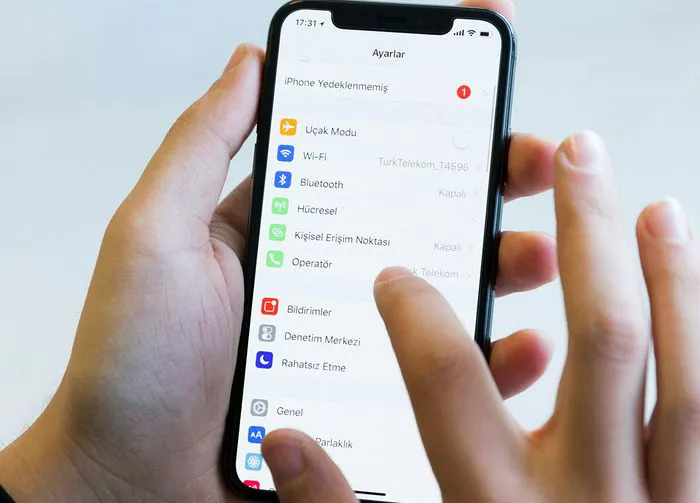
The quickest way to a faster phone is through your settings — and sometimes that means turning off certain settings to maintain a more efficient device.
Some of the most resource-intensive settings on your phone can push the envelope in terms of battery power — they’re doing too much! If they are hard at work and it’s worth it because you benefit from the outcome, that’s one thing. But in many cases you’re not even sure you need these settings in the first place and may feel convinced that you can live without them, but feel reluctant to make any changes that can impact your phone.
It’s time to turn off or adjust these five settings, which are contributing to a slower phone. You’ll notice a big difference when you make these minor changes.
Turn Down the Brightness
Is your phone so lit up that it could light a path through the darkest of tunnels? Then it’s probably too bright, and a too-bright screen can lead to battery degradation over time. Try experimenting to see which brightness settings is bright enough for you to live with, without compromising your comfort. Go to Settings > Display & Brightness > slide the brightness slider down as much as you can to help ease your battery issues.

Women Are Swapping Their Boring Water For This Ice Pop Electrolyte Mix!

Background App Refresh
Background App Refresh is a setting that ensures all of your apps are updating constantly so that you don’t miss a beat when you tap on them. They’ll provide up-to-the-second changes and updates without making you wait. But this setting needs battery power to work so hard all of the time, and some say it’s not worth the trade-off. Go to Settings > General > Background App Refresh to toggle it off.
Push Notifications
Do you need to be notified any time there’s an update on one of your social media apps or whenever you get an email? If so, keep Push Notifications on, but understand it will come at the cost of some battery power. If not, turn it off by going to Settings > Notifications and turn off this setting for as many apps (or all) as you wish.
Location Services
You’ll need Location Services turned on in order to ensure certain apps, like those with GPS, do their jobs properly. But you definitely don’t need it turned on at all times, and having it on compromises battery. Go to Settings > Privacy & Security > Location Services and adjust this setting so that it’s turned off for some apps and turned on for others, but only when you’re using the app.
WiFi and Bluetooth
You’ll need a strong WiFi connection when you’re at home or at a specific destination where you want to scroll. But there are many times when you may be in transit or in places where you don’t need a WiFi and Bluetooth connection, and if these settings are still on, your phone will work hard to find the best connections for it. Unburden your phone from this work by turning off these settings when you’re sure you won’t need them.