



Kim Kardashian in oversized shirt and Capri leggings at charity dinner
Madonna at the Met Gala in stunning fashion.
Taylor Swift boarding a private jet in 2024.

Tech

The One App That Ruins Your iPhone Battery—Even When It's On Low Power Mode!

June 19, 2019 by Lisa Cupido
shefinds | Tech
Featured image

There’s some confusion over the Low Power Mode on your iPhone that needs clearing up.

Can it prolong the life of your phone battery? Absolutely.

Can it negate any ill effects your phone experiences from notoriously battery-draining apps?

Not really.

This is the one app that ruins your iPhone battery — even when it’s on low power mode!

house unit img
Women Are Swapping Their Boring Water For This Ice Pop Electrolyte Mix!
iphone

Facebook App


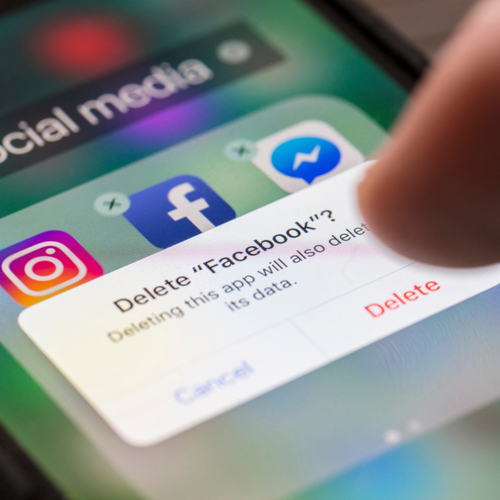
Sorry, but the Facebook app is going to continue to drain your battery, even when you’ve wisely set your phone to low power mode.


Facebook works hard to deliver content to you, which includes auto-playing videos and tracking how you browse content via its advertisers. Whether we like them or not, we pay the price for these features in battery power.
iphone

That’s not to say that Low Power Mode can’t help minimize the effect of your apps on your device.


One of the benefits of turning your phone to Low Power Mode is that it reduces background app refresh, which taxes your battery.
iphone

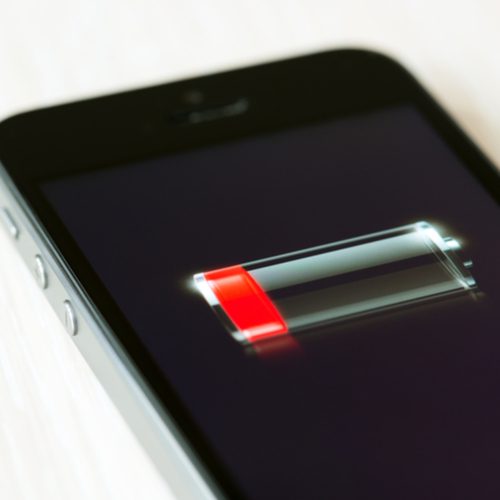
There are a number of other benefits of turning on Low Power Mode. According to Apple, it reduces or affects these features:


Email fetch
"Hey Siri"
Automatic downloads
Some visual effects
Auto-Lock (defaults to 30 seconds)
iCloud Photos (temporarily paused)
iphone

Two things can both be true at the same time: Low Power Mode is great for conserving battery power AND the Facebook app will, unfortunately, continue to rob you of battery power.


There are two ways to turn on Low Power Mode: Go to Settings > Battery. Or turn Low Power Mode on and off from Control Center by going to Settings > Control Center > Customize Controls, then select Low Power Mode to add it to Control Center.


 

Author:

Lisa Fogarty is a lifestyle writer and reporter based in New York who covers health, wellness, relationships, sex, beauty, and parenting.

Latest iPhone 17 model showcasing sleek design.
Woman working on laptop in a casual setting.
Smartphone plugged into charger for power.
Display of various apps on iPhone screen.
Close-up of hands holding iPhone 17 Pro Max.
User interacting with iPhone in everyday use.
Person holding iPhone with multiple apps displayed.
Woman texting on smartphone with focused expression.
Android phone featuring a variety of applications.
Samsung Galaxy Z Flip 7 smartphone on display.
Woman enjoying fresh watermelon salad in casual outfit.
User holding Android phone displaying various apps.
iPhone 14 showcasing multiple applications on screen.
iPhone settings screen indicating low battery charge.
Sony headphones with iPad and laptop on Amazon.
Person using iPhone with apps visible on screen.
iPhone displaying a selection of apps available.
iPhone storage full notification on the screen.
User holding an iPhone with visible apps.
iPhone screen filled with various application icons.
Latest iPhone 17 model showcasing sleek design.
Woman working on laptop in a casual setting.
Smartphone plugged into charger for power.
Display of various apps on iPhone screen.
Close-up of hands holding iPhone 17 Pro Max.
User interacting with iPhone in everyday use.
Person holding iPhone with multiple apps displayed.
Woman texting on smartphone with focused expression.
Android phone featuring a variety of applications.
Samsung Galaxy Z Flip 7 smartphone on display.
Woman enjoying fresh watermelon salad in casual outfit.
User holding Android phone displaying various apps.
iPhone 14 showcasing multiple applications on screen.
iPhone settings screen indicating low battery charge.
Sony headphones with iPad and laptop on Amazon.
Person using iPhone with apps visible on screen.
iPhone displaying a selection of apps available.
iPhone storage full notification on the screen.
User holding an iPhone with visible apps.
iPhone screen filled with various application icons.

















