




Kim Kardashian at Kering's Caring for Women Dinner.
Madonna in blue mini dress and metallic boots.
Taylor Swift boarding private jet in 2024.

Tech

6 Apps That No One Should Have On Their iPhone If The Battery Is Always Dying, According To An Apple Employee

May 30, 2019 by Lisa Cupido
shefinds | Tech
Featured image
house unit img
Women Are Swapping Their Boring Water For This Ice Pop Electrolyte Mix!
iphone

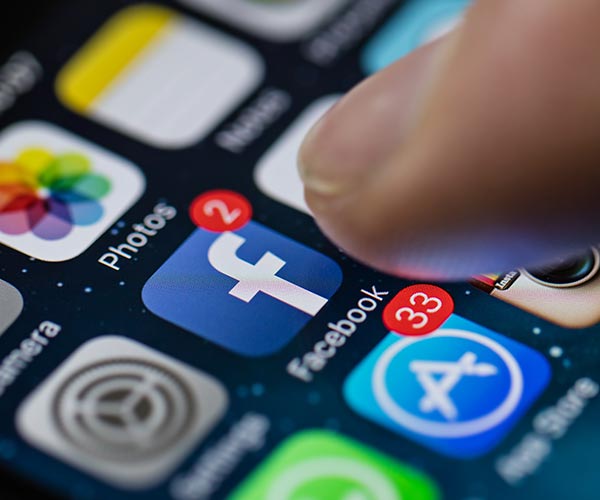
Facebook


Not only is the Facebook app constantly collecting data on you — even when you aren’t actively using it and are scrolling websites  — but it’s also super taxing on your phone’s battery. The social media site plays videos and stores a ton of data, which slows down your phone. Delete the app and use Facebook in your browser.
iphone

Facebook Messenger


The same rule applies to Facebook Messenger. Even though you won’t be able to access your messages via your phone browser and will have to wait to see them on a laptop or desktop computer, it may be well worth the wait. Like Facebook, Messenger is a well known battery drainer.
iphone

Waze


All navigation apps slow down your phone — they have to work extra hard to constantly pinpoint your location and use GPS to get you from Point A to Point B. It’s wise to choose one navigation app, delete the others, and always charge your phone while you’re using one.

iphone

Games


The more graphically sophisticated your game, the greater the chance it is pulling from your battery resources. Games are great for killing time — but pruning your game library and only keeping one or two of your favorites can help with battery power.
iphone

News Apps


It’s one thing to want to stay on top of current events — it’s another to do it at the expense of your phone’s battery.


News apps aren’t really necessary since you can access their content via your browser, plus they take up battery power.
iphone

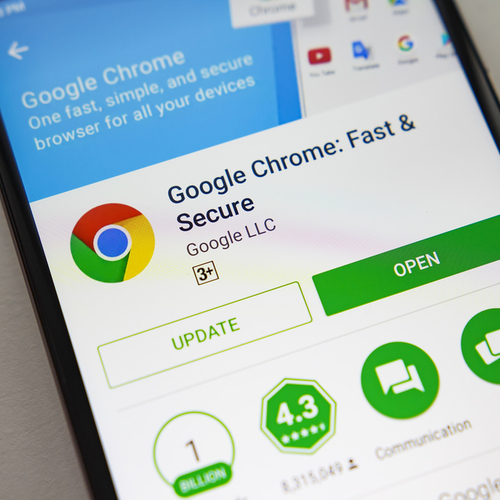
Google Chrome


As far as browsers go, Google Chrome is one that boasts some pretty cool features. Unfortunately, it’s also slower, less secure, and more draining on your battery than other browsers, according to experts.


The Safari browser is always a better bet — or you can follow these six tips for making Google Chrome take up less battery power.


Author:

Lisa Fogarty is a lifestyle writer and reporter based in New York who covers health, wellness, relationships, sex, beauty, and parenting.

New iPhone 17 showcasing sleek design and features.
Woman working on laptop in a modern workspace.
Smartphone charging with a power adapter connected.
Display of popular apps on an iPhone screen.
Close-up of hands holding an iPhone 17 Pro Max.
Individual using an iPhone for various tasks.
Person holding iPhone displaying multiple apps.
Woman texting on her smartphone with focus.
Android phone showcasing diverse applications.
Samsung Galaxy Z Flip 7 smartphone in use.
Woman enjoying a fresh summer salad outdoors.
Holding an Android phone with app interface visible.
iPhone 14 displaying a variety of installed apps.
iPhone indicating low battery and charging settings.
Sony headphones and iPad being used with laptop.
Individual engaging with an iPhone for communication.
iPhone screen filled with various app icons.
Alert showing iPhone storage is full.
Person holding an iPhone in a casual setting.
iPhone screen featuring a grid of applications.
New iPhone 17 showcasing sleek design and features.
Woman working on laptop in a modern workspace.
Smartphone charging with a power adapter connected.
Display of popular apps on an iPhone screen.
Close-up of hands holding an iPhone 17 Pro Max.
Individual using an iPhone for various tasks.
Person holding iPhone displaying multiple apps.
Woman texting on her smartphone with focus.
Android phone showcasing diverse applications.
Samsung Galaxy Z Flip 7 smartphone in use.
Woman enjoying a fresh summer salad outdoors.
Holding an Android phone with app interface visible.
iPhone 14 displaying a variety of installed apps.
iPhone indicating low battery and charging settings.
Sony headphones and iPad being used with laptop.
Individual engaging with an iPhone for communication.
iPhone screen filled with various app icons.
Alert showing iPhone storage is full.
Person holding an iPhone in a casual setting.
iPhone screen featuring a grid of applications.

















