Ariana Grande emotional on stage after split and health issues
Tasty bagels with blueberries and butter on a wooden board.
Close-up of male hands holding an Apple iPhone 17 Pro Max.

Homepage

3 Hidden Android Features You Should Disable Right Now To Stop Your Phone From Slowing Down: Transitions And Animations, More

October 22, 2025 by Abigail Connolly
shefinds | Homepage
Featured image

One of the most annoying parts about being a smartphone owner is when it gradually begins to slow down.

If you own an Android, chances are you’ve had to deal with it acting slow on you from time to time. Sometimes, when this happens, people typically think it’s due to some kind of battery issue or some other internal system problem. While that could be the case, it’s also important to note that there could be some settings and features you should adjust in order to prevent your phone from slowing down. Read more about the three features tech experts say you should adjust below.

house unit img
Women Are Swapping Their Boring Water For This Ice Pop Electrolyte Mix!
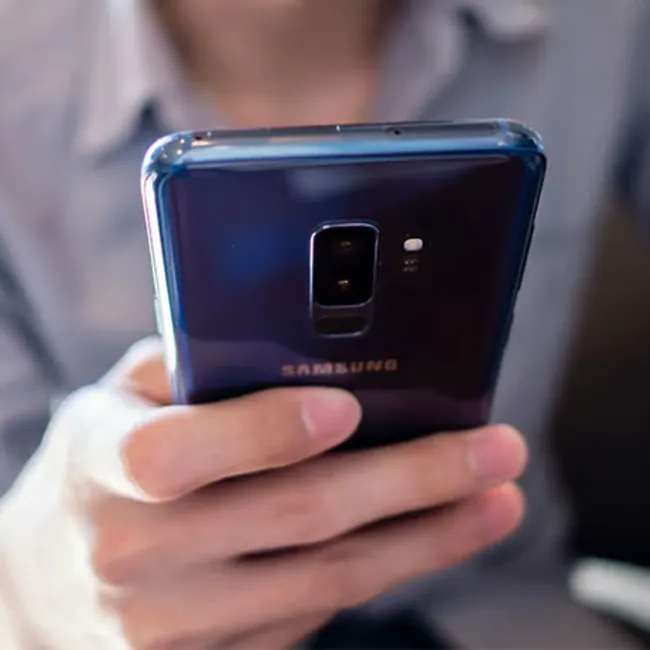
Image from SHEfinds

1. Turn Off Transitions And Animations

Android's animation and motion effects make the user experience feel smoother and a little fancier by adding visual transitions between screens, apps, and actions. These effects help guide your eyes when opening an app, switching between menus, minimizing a window, etc. They're mainly for some visual flair, but they can also affect performance.


"Android's transition animations are nice enough, but can cause lower-end devices or older phones to lag, says tech expert and owner of The Big Phone store, Steven Athwal. "Turning off Always-on animations and motion effects can be good for performance as well as provide you with a little boost. They can be turned off through settings, or simply turned down to 0.5x."

Image from SHEfinds

2. Turn Off Auto-Sync

According to Jason Chen, a tech expert at JarnisTec, auto-sync is another feature that can "slow down" your Android, even though it may seem super convenient and helpful.

 
"This feature allows your phone to automatically sync data from your various accounts, such as emails, social media, and contacts," he explains. "While it may be convenient, constantly syncing data in the background can drain your phone's battery and slow down its performance. To disable auto-sync, go to your phone's settings, and under 'Accounts,' you can turn off auto-sync for specific apps or all of them."

Image from SHEfinds

3. Adjust Background App Refresh

Background app refresh on Android lets apps update their content and run certain tasks even when you're not actively using them. This means apps like social media or weather widgets can stay up to date so that when you open them, the latest information is already loaded. While it helps keep things running smoothly, it can also drain your battery and use mobile data over time.


"Some apps are always refreshing in the background to update with new info," suggests Athwal. "This keeps your phone active at all times. Restrict background app refreshing on apps you don't use often."


Author:

Editorial Assistant

Abigail is a journalist based in Brooklyn, New York. As an Editorial Assistant for SheFinds, she covers topics ranging from celebrity news and fashion to wellness. She has written for other publications, including Chip Chick, Bandsintown, BroadwayWorld, and more. When she isn't writing, Abigail loves spending time in the city with her friends, being a 'dog mom' to her Chihuahua, and singing along to some of her favorite music.

Meghan Markle at Invictus Games, controversy over sharing friend's baby.
Gigi Hadid at Le Grand Diner du Louvre photocall event.
iPhone apps exposing personal data risks
Person holding iPhone displaying various apps on screen
Nate Bargatze supporting veterans at the Stand Up for Heroes benefit.
Taylor Swift performing at the Grammys event
Jelly Roll and Bunnie Xo at Pre-Grammy Gala
Car Pro Smart Fragrance Diffuser displayed with Nordstrom sneakers.
Donald Trump and Barack Obama at a public event
Pouring vitamin D into palm for health benefits.
Gigi Hadid and daughter Khai enjoying quality time together.
Machine Gun Kelly at the BET Awards red carpet.
Catherine, Princess of Wales, at wreath-laying service.
Harper Beckman at the Victoria Beckham premiere event.
Woman texting on smartphone, engaged in conversation.
Hailey Bieber's haircuts for thicker fine hair looks.
Shania Twain at the 68th GRAMMY Awards After Party
Kim Kardashian attending the TIME100 Gala
Older woman taking supplements with a glass of water.
Ivanka Trump with Tiffany and Kai Trump
Meghan Markle at Invictus Games, controversy over sharing friend's baby.
Gigi Hadid at Le Grand Diner du Louvre photocall event.
iPhone apps exposing personal data risks
Person holding iPhone displaying various apps on screen
Nate Bargatze supporting veterans at the Stand Up for Heroes benefit.
Taylor Swift performing at the Grammys event
Jelly Roll and Bunnie Xo at Pre-Grammy Gala
Car Pro Smart Fragrance Diffuser displayed with Nordstrom sneakers.

Fashion

My husband is the unsung hero in our household. He'...

Donald Trump and Barack Obama at a public event
Pouring vitamin D into palm for health benefits.
Gigi Hadid and daughter Khai enjoying quality time together.
Machine Gun Kelly at the BET Awards red carpet.
Catherine, Princess of Wales, at wreath-laying service.
Harper Beckman at the Victoria Beckham premiere event.
Woman texting on smartphone, engaged in conversation.
Hailey Bieber's haircuts for thicker fine hair looks.
Shania Twain at the 68th GRAMMY Awards After Party
Kim Kardashian attending the TIME100 Gala
Older woman taking supplements with a glass of water.
Ivanka Trump with Tiffany and Kai Trump