
Bianca Censori with pink hair on a date with Kanye West
Natalie Portman at a red carpet event
Natalie Portman celebrating her birthday in a floral dress

Homepage

3 iPhone Settings No One Should Have Turned On Because They Put Your Security At Risk

March 5, 2025 by Lisa Cupido
shefinds | Homepage
Featured image

The settings on your iPhone can be disabled or enabled to your phone’s benefit — the trick is knowing which will serve you and when to have them turned on. Even though Apple does a fair job at helping to protect your privacy and security by, for example, vetting apps before they are allowed to be purchased via its App Store, no system is perfect. There will always be settings that you have to stay on top of in order to ensure your phone and data are as secure as possible.

Among the apps that you should be aware of you’ll find these three — all of which can offer unique conveniences. However, keeping these settings enabled all of the time isn’t a good idea. Here are three iPhone settings no one should have turned on (at all times) because they put your secret at risk.

house unit img
Women Are Swapping Their Boring Water For This Ice Pop Electrolyte Mix!
iphone-wifi-settings

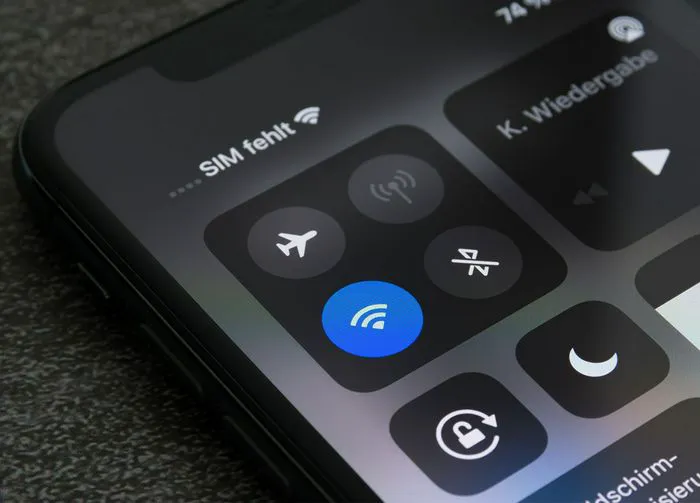
1. Automatic Wi-Fi


Automatic Wi-Fi has a valuable purpose: it provides the convenience of searching for available, open Wi-Fi networks when you leave the safety of your home network. Doing this for you means you never have to stop, open up settings, and try and grab hold of a free network to use. But it comes with privacy risks. Your phone could automatically join an open Wi-Fi network that is unsecured or being run by a hacker who set up a fake Wi-Fi hotspot that mimics a real one. You could then expose your personal data to nefarious characters without realizing you’ve done so. Open Settings > Wi-Fi > turn off Auto-Join.
disable-location-services

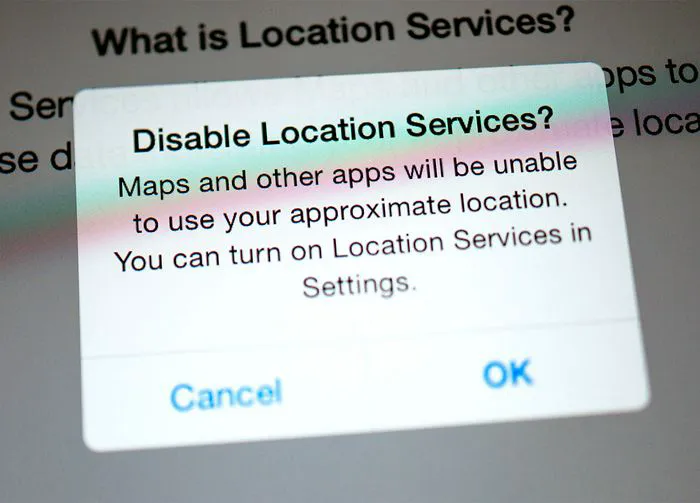
2. Location Services


Sharing your location with every single app that requests it is a surefire way to expose too much of your data without any benefit. Some apps, like Maps and Weather, will require your location to perform well. But you have the option of only allowing these apps access to your locations when you’re using them, and as for the rest of the apps (like social media apps), you don’t have to allow this at all.


To change your location settings go to Settings > Privacy & Security > Location Services.
facebook-ask-not-to-track

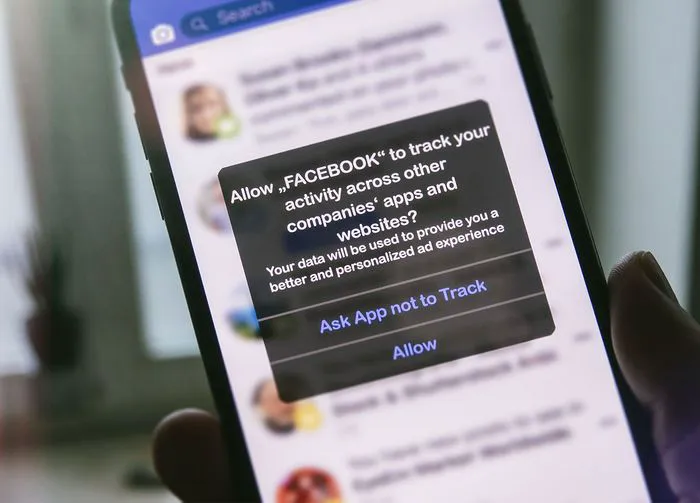
3. Letting Apps Track You


Apple has a setting called App Track Transparency that allows users to see which apps are tracking them and what kind of data they are privy to. This gives the user more control over whether they allow that app permissions (or possibly want to delete the app altogether). Take advantage of this setting and don’t allow apps to track you by heading to Settings > Privacy & Security > Tracking. Toggle off the option “Allow Apps to Request to Track.”
Author:

Lisa Fogarty is a lifestyle writer and reporter based in New York who covers health, wellness, relationships, sex, beauty, and parenting.

Dunkin' Donuts, Chick-fil-A, and Starbucks beverages
JD Vance on a college tour visit to the University of Georgia
Jennifer Aniston and Benny Blanco together
Best summer scents and fragrances of 2026
Julia Roberts at the Critics' Choice Awards
Various popular iPhone applications displayed on a phone
Sofia Vergara at the Oscars
Kate Middleton with Prince George
A woman adding sugar to aromatic coffee
Gwyneth Paltrow at the Golden Globes
Donald Trump with Melania Trump
Angelina Jolie at the AFI Fest
Taylor Swift and Travis Kelce together
Makeup tips video by Nikol Johnson on YouTube
Ivanka Trump at a party in Las Vegas
Cold brew maker and drinking glasses from Aldi
Barron Trump at the inauguration of Donald Trump
Ariana Grande at the Oscars
Wooden board with bagels, blueberries, and butter
Close-up of hands holding an Apple iPhone 17 Pro Max
Dunkin' Donuts, Chick-fil-A, and Starbucks beverages (duplicate)
JD Vance on a college tour visit to the University of Georgia (duplicate)
Jennifer Aniston and Benny Blanco together (duplicate)
Best summer scents and fragrances of 2026 (duplicate)

Beauty

Summer is my favorite season. If I could bottle up ...

Julia Roberts at the Critics' Choice Awards (duplicate)
Various popular iPhone applications displayed on a phone (duplicate)
Sofia Vergara at the Oscars (duplicate)
Kate Middleton with Prince George (duplicate)
A woman adding sugar to aromatic coffee (duplicate)
Gwyneth Paltrow at the Golden Globes (duplicate)
Donald Trump with Melania Trump (duplicate)
Angelina Jolie at the AFI Fest (duplicate)
Taylor Swift and Travis Kelce together (duplicate)
Makeup tips video by Nikol Johnson on YouTube (duplicate)
Ivanka Trump at a party in Las Vegas (duplicate)
Cold brew maker and drinking glasses from Aldi (duplicate)
Barron Trump at the inauguration of Donald Trump (duplicate)
Ariana Grande at the Oscars (duplicate)
Wooden board with bagels, blueberries, and butter (duplicate)
Close-up of hands holding an Apple iPhone 17 Pro Max (duplicate)