
Bianca Censori with pink hair at an event.
Delicious fast food breakfast items on a table.
Natalie Portman at Golden Globes Party in stunning dress.

Homepage

The One Setting Apple Doesn’t Want You To Know Is Slowing Your iPhone

September 26, 2021 by Lisa Cupido
shefinds | Homepage
Featured image

Apple offers so many different settings — many of which are incredibly helpful when it comes to offering ways for you to conserve battery power and get the most out of your device. But every so often you will come across a setting that is mystifying — why is it even there? Is it actually helpful or should you disable it to ensure your phone is running at its best? There are a few settings that you should have on your radar because they can slow your phone down to a snail’s pace. This is the one setting Apple doesn’t want you to know is slowing your iPhone. 

Significant Locations 

Significant Locations tracks the locations that you visit most frequently, thus invading your privacy, says David Attard, web designer at CollectiveRay.com. This hidden setting collects data on you every time you move and it is being used in apps like Maps, Optimized Battery Charging, and even Photos. Even though this data is encrypted and can’t be read by Apple, it makes sense that you may prefer that your phone NOT be collecting such information (if your phone falls into the wrong hands, all of that information is available). 

Attard suggests going to Settings > Privacy > Location Services > System Services > Significant Locations > Turn Off Significant Locations to protect yourself. 

And that’s not the only setting that tech experts say should be considered. 

house unit img
Women Are Swapping Their Boring Water For This Ice Pop Electrolyte Mix!
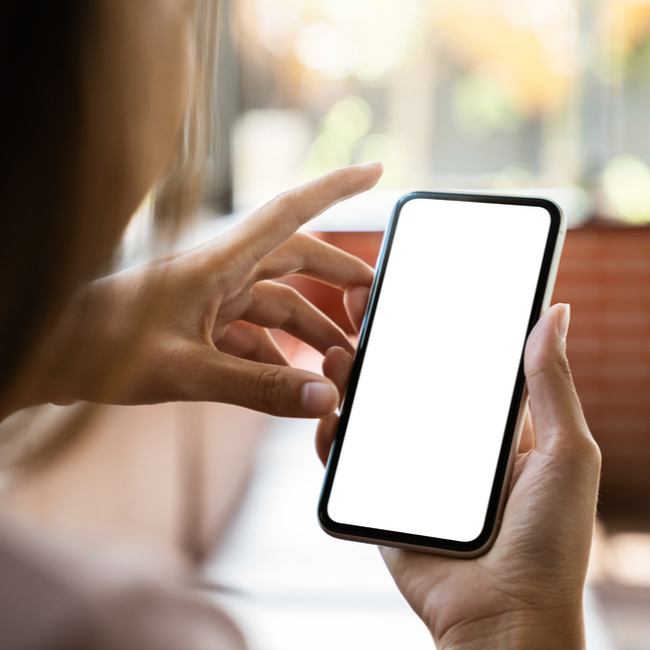
iphone setting

High Performance Settings 


Another iPhone setting that several experts said to keep your eye on is High Performance Settings. 


“iPhones have earned their crown as ruler of high-performance phones,” says Olivia Tan, co-founder of CocoFax. “But some of these high-performance settings can prove too much, and actually slow your phone down. Some of the settings behind these severe iPhone slowdowns can actually be an annoyance for some people, so messing around with these settings may actually improve how you enjoy your iPhone as a whole.”


Thankfully, there are ways to correct these settings.


“There are some graphic settings on certain models that can be altered to increase performance speed – but don’t worry, your iPhone will still have the amazing display you’re used to,” Tan says. “One of the most useful settings you can change is the Motion setting. By going to ‘Settings’ and then ‘Accessibility’, you can see whether your phone has the ‘Reduce Motion’ option set to on or off. If it’s off, try turning it on to speed up your phone. This setting alters that cute little animation your iPhone does when swiping screens or opening apps, which helps speed up the phone by using less resources. For some, it’s also a lot easier on the eyes.”

Author:

Lisa Fogarty is a lifestyle writer and reporter based in New York who covers health, wellness, relationships, sex, beauty, and parenting.

Dunkin' Donuts, Chick-fil-A, and Starbucks breakfast selection.
Jennifer Aniston and Benny Blanco at a gathering.
Summer scents and fragrances featured by beauty editors.
Julia Roberts attending the Critics' Choice Awards.
Smartphone apps for food and nutrition tracking.
Sofia Vergara at the Oscars red carpet event.
Kate Middleton and Prince George in a public setting.
Woman adding sugar to a cup of aromatic coffee.
Gwyneth Paltrow at the Golden Globes ceremony.
Donald Trump and Melania Trump at a formal event.
Angelina Jolie at the AFI Fest red carpet event.
Taylor Swift and Travis Kelce enjoying a date together.
Makeup tips video by Nikol Johnson on YouTube.
Ivanka Trump at the Fontainebleau Las Vegas grand opening party.
Crofton cold brew maker and drinking glasses from Aldi on display.
Barron Trump at the inauguration of Donald Trump.
Ariana Grande posing at the Oscars red carpet.
Wooden board with bagels, blueberries, and butter on a white background.
Close-up of male hands holding an Apple iPhone 17 Pro Max.
Common skincare mistakes women over 40 make that highlight fine lines.
Dunkin' Donuts, Chick-fil-A, and Starbucks breakfast selection.
Jennifer Aniston and Benny Blanco at a gathering.
Summer scents and fragrances featured by beauty editors.

Beauty

Summer is my favorite season. If I could bottle up ...

Julia Roberts attending the Critics' Choice Awards.
Smartphone apps for food and nutrition tracking.
Sofia Vergara at the Oscars red carpet event.
Kate Middleton and Prince George in a public setting.
Woman adding sugar to a cup of aromatic coffee.
Gwyneth Paltrow at the Golden Globes ceremony.
Donald Trump and Melania Trump at a formal event.
Angelina Jolie at the AFI Fest red carpet event.
Taylor Swift and Travis Kelce enjoying a date together.
Makeup tips video by Nikol Johnson on YouTube.
Ivanka Trump at the Fontainebleau Las Vegas grand opening party.
Crofton cold brew maker and drinking glasses from Aldi on display.
Barron Trump at the inauguration of Donald Trump.
Ariana Grande posing at the Oscars red carpet.
Wooden board with bagels, blueberries, and butter on a white background.
Close-up of male hands holding an Apple iPhone 17 Pro Max.
Common skincare mistakes women over 40 make that highlight fine lines.