This post has been updated since it was originally published on February 21, 2021.
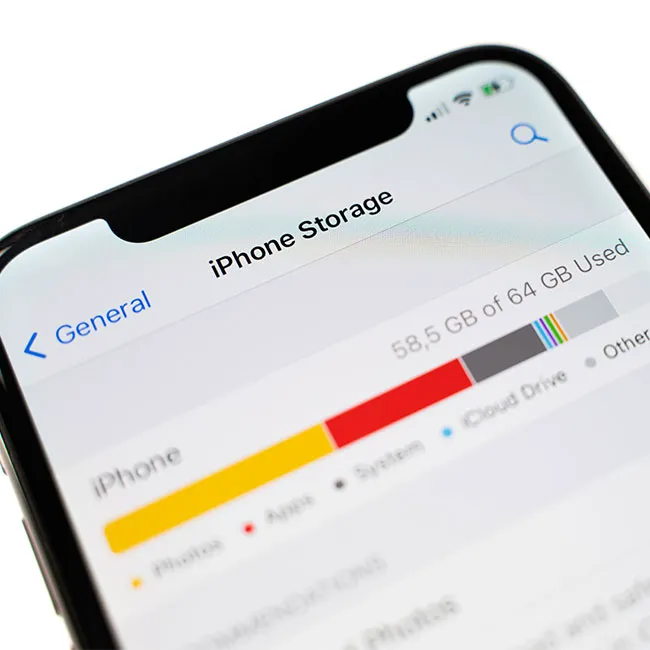
It’s incredibly frustrating to have a task in mind only to be confronted with the fact that your iPhone lacks the storage needed to complete it. Storage issues are a big concern with our smartphones and, unless we take a few steps to address them, can cost us unnecessary amounts of money. But there’s good news: you can easily free up storage — you just need a few good tips to get you started. These are the four little-known storage hacks that will free up space instantly.
Organize Your Photo Collection
If you’ve looked at your iPhone storage, you already know who the biggest hog is (looking at you, Photos), according to Tech Expert John Webber, the founder of Carved. You’re not going to want to delete your entire photo library, but Webber suggests deleting the following to free up storage:
- duplicate images, such as those you downloaded twice
- similar images (like the five selfies you took so you can pick a good one).
- Whiteboards, notes, cheques, and other items are photographed.
- screenshots you no longer require
- huge videos.
If this all sounds like a little too much work, there’s great news: an iPhone app like Gemini Photos is a faster and more comfortable option, Webber says. “Here’s how to use it to clear up space on your iPhone,” Webber says:
- Launch Gemini Photos after downloading it. It will begin scanning your collection on its own.
- Notes, Blurred, and Screenshots are all options. This is where you’ll find screenshots, text images, and other worthless information. All of the photographs will be pre-selected, but you can remove the ones you don’t want.
- Select Delete All.
- Visit Similar. The best photo from each set will be kept after groups of comparable photos are sorted and pre-selected.
- Review a set, pick other photographs if necessary, and then hit Move to Trash to delete the photos you wish.
- Tap Empty Trash when you’re finished analyzing sets of comparable photographs.
- Sort through the rest of your photo library by going through Duplicates, Videos, and Other.
- Finally, go to the Photos app and select Recently Deleted from the drop-down menu.
- Choose Select, then Delete All.
- Your library will drop by a few gigabytes and become much easier to navigate after this cleansing.
Clear Your Recently Deleted Gallery
Often times we find ourselves taking videos, pictures, screenshots, and screen recordings that we delete after a single time of use and forget about them, says Tech Expert Atta Ur Rehman, content manager at Gun Made. “Therefore, make sure to clear up your ‘recently deleted’ folder once every week to ensure enough storage when needed.”
Offload Apps
“We all are victims of downloading apps and games that someone recommends us or when we are wandering through the app store in our leisure time,” Ur Rehman says. “However, after enjoying them for a couple of days or weeks, we get bored and never use them again but at the same time, we do not want to delete them as well. In that case, iPhones have an amazing option of ‘Offloading Apps’ which you can set to ‘Automatic’ or do it manually that removes the data but keeps the app icon and some useful information to get you started from where you left after you download the app again.”

Women Are Swapping Their Boring Water For This Ice Pop Electrolyte Mix!

Change Your Camera Resolution
As these tips prove, taking better stock of the photos and videos you have saved is one major way to free of storage space. But the work doesn't stop there. To truly free up storage, it's also a good idea to change your camera settings.
“Many people neither know about this nor care about it, but changing your camera resolution, i.e. choosing a 720p option to record your videos rather than 1080p or 4K, has a huge impact on the storage of your iPhone,” Ur Rehman says. “If you own a low storage iPhone and want to free up space or preserve storage, my recommendation is to always go with the 720p setting to record videos both normally and in Slo-Mo.”