Image from SHEfinds
Image from SHEfinds
Image from SHEfinds

Homepage

Experts Reveal The 'Secret' Default iPhone Setting That's Sharing Your Data

June 21, 2025 by Lisa Cupido
shefinds | Homepage
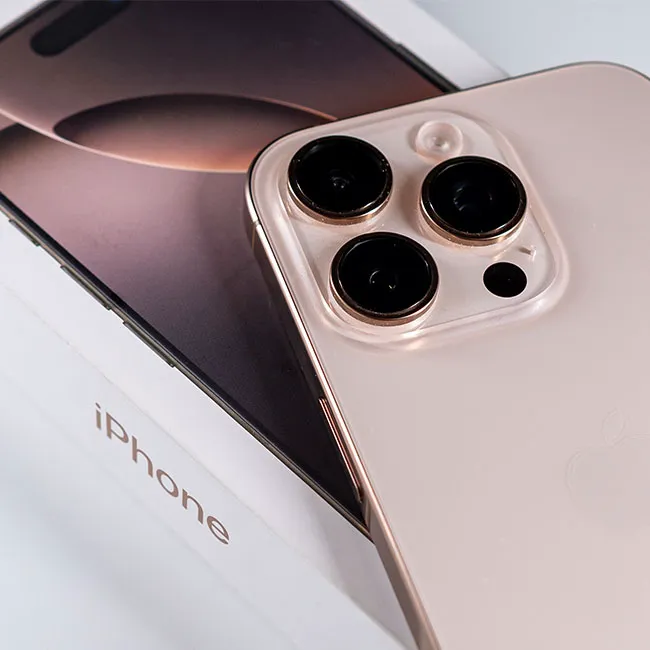
Featured image

When you buy a new iPhone, it’s easy to assume that everything is set up with your best interest — and privacy — in mind. But some default settings may be sharing more of your personal data than you realize. From location tracking to activity monitoring, your iPhone could be collecting and sharing information about your habits, preferences, and location without you even knowing about it.

Your data can be used to build detailed profiles for targeted ads, which means less privacy. Sharing data can even be more dangerous than that: if your information falls into the wrong hands, through data breaches or malicious apps, it could put your security at risk. Once your data is out there, it’s incredibly difficult to get it back or control how it’s used. Changing this one iPhone setting that could be compromising your privacy can help.

house unit img
Women Are Swapping Their Boring Water For This Ice Pop Electrolyte Mix!
analytics-and-improvements-setting-iphone

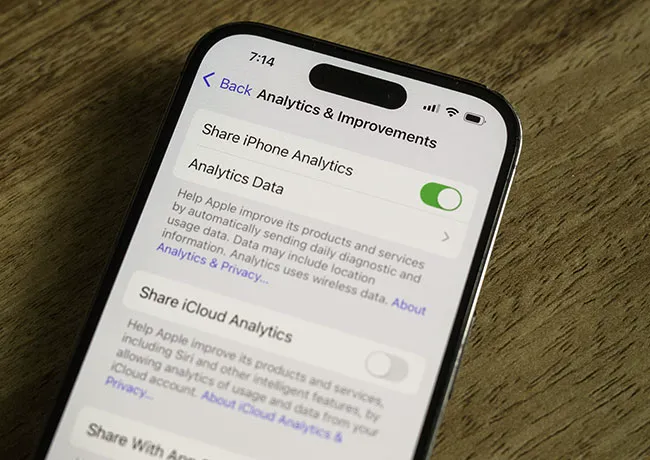
1. Analytics and Improvements


Apple has a setting called iPhone Analytics & Improvements that’s designed to help improve their products and services. While the intention may be good (to help Apple make its product more compelling), this setting allows your device to automatically collect information about how you use your iPhone, including your usage patterns, app activity, and even location data. This information is then shared with Apple and, depending on your settings, could even be shared with third-party developers. Even though Apple says this data is anonymized, many users are concerned about how their data is being monitored and where that information is going. Plus, you didn’t sign up to help Apple make progress using your data, so the whole thing can feel like an invasion of privacy.
privacy-security-iphone

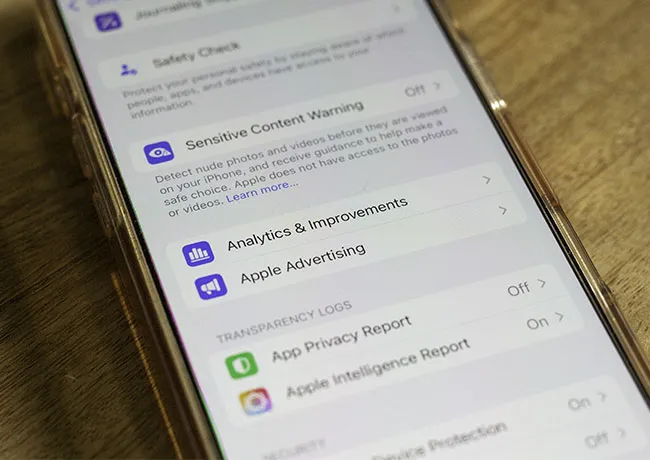
2. How to Change the Analytics and Improvements Setting


The good news is that you can review and change these settings to limit data sharing. To do this, go to Settings > Privacy & Security > Analytics & Improvements. You’ll see several options like Share iPhone Analytics, Share With App Developers, and Improve Siri & Dictation. You can toggle off any or all of these to stop your iPhone from sending data to Apple or app developers. Turning off these features should help make your iPhone experience more secure and private.


Author:

Lisa Fogarty is a lifestyle writer and reporter based in New York who covers health, wellness, relationships, sex, beauty, and parenting.

Sofia Vergara stunning look at the Oscars red carpet.
Kate Middleton and Prince George share a sweet moment.
Woman sweetening aromatic coffee with sugar.
Gwyneth Paltrow glamorous appearance at the Golden Globes.
Donald Trump and Melania Trump at a public event.
Angelina Jolie attending AFI Fest in elegant attire.
Taylor Swift and Travis Kelce spotted together.
Makeup tips shared by Nikol Johnson on YouTube.
Ivanka Trump at the Fontainebleau Las Vegas grand opening.
Crofton cold brew maker with stylish drinking glasses.
Barron Trump at Donald Trump's inauguration event.
Ariana Grande showcasing her style at the Oscars.
Delicious bagels and blueberries on a wooden board.
Close-up of hands holding the Apple iPhone 17 Pro Max.
Common skincare mistakes women over 40 should avoid.
Hairstyles that subtly lift the face and distract from jowls.
Meghan Markle enjoying day 4 of the Invictus Games.
Gigi Hadid at the Le Grand Diner du Louvre photocall.
Using an iPhone for daily tasks and communication.
Holding an iPhone displaying various apps and features.
Sofia Vergara stunning look at the Oscars red carpet.
Kate Middleton and Prince George share a sweet moment.
Woman sweetening aromatic coffee with sugar.
Gwyneth Paltrow glamorous appearance at the Golden Globes.
Donald Trump and Melania Trump at a public event.
Angelina Jolie attending AFI Fest in elegant attire.
Taylor Swift and Travis Kelce spotted together.
Makeup tips shared by Nikol Johnson on YouTube.
Ivanka Trump at the Fontainebleau Las Vegas grand opening.
Crofton cold brew maker with stylish drinking glasses.
Barron Trump at Donald Trump's inauguration event.
Ariana Grande showcasing her style at the Oscars.
Delicious bagels and blueberries on a wooden board.
Close-up of hands holding the Apple iPhone 17 Pro Max.
Common skincare mistakes women over 40 should avoid.
Hairstyles that subtly lift the face and distract from jowls.
Meghan Markle enjoying day 4 of the Invictus Games.
Gigi Hadid at the Le Grand Diner du Louvre photocall.
Using an iPhone for daily tasks and communication.
Holding an iPhone displaying various apps and features.