



Jennifer Aniston, Brad Pitt, and Jim Curtis at a film premiere.
Donald Trump meeting Irish Taoiseach Micheál Martin in Oval Office.
Bill Gates arriving at the 12th Annual Breakthrough Prize Ceremony.

Tech

The One App You Should Delete ASAP If Your iPad Battery Is Always Dying

January 4, 2019 by Justine Schwartz
shefinds | Tech
Featured image

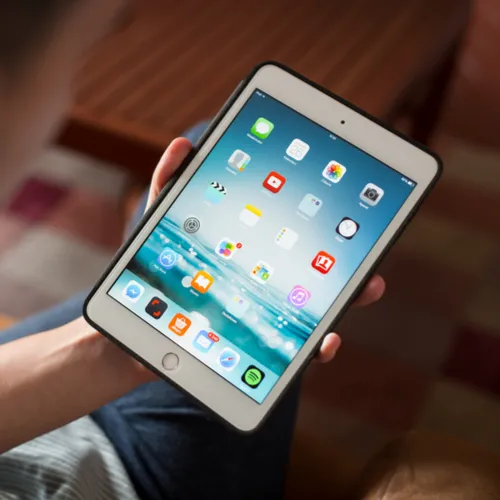
It’s great to have an iPad as a back-up device, especially if your iPhone is on low battery and you want to watch a show or listen to music for hours. But what if your iPad is also running low? The culprit might be one of the apps you’re running. Read on for the quick fix:

house unit img
Women Are Swapping Their Boring Water For This Ice Pop Electrolyte Mix!
Google Chrome app interface on a laptop screen

"It's no secret that the more apps you have running on your iPad, the more drain it will put on your battery," Burton Kelso, The Technology Expert tells us.

"In this day and age, who can live without apps, right? I know I can't. But if your iPad is experiencing problems with battery life and you don't want to invest in a new battery you probably need to delete Google Chrome," he warns. Say it ain't so!

Google Chrome app features on a smartphone display

Why is your favorite web browser app SO bad for battery life? "Although it's a great web browser, it is a memory hog," he explains.

"It's convenient because Chrome can synchronize your bookmarks, passwords and other information between multiple devices." But, alas--that's the problem.
Statistics on Android device usage trends

READ MORE: This Is The Worst Mistake You Can Make When Charging Your Android

Author:

Editorial Director

Justine Schwartz is a veteran women's lifestyle editor; she's written extensively about style & beauty tips, health advice and wedding planning. Her work has appeared in New York Magazine, Huffington Post and New York Weddings. Justine has been with SheFinds since 2010; you can reach her via email at Justine@shefinds.com.

Close-up of Android phone showcasing app interface.
New iPhone 17 showcasing sleek design and features.
Woman working on laptop in a modern workspace.
Smartphone charging with a power adapter connected.
Display of popular apps on an iPhone screen.
Close-up of hands holding an iPhone 17 Pro Max.
Individual using an iPhone for various tasks.
Person holding iPhone displaying multiple apps.
Woman texting on her smartphone with focus.
Android phone showcasing diverse applications.
Samsung Galaxy Z Flip 7 smartphone in use.
Woman enjoying a fresh summer salad outdoors.
Holding an Android phone with app interface visible.
iPhone 14 displaying a variety of installed apps.
iPhone indicating low battery and charging settings.
Sony headphones and iPad being used with laptop.
Individual engaging with an iPhone for communication.
iPhone screen filled with various app icons.
Alert showing iPhone storage is full.
Person holding an iPhone in a casual setting.
Close-up of Android phone showcasing app interface.
New iPhone 17 showcasing sleek design and features.
Woman working on laptop in a modern workspace.
Smartphone charging with a power adapter connected.
Display of popular apps on an iPhone screen.
Close-up of hands holding an iPhone 17 Pro Max.
Individual using an iPhone for various tasks.
Person holding iPhone displaying multiple apps.
Woman texting on her smartphone with focus.
Android phone showcasing diverse applications.
Samsung Galaxy Z Flip 7 smartphone in use.
Woman enjoying a fresh summer salad outdoors.
Holding an Android phone with app interface visible.
iPhone 14 displaying a variety of installed apps.
iPhone indicating low battery and charging settings.
Sony headphones and iPad being used with laptop.
Individual engaging with an iPhone for communication.
iPhone screen filled with various app icons.
Alert showing iPhone storage is full.
Person holding an iPhone in a casual setting.


















