



Kim Kardashian at Kering's Caring for Women Dinner.
Madonna in blue mini dress and metallic boots.
Taylor Swift boarding private jet in 2024.

Tech

The One Thing You Should Never Do When Wearing Your AirPods

January 15, 2019 by Justine Schwartz
shefinds | Tech
Featured image

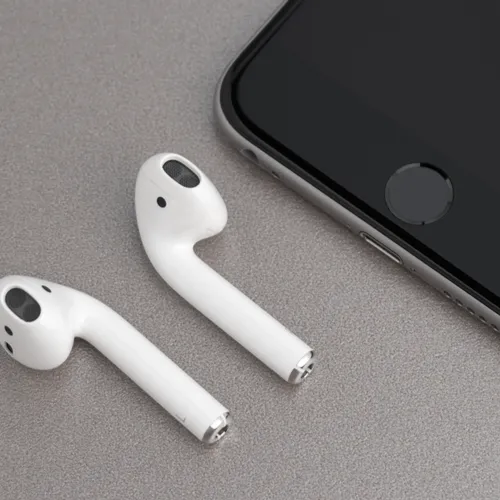
It only took two years, but it seems like everyone is finally coming around on AirPods.

The wireless headphones were released back in 2016, but 2018 really was the year that they blew up. It seems like everyone–not just the diehard Apple fans–are wearing them now on the train, to work, etc.–which begs the question: are there any situations where you shouldn’t? 

house unit img
Women Are Swapping Their Boring Water For This Ice Pop Electrolyte Mix!

Person working out with AirPods for a motivating fitness experience.

High Intensity Workout

The one thing you should never do when wearing your AirPods is to wear them during a high intensity based workout, Somdip Dey, Embedded AI scientist and mobile platform researcher at the University of Essex tells us.

Tough Mudder event showcasing participants overcoming challenging obstacles.

"AirPods are not suitable for high intensity based workouts," he warns. "Because of the loose yet secure positioning of the ear-buds (which makes them very comfortable to wear even during bedtime) they are not secure enough to stay in place," during a workout of this nature, he explains. For this reason, they are not very popular in the sports headphone category.

They're also pricey, which makes them more difficult to replace should they get broken or lost. "Next time when you go for that CrossFit workout or for that Obstacle Course Running course, the one thing you should never do with your AirPods is to wear them during those sessions," Somdip advises. Especially near puddles or muds, until and unless you have the budget to invest in a new pair." So true!
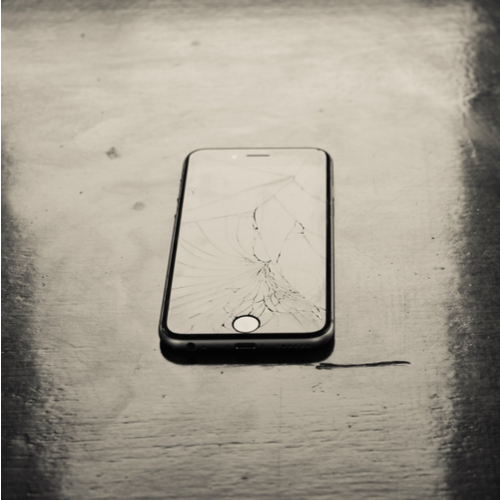
Broken iPhone screen representing smartphone durability issues.

READ MORE: The One Thing You Should Do IMMEDIATELY After You Drop Your iPhone

Author:

Editorial Director

Justine Schwartz is a veteran women's lifestyle editor; she's written extensively about style & beauty tips, health advice and wedding planning. Her work has appeared in New York Magazine, Huffington Post and New York Weddings. Justine has been with SheFinds since 2010; you can reach her via email at Justine@shefinds.com.

New iPhone 17 showcasing sleek design and features.
Woman working on laptop in a modern workspace.
Smartphone charging with a power adapter connected.
Display of popular apps on an iPhone screen.
Close-up of hands holding an iPhone 17 Pro Max.
Individual using an iPhone for various tasks.
Person holding iPhone displaying multiple apps.
Woman texting on her smartphone with focus.
Android phone showcasing diverse applications.
Samsung Galaxy Z Flip 7 smartphone in use.
Woman enjoying a fresh summer salad outdoors.
Holding an Android phone with app interface visible.
iPhone 14 displaying a variety of installed apps.
iPhone indicating low battery and charging settings.
Sony headphones and iPad being used with laptop.
Individual engaging with an iPhone for communication.
iPhone screen filled with various app icons.
Alert showing iPhone storage is full.
Person holding an iPhone in a casual setting.
iPhone screen featuring a grid of applications.
New iPhone 17 showcasing sleek design and features.
Woman working on laptop in a modern workspace.
Smartphone charging with a power adapter connected.
Display of popular apps on an iPhone screen.
Close-up of hands holding an iPhone 17 Pro Max.
Individual using an iPhone for various tasks.
Person holding iPhone displaying multiple apps.
Woman texting on her smartphone with focus.
Android phone showcasing diverse applications.
Samsung Galaxy Z Flip 7 smartphone in use.
Woman enjoying a fresh summer salad outdoors.
Holding an Android phone with app interface visible.
iPhone 14 displaying a variety of installed apps.
iPhone indicating low battery and charging settings.
Sony headphones and iPad being used with laptop.
Individual engaging with an iPhone for communication.
iPhone screen filled with various app icons.
Alert showing iPhone storage is full.
Person holding an iPhone in a casual setting.
iPhone screen featuring a grid of applications.


















