



Jennifer Lopez shines in balloon-sleeved blouse at American Music Awards.
Emma Stone at the Annual Actor Awards event.
Salma Hayek in a lavender gown at the Breakthrough Prize Ceremony.

Tech

The Scary Mistake You Keep Making When You Charge Your iPhone

December 2, 2018 by Justine Schwartz
shefinds | Tech
Featured image

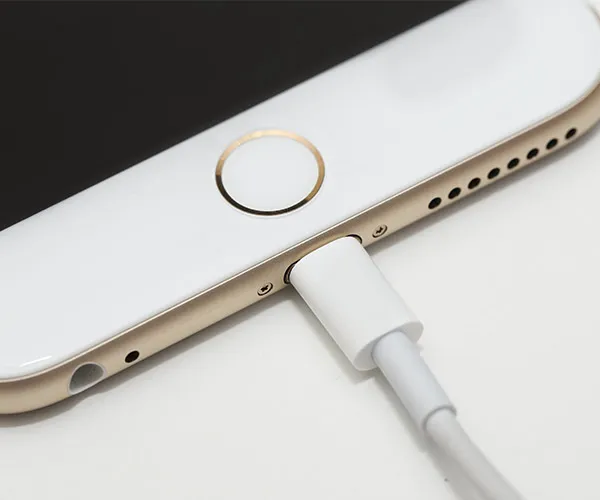
Wireless and portable chargers are great, but eventually it all goes back to plugging into the wall. At least once per day, or when you get home at night, you have to plug your iPhone from the Lightening plug to USB cable. (Don’t forget–the optimal charge is between 40-60%, so don’t leave it plugged in all night!). But what’s the mistake we’re all making when we’re charging our phones?

house unit img
Women Are Swapping Their Boring Water For This Ice Pop Electrolyte Mix!
iPhone charging on a wooden table with cable connected

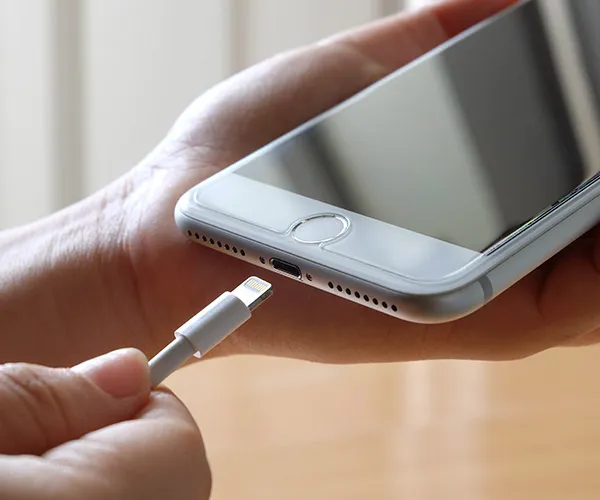
"It's the bad habit we all do: pulling the lightning cable out by the cord," Kelly Wilkerson, Co-Founder of deciphertools.com tells us.
iPhone displaying battery problem warning on screen

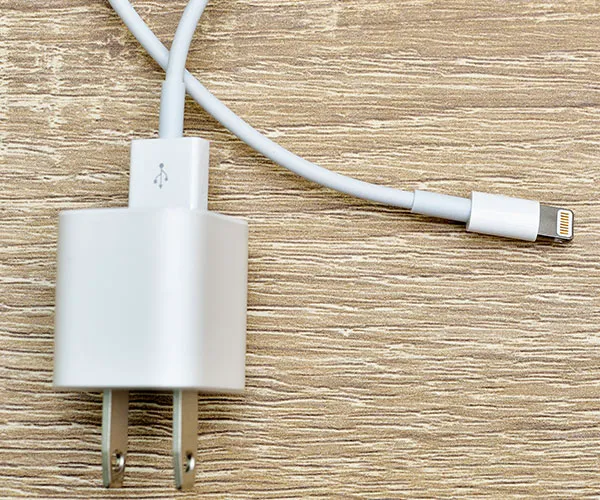
"The right way to disconnect the lightning cable is to grab the white plastic part of the connector and pull." So, we've been doing it wrong this whole time??


"Grabbing lower down on the gray cord and pulling will lead to a frayed/broken cable."

Aha-so, there you have it! That's a game-changer.
Concept image of phone hackers accessing smartphone data

READ MORE: 4 Scary Signs That Your iPhone Has A Virus, According To Tech Experts

Author:

Editorial Director

Justine Schwartz is a veteran women's lifestyle editor; she's written extensively about style & beauty tips, health advice and wedding planning. Her work has appeared in New York Magazine, Huffington Post and New York Weddings. Justine has been with SheFinds since 2010; you can reach her via email at Justine@shefinds.com.

New iPhone 17 showcasing sleek design and features.
Woman working on laptop in a modern workspace.
Smartphone charging with a power adapter connected.
Display of popular apps on an iPhone screen.
Close-up of hands holding an iPhone 17 Pro Max.
Individual using an iPhone for various tasks.
Person holding iPhone displaying multiple apps.
Woman texting on her smartphone with focus.
Android phone showcasing diverse applications.
Samsung Galaxy Z Flip 7 smartphone in use.
Woman enjoying a fresh summer salad outdoors.
Holding an Android phone with app interface visible.
iPhone 14 displaying a variety of installed apps.
iPhone indicating low battery and charging settings.
Sony headphones and iPad being used with laptop.
Individual engaging with an iPhone for communication.
iPhone screen filled with various app icons.
Alert showing iPhone storage is full.
Person holding an iPhone in a casual setting.
iPhone screen featuring a grid of applications.
New iPhone 17 showcasing sleek design and features.
Woman working on laptop in a modern workspace.
Smartphone charging with a power adapter connected.
Display of popular apps on an iPhone screen.
Close-up of hands holding an iPhone 17 Pro Max.
Individual using an iPhone for various tasks.
Person holding iPhone displaying multiple apps.
Woman texting on her smartphone with focus.
Android phone showcasing diverse applications.
Samsung Galaxy Z Flip 7 smartphone in use.
Woman enjoying a fresh summer salad outdoors.
Holding an Android phone with app interface visible.
iPhone 14 displaying a variety of installed apps.
iPhone indicating low battery and charging settings.
Sony headphones and iPad being used with laptop.
Individual engaging with an iPhone for communication.
iPhone screen filled with various app icons.
Alert showing iPhone storage is full.
Person holding an iPhone in a casual setting.
iPhone screen featuring a grid of applications.


















