

Nicole Kidman at Kering Women in Motion talk
Kimberly Guilfoyle in ruffled dress in Greece
Justin Baldoni and Blake Lively at event

Homepage

The Unexpected Bluetooth Setting You Should Stop Using On Your iPhone, According To Tech Experts

December 11, 2021 by Lisa Cupido
shefinds | Homepage
Featured image

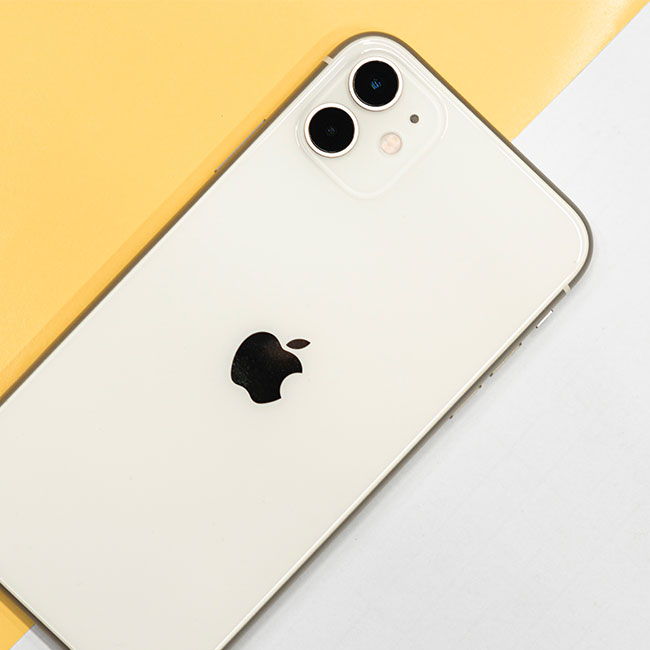
Bluetooth technology is the reason you’re able to exchange data between your mobile device and your friend’s mobile device — and who can deny that AirDrop isn’t one of the coolest features ever? But Bluetooth isn’t without its skeptics and concerns about privacy still float about when conversations about Bluetooth arise. As a wireless transfer model, there are always going to be security risks when using Bluetooth — but you can take as many steps as possible to secure your phone and still take advantage of Bluetooth’s benefits.

“Since iOS 13, Bluetooth is open to any sensors around the location that user is at, including the sensors of shopping malls, markets and scenic spots,” says Jesse Thé, president & CEO of Tauria, a B2B SaaS platform on a mission to make digital privacy the new standard. “All those sensors can detect the Bluetooth signal from your iPhone. Yeah, it sounds terrifying. So, here are my advice on Bluetooth settings in terms of security.” Thé spoke with SHEFinds.com about the unexpected Bluetooth setting you should stop using on your iPhone.

Always turn off your Bluetooth in “Settings” instead of “Control Center”

“If you are used to turning off Bluetooth in Control Center or the quick menu, you must beware that it’s turned off temporarily,” Thé says. “After a short period of time, it will automatically be turned on again [and can] be detected to unwanted sensors. Moreover, your iPhone will also automatically be connected to the devices you have in your paired connection history without your attention.”

Turning this off will prevent your phone from connecting without your approval.

house unit img
Women Are Swapping Their Boring Water For This Ice Pop Electrolyte Mix!
bluetooth-setting-stop-using

Remove the paired devices that are public or shared with others


Another tip to keep in mind is to remove the paired devices when you are finished sharing information with another device. 


“Sometimes it’s necessary for us to pair our iPhone with other devices via Bluetooth,” Thé says. “But then, remember to remove the devices from your device list in Bluetooth settings. Only keep the ones that you trust, like your car, laptop or headphone, in order to prevent any risks of data breach.”


Bluetooth can be a fantastic feature to take advantage of, but don’t forget to take privacy and security measures when you are not actively using it. 

Author:

Lisa Fogarty is a lifestyle writer and reporter based in New York who covers health, wellness, relationships, sex, beauty, and parenting.

Donald Trump speaking at press conference
Bradley Cooper at Springsteen event
Princess Diana and Prince Andrew together
Prince Harry and Meghan at mental health gala
Nicole Kidman's stylish butterfly haircut showcased on Instagram
Variety of fresh artisan bread displayed on a wooden table
Melania Trump at Women's History Month event
Woman working on a laptop in a cozy home office
Assorted baked goods from Costco's delicious bakery section
Lauren Sanchez at Living Legends of Aviation Awards
Christina Aguilera at Breakthrough Prize Ceremony
Kim Kardashian with daughter North West
Pouring shampoo into hand for a luxurious hair wash
Woman holding her head, expressing stress or contemplation
North West and Kim Kardashian together
Meghan Markle at Invictus Games event
Jelly Roll at Pre-Grammy Gala
Smartphone connected to a charger, ready for use
Trump promoting maternal healthcare at event
Woman experiencing discomfort from joint pain in daily life.
Donald Trump speaking at press conference
Bradley Cooper at Springsteen event
Princess Diana and Prince Andrew together
Prince Harry and Meghan at mental health gala
Nicole Kidman's stylish butterfly haircut showcased on Instagram
Variety of fresh artisan bread displayed on a wooden table
Melania Trump at Women's History Month event
Woman working on a laptop in a cozy home office
Assorted baked goods from Costco's delicious bakery section
Lauren Sanchez at Living Legends of Aviation Awards
Christina Aguilera at Breakthrough Prize Ceremony
Kim Kardashian with daughter North West
Pouring shampoo into hand for a luxurious hair wash
Woman holding her head, expressing stress or contemplation
North West and Kim Kardashian together
Meghan Markle at Invictus Games event
Jelly Roll at Pre-Grammy Gala
Smartphone connected to a charger, ready for use
Trump promoting maternal healthcare at event
Woman experiencing discomfort from joint pain in daily life.