



Prince William, King Charles, and Prince Harry together.
Meghan Markle and Princess Charlotte at a royal event.
Best beauty treatments for collagen building after 40.

Tech

The One Thing You Should Do Every Night To Keep Your iPhone Safe From Hackers

July 19, 2017 by Lisa Cupido
shefinds | Tech
Featured image

At some point it's very possible that you or someone you know may have had your iPhone hacked. This scary breach of privacy leaves your identity and even your finances susceptible to being stolen — hackers can truly wreak havoc on your life. Thankfully, there is one step you can take tonight and every night to keep your iPhone safe from hackers.


Photos: Shutterstock
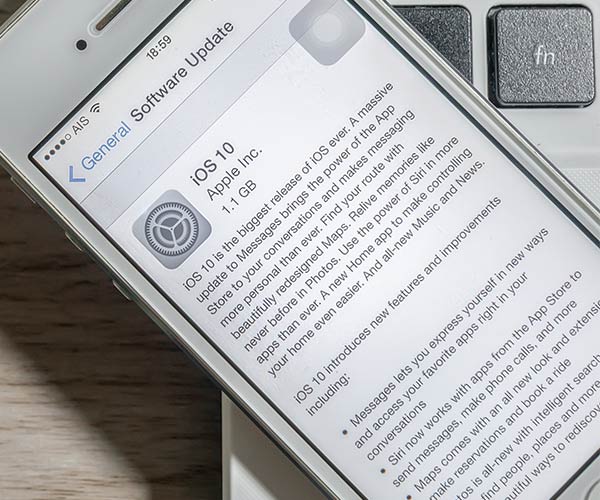
iOS update page

Always Update To The Latest Version of iOS

Alerts about software updates aren't there to annoy you — updating to the latest version of iOS every single time you receive is an alert is an important step to take to keep your device safe. Tech is constantly improving and Apple is quick to find holes in its coding where hackers can infiltrate — their fixes involve updating iOS so that you have access to the most secure software possible. Your device will automatically check for updates, but to do so manually, go to Settings — General — Software Update. 
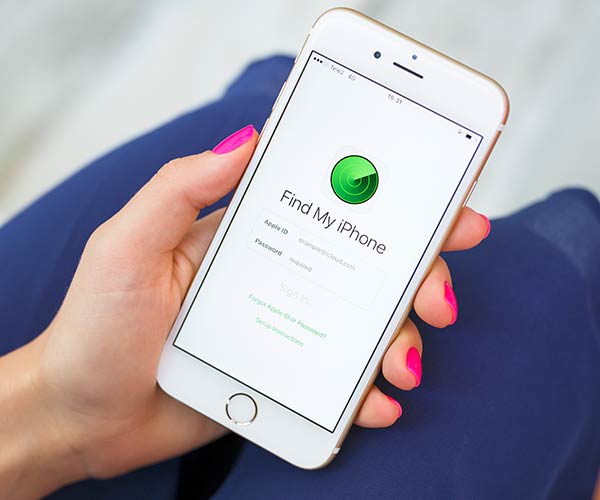
Find My iPhone

Keep Find My iPhone Activated

By activating the Find My iPhone app you are taking a crucial step toward securing your phone from hackers should you ever misplace it. Instead of wondering and worrying about who could be accessing your private information, this app allows you to log onto your phone from another iOS device or the web and erase all of your personal information from that phone. Take advantage of this app now, before you discover you might have actually needed it. 

Author:

Lisa Fogarty is a lifestyle writer and reporter based in New York who covers health, wellness, relationships, sex, beauty, and parenting.

Close-up of Android phone showcasing app interface.
New iPhone 17 showcasing sleek design and features.
Woman working on laptop in a modern workspace.
Smartphone charging with a power adapter connected.
Display of popular apps on an iPhone screen.
Close-up of hands holding an iPhone 17 Pro Max.
Individual using an iPhone for various tasks.
Person holding iPhone displaying multiple apps.
Woman texting on her smartphone with focus.
Android phone showcasing diverse applications.
Samsung Galaxy Z Flip 7 smartphone in use.
Woman enjoying a fresh summer salad outdoors.
Holding an Android phone with app interface visible.
iPhone 14 displaying a variety of installed apps.
iPhone indicating low battery and charging settings.
Sony headphones and iPad being used with laptop.
Individual engaging with an iPhone for communication.
iPhone screen filled with various app icons.
Alert showing iPhone storage is full.
Person holding an iPhone in a casual setting.
Close-up of Android phone showcasing app interface.
New iPhone 17 showcasing sleek design and features.
Woman working on laptop in a modern workspace.
Smartphone charging with a power adapter connected.
Display of popular apps on an iPhone screen.
Close-up of hands holding an iPhone 17 Pro Max.
Individual using an iPhone for various tasks.
Person holding iPhone displaying multiple apps.
Woman texting on her smartphone with focus.
Android phone showcasing diverse applications.
Samsung Galaxy Z Flip 7 smartphone in use.
Woman enjoying a fresh summer salad outdoors.
Holding an Android phone with app interface visible.
iPhone 14 displaying a variety of installed apps.
iPhone indicating low battery and charging settings.
Sony headphones and iPad being used with laptop.
Individual engaging with an iPhone for communication.
iPhone screen filled with various app icons.
Alert showing iPhone storage is full.
Person holding an iPhone in a casual setting.


















