



"Madonna wearing a blue mini dress and metallic boots at an event in Paris"
"Taylor Swift's private jet as tracked by a fuel consumption report"
"Woman experiencing lack of sleep due to stress"

Tech

4 Settings Every Apple Store Employee Has Turned OFF Because They Ruin Your Phone

March 17, 2020 by Lisa Cupido
shefinds | Tech
Featured image

Phone setting can make or break your device. And knowing which ones to turn off and on can help protect your privacy, restore your battery power, and stop apps from consuming so much of your phone’s storage.

There are a number of settings that you may not even know exist on your phone — and that have no good reason to be there. Here are four settings every Apple store employee has turned OFF because they ruin your phone.

house unit img
Women Are Swapping Their Boring Water For This Ice Pop Electrolyte Mix!
iphone

Significant Locations


There are apps that need to know where you are in order to deliver the services you expect of them — weather and GPS apps, for example. But that doesn’t mean you should give apps the freedom to track your location so that they can provide targeted advertising to you, which is the purpose of this setting, according to tech experts at Shareably. Turn off the feature by going to Settings > Privacy > Location Services > System Services > Significant Locations — now tap it off.

iphone

Limit Ad Tracking


Turn ON Limit Ad Tracking, an advertising-related setting, and limit the number of ads you see (unless you don’t mind all of the ads).


Head over to Privacy > Advertising > Limit Ad Tracking and toggle that setting on to protect your privacy.
iphone

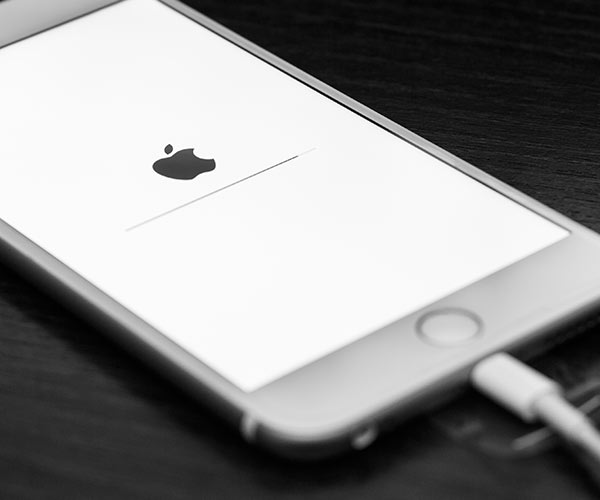
Fetch New Data


You can conserve battery power by not asking your phone to constantly update so that you are notified every time you have a new email. Go to Settings > Passwords and Accounts > Fetch New Data. You can turn the setting off and set it to “Fetch” to decide how often you want your device to look for new data info like emails.

iphone

Brightness


Your phone screen is probably bright — much brighter than you might need. And that brightness takes its toll on your phone battery. By dropping your brightness to 50 percent or less you will immediately conserve major battery power. To change the setting, swipe up from the bottom of your screen and simply drag the brightness slider down.


Author:

Lisa Fogarty is a lifestyle writer and reporter based in New York who covers health, wellness, relationships, sex, beauty, and parenting.

"iPhone 17 showcased with a sleek design"
"Woman working on a laptop with a focused expression"
"Smartphone plugged in for charging"
"Various iPhone apps displayed on a smartphone screen"
"Close-up of male hands holding an Apple iPhone 17 Pro Max"
"Person using their iPhone in a casual setting"
"Holding an iPhone with multiple apps displayed"
"Woman texting on a smartphone with a thoughtful look"
"Android phone displaying various applications"
"Samsung Galaxy Z Flip 7 smartphone shown in a stylish angle"
"Woman in jeans enjoying a fresh summer salad with watermelon and feta"
"Holding an Android phone showcasing its apps"
"iPhone 14 with multiple applications visible on the screen"
"iPhone settings screen indicating low battery alert"
"Sony headphones and an iPad in use while working on a laptop"
"Person using an iPhone in a relaxed environment"
"Close-up of iPhone apps on the home screen"
"iPhone storage full notification displayed on the screen"
"Person holding an iPhone with a clear view of the device"
"iPhone screen showcasing various apps in use"
"iPhone 17 model displayed prominently"
"Woman working on a laptop in a cozy setting"
"Smartphone plugged in and charging"
"Various iPhone apps displayed on a smartphone screen"
"Close-up of male hands holding an Apple iPhone 17 Pro Max"
"Person using their iPhone in a casual setting"
"Holding an iPhone with multiple apps displayed"
"Woman texting on a smartphone with a thoughtful look"
"Android phone displaying various applications"
"Samsung Galaxy Z Flip 7 smartphone shown in a stylish angle"
"Woman in jeans enjoying a fresh summer salad with watermelon and feta"
"Holding an Android phone showcasing its apps"
"iPhone 14 with multiple applications visible on the screen"
"iPhone settings screen indicating low battery alert"
"Sony headphones and an iPad in use while working on a laptop"
"Person using an iPhone in a relaxed environment"
"Close-up of iPhone apps on the home screen"
"iPhone storage full notification displayed on the screen"
"Person holding an iPhone with a clear view of the device"
"iPhone screen showcasing various apps in use"

















