
<link rel="stylesheet" href="https://www.shefinds.com/wp-content/themes/shefinds_14/custom-content-builder/styles/ccb-frontend.min.css?ver=1.0.10"> The One Setting Apple Doesn’t Want You To Know Is Making Your iPh... Skip to main content
Nicole Kidman with natural curls at Academy Museum Gala
Bill Gates and Melinda Gates at a public event
Shelf displaying various vitamins and supplements

Homepage

The One Setting Apple Doesn’t Want You To Know Is Making Your iPhone Glitch

October 9, 2021 by Lisa Cupido
shefinds | Homepage
Featured image

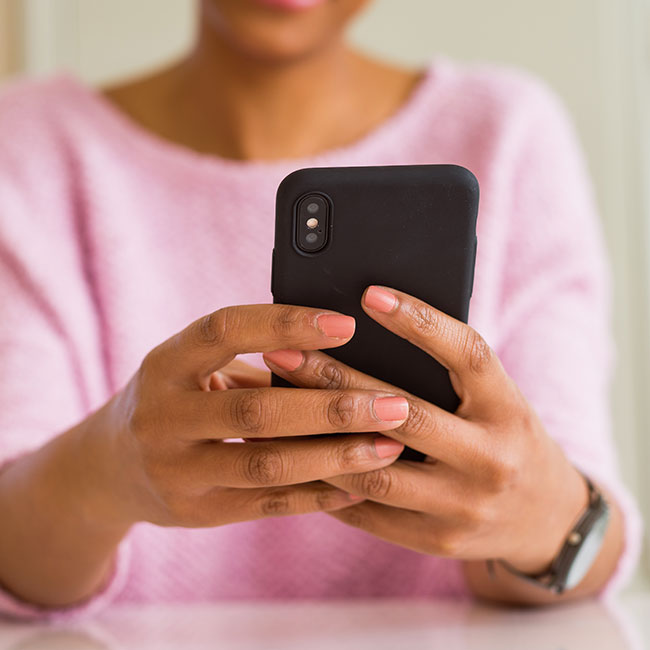
Some Apple settings are low-key heroes — settings like Airplane Mode, which you can actually turn on while charging your phone for an even faster charge. The focus is often on the best and brightest iPhone settings, and those that aren’t doing your phone any favors tend to fade into the background. But some settings can slow your phone down and do a number on its battery. This is the one setting Apple doesn’t want you to know is making your iPhone glitch.

Graphic Settings

Some graphic settings can seriously slow down your iPhone, especially the fancy graphics, i.e. the non-essential ones, according to Eric McGee, Senior Network Engineer at TRGDatacenters. “The CPU is forced to do a lot of work to display these non-essential graphics, sapping the phone’s memory and processing capabilities,” McGee says. “Turn on the ‘Reduce Transparency’, and ‘Reduce Motion’ settings to disable the transparency and motion graphic features respectively.”

And while you’re taking care of some of the more questionable settings on your phone, Tech Expert Arshad Saqib at techinbucket recommends changing these three settings, as well.

house unit img
The Difference Between Dragging Through Your Day And Feeling Great On Your Feet? These Arch Support Insoles
setting iphone glitch

1. Disable Cookies


“Cookies store information such as user preferences, shopping carts, and authentication credentials – they are a small file that resides on your computer for a specified period of time,” Saqib says. 


2. Disable Adobe Flash Plug-In


“A Flash player is a media player plugin to read SWF files with the .swf extension – these were once used to display graphics on websites with an old browser or older operating system before HTML5 was introduced,” Saqib says. 


3. Disable Letting Websites Let You Log into Other Sites Automatically


According to Saqib, third-party cookies are those which do not come from the website you're currently viewing.


And one bonus point to keep in mind, Saqib says, is to enable Two-Factor Authentication for Email and social media accounts so that you keep your accounts more private and safe from hackers. 

Author:

Lisa Fogarty is a lifestyle writer and reporter based in New York who covers health, wellness, relationships, sex, beauty, and parenting.

Jaden Smith at the premiere of Nosferatu.
Android phone displaying various apps.
Woman applying sunscreen for skin protection.
Angelina Jolie at a Maria photocall event.
Inside view of a Costco store.
Jennifer Garner supporting Baby2Baby charity event with a smile.
Taylor Swift performing at the 65th Annual Grammy Awards.
Gisele Bündchen attending Hollywood for Science Gala, elegant attire.
Donald Trump discussing U.S.-Japan trade deal at a conference.
Serena Williams stunning at the Met Gala in a designer gown.
Prince William, Kate Middleton, Meghan Markle, and Prince Harry together.
Woman checking UV index before sunscreen application.
Woman taking magnesium supplement for health.
Kylie Jenner enjoying the Vanity Fair Oscar Party, stylish outfit.
iPhone 14 showcasing popular apps on screen.
Getting a trendy lob haircut at a salon.
Karoline Leavitt speaking at 2025 CPAC DC Conference Day 2.
Ariana Grande and Ethan Slater at a red carpet event.
Katy Perry performing at the MTV Video Music Awards.
Prince Harry and Prince William sharing a candid moment.
Jaden Smith at the premiere of Nosferatu.
Android phone displaying various apps.
Woman applying sunscreen for skin protection.
Angelina Jolie at a Maria photocall event.
Inside view of a Costco store.
Jennifer Garner supporting Baby2Baby charity event with a smile.
Taylor Swift performing at the 65th Annual Grammy Awards.
Gisele Bündchen attending Hollywood for Science Gala, elegant attire.
Donald Trump discussing U.S.-Japan trade deal at a conference.
Serena Williams stunning at the Met Gala in a designer gown.
Prince William, Kate Middleton, Meghan Markle, and Prince Harry together.
Woman checking UV index before sunscreen application.
Woman taking magnesium supplement for health.
Kylie Jenner enjoying the Vanity Fair Oscar Party, stylish outfit.
iPhone 14 showcasing popular apps on screen.
Getting a trendy lob haircut at a salon.
Karoline Leavitt speaking at 2025 CPAC DC Conference Day 2.
Ariana Grande and Ethan Slater at a red carpet event.
Katy Perry performing at the MTV Video Music Awards.
Prince Harry and Prince William sharing a candid moment.