




Jennifer Aniston, Brad Pitt, and Jim Curtis at a film premiere.
Donald Trump meeting Irish Taoiseach Micheál Martin in Oval Office.
Bill Gates arriving at the 12th Annual Breakthrough Prize Ceremony.

Tech

The One App You Should Never Use To Make Online Purchases, According To A Security Expert

September 16, 2019 by Lisa Cupido
shefinds | Tech
Featured image

Who doesn’t love the convenience of online shopping? And shopping via apps is even more of a breeze — click on the app and voila — everything you need is at your fingertips.

But you’re also taking a risk every time you shop online using your iPhone or Android. Some outlets present much less risk, while some raise red flags for security experts.

This is the one app you should never use to make online purchases, according to a security expert.

house unit img
Women Are Swapping Their Boring Water For This Ice Pop Electrolyte Mix!
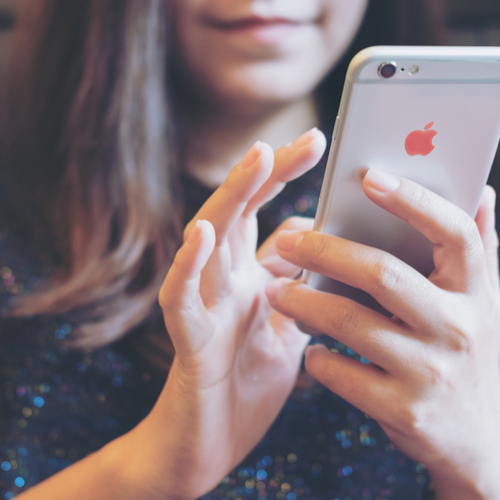
iphone

Apps That Don’t Require In-Depth Security Passcodes


According to SecurityScorecard, some of the biggest retailers in the world are failing to protect customers. As a result, hackers have an easier time infiltrating these sites and swiping your personal info, including banking information.


If a shopping app makes it so easy to access its content that it requires the simplest password, that’s not a promising sign.
iphone

Joe Siegrist, vice president and general manager of LastPass, told CSO that the more password stipulations a shopping site or app has, the better. A password should ideally consist of a mix of upper and lowercase letters, with symbols and numbers.

amazon app

Surprisingly, some of the worst shopping apps that failed to offer sophisticated security measures are also among the most popular ones out there. Amazon, Wayfair, and Nike ranked lowest in security, according to CSO.

amazon app

Who came out on top in terms of security? Sites like Sears, Walmart, TJ Maxx, and Saks Fifth Avenue.


This news doesn’t mean you have to forego making purchases via your favorite e-retailer apps. Ways to keep safe include creating a complicated and lengthy password, regardless of the app’s rules, and never allowing the app or site to save your personal and financial information for future purchases.


 

Author:

Lisa Fogarty is a lifestyle writer and reporter based in New York who covers health, wellness, relationships, sex, beauty, and parenting.

Close-up of Android phone showcasing app interface.
New iPhone 17 showcasing sleek design and features.
Woman working on laptop in a modern workspace.
Smartphone charging with a power adapter connected.
Display of popular apps on an iPhone screen.
Close-up of hands holding an iPhone 17 Pro Max.
Individual using an iPhone for various tasks.
Person holding iPhone displaying multiple apps.
Woman texting on her smartphone with focus.
Android phone showcasing diverse applications.
Samsung Galaxy Z Flip 7 smartphone in use.
Woman enjoying a fresh summer salad outdoors.
Holding an Android phone with app interface visible.
iPhone 14 displaying a variety of installed apps.
iPhone indicating low battery and charging settings.
Sony headphones and iPad being used with laptop.
Individual engaging with an iPhone for communication.
iPhone screen filled with various app icons.
Alert showing iPhone storage is full.
Person holding an iPhone in a casual setting.
Close-up of Android phone showcasing app interface.
New iPhone 17 showcasing sleek design and features.
Woman working on laptop in a modern workspace.
Smartphone charging with a power adapter connected.
Display of popular apps on an iPhone screen.
Close-up of hands holding an iPhone 17 Pro Max.
Individual using an iPhone for various tasks.
Person holding iPhone displaying multiple apps.
Woman texting on her smartphone with focus.
Android phone showcasing diverse applications.
Samsung Galaxy Z Flip 7 smartphone in use.
Woman enjoying a fresh summer salad outdoors.
Holding an Android phone with app interface visible.
iPhone 14 displaying a variety of installed apps.
iPhone indicating low battery and charging settings.
Sony headphones and iPad being used with laptop.
Individual engaging with an iPhone for communication.
iPhone screen filled with various app icons.
Alert showing iPhone storage is full.
Person holding an iPhone in a casual setting.

















