



"Emma Stone at the Annual Actor Awards"
"Salma Hayek at the 12th Annual Breakthrough Prize Ceremony"
"Collagen-Boosting Superfoods for Glowing Skin"

Tech

The One App You Should Close Before Bed To Make Your iPhone Battery Last SO Much Longer

January 2, 2020 by Lisa Cupido
shefinds | Tech
Featured image

Certain apps can do a number on your smartphone battery. If deleting battery-depleting apps is not something you’re on board with doing, the next best way to ensure they don’t kill too much battery power is by closing them out every so often, including before you turn in for the night.

This is the one app you should close before bed to make your iPhone battery last SO much longer.

house unit img
Women Are Swapping Their Boring Water For This Ice Pop Electrolyte Mix!
facebook

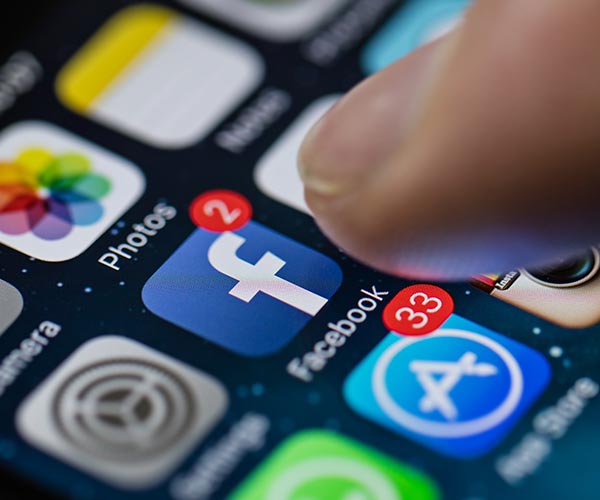
The Facebook App


Even when you aren’t using the Facebook app, it is working overtime by tracking your location and even storing info about the browser pages that you visit so that it can serve you targeted apps. Of all of the apps you use, Facebook is, by far, one of the most draining.
iphone

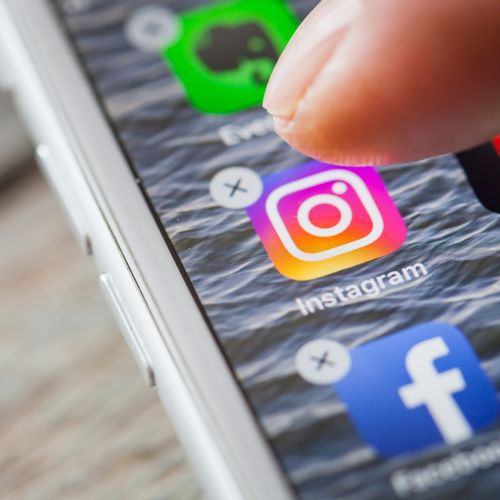
Flicking away apps doesn’t generally help with battery power — but one expert at Cult of Mac explains how the Facebook app is an exception to this rule:


“… I realized that flicking away the Facebook app did impact my battery in a positive way, since doing so meant it wasn’t able to run in the background (despite Background App Refresh being set to off).”
iphone

In addition to flicking away Facebook, there are a few more steps you can take to minimize the damage this app has on your battery.


For starters, turn off Background App Refresh: go to Settings > Facebook > Settings > Location Services > and then set it to Never.

iphone

Another good tip: stop Facebook from autoplaying videos by launching the Facebook app and then tapping at More on the bottom. From here, choose Settings > Account Settings > Videos and Photos > set Autoplay to Never Autoplay Videos.


And remember: all apps that track your location have the power to run down your battery. While you’re flicking away Facebook, flick away navigation apps to avoid extra battery drainage.


Author:

Lisa Fogarty is a lifestyle writer and reporter based in New York who covers health, wellness, relationships, sex, beauty, and parenting.

"iPhone 17 model"
"Woman working on a laptop"
"Smartphone plugged in for charging"
"Various iPhone apps displayed on screen"
"Close-up of male hands holding an Apple iPhone 17 Pro Max"
"Person using an iPhone"
"Holding an iPhone with various apps"
"Woman texting on a smartphone"
"Android phone showing apps on the screen"
"Samsung Galaxy Z Flip 7 smartphone"
"Woman in jeans enjoying a fresh summer watermelon salad"
"Holding an Android phone showing various apps"
"iPhone 14 displaying apps"
"iPhone charging settings"
"Sony WH-CH720N headphones with iPad and laptop"
"Using an iPhone"
"Various iPhone apps shown on the screen"
"iPhone storage full message"
"Holding an iPhone"
"iPhone screen displaying apps"
"iPhone 17 model"
"Woman working on a laptop"
"Smartphone plugged in for charging"
"Various iPhone apps displayed on screen"
"Close-up of male hands holding an Apple iPhone 17 Pro Max"
"Person using an iPhone"
"Holding an iPhone with various apps"
"Woman texting on a smartphone"
"Android phone showing apps on the screen"
"Samsung Galaxy Z Flip 7 smartphone"
"Woman in jeans enjoying a fresh summer watermelon salad"
"Holding an Android phone showing various apps"
"iPhone 14 displaying apps"
"iPhone charging settings"
"Sony WH-CH720N headphones with iPad and laptop"
"Using an iPhone"
"Various iPhone apps displayed on screen"
"iPhone storage full message"
"Holding an iPhone"
"iPhone screen displaying apps"

















