



Woman experiencing hair loss in a supportive environment.
Woman enjoying a donut at night.
Bianca Censori showcasing Marin Fall-Winter fashion collection.

Tech

The One App You Should Delete This Instant Because It Ruins Your Phone's Storage

January 10, 2020 by Lisa Cupido
shefinds | Tech
Featured image

There are apps that save you money, apps that provide something to do on a long and boring commute, and apps that you wouldn’t dream of living without because, without them, you wouldn’t know what’s happening in the world or whether you need to take an umbrella to work.

But in a sea of apps, there are also far too many popular apps that are a drain on your battery and suck up storage fast, leaving you with a phone that doesn’t work as well.

This is the one app you should delete this instant because it ruins your phone’s storage.

house unit img
Women Are Swapping Their Boring Water For This Ice Pop Electrolyte Mix!
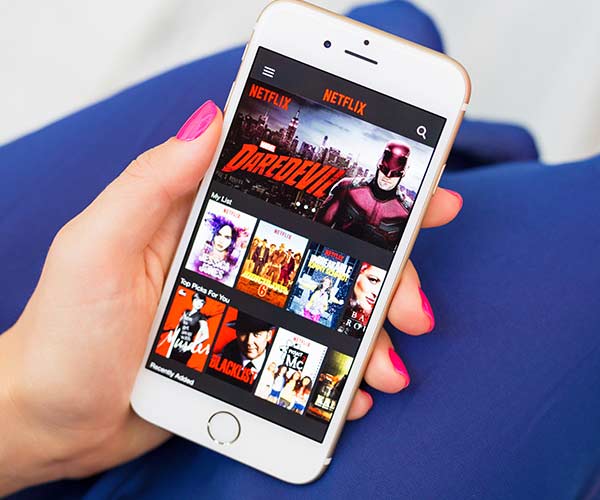
iphone

Netflix


We love Netflix. With hundreds of TV shows and films from which to choose, the streaming app provides one of our favorite ways to kill time and relax. But Netflix is one of the most draining, resource-consuming apps around — and, for that reason, it’s worth taking another look at if your phone is running out of storage.
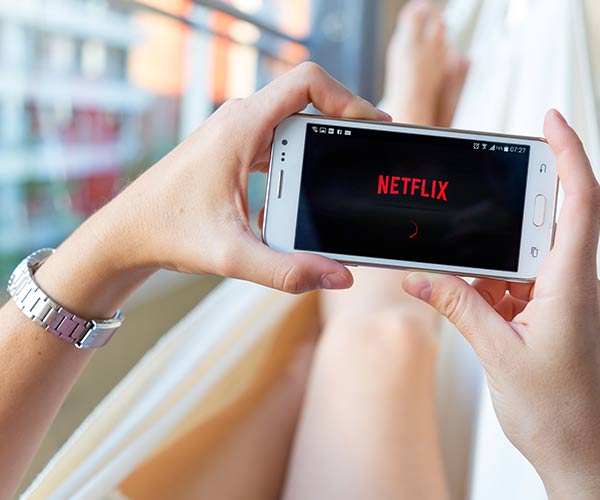
iphone

According to tech experts at Kim Komando: “In a game of virtual hungry hippos, Netflix seems to be the one with its mouth always open. This app needs all the power, memory and battery life it can hold and it won’t hesitate to eat through every last bit in a blink if you’re not careful.”

iphone

There are a few reasons why Netflix consumes so much power and battery. The act of downloading and simply playing media takes up a ton of your phone’s resources. But Kim Komando reminds us that there’s an unexpected reason why the app is such a drainer: you’re probably keeping your phone too bright.
iphone

There’s no doubt that deleting the Netflix app will restore your storage and battery power, but what if you can’t stand the idea of living without this amazing app?


The best thing you can do in this case is to turn down the brightness setting on your screen to, at the very least, preserve some battery power while you’re watching your favorite shows. This seemingly small action will help — a lot.

Author:

Lisa Fogarty is a lifestyle writer and reporter based in New York who covers health, wellness, relationships, sex, beauty, and parenting.

Close-up of Android phone displaying multiple application icons.
New iPhone 17 displaying sleek design and features.
Woman working on laptop, focused on her tasks.
Smartphone connected to charger, indicating low battery.
iPhone screen showcasing various applications and features.
Close-up of hands holding iPhone 17 Pro Max.
Person using iPhone to browse apps and features.
Holding iPhone, displaying multiple applications on screen.
Woman texting on smartphone, engaged in conversation.
Android phone showing a variety of applications.
Samsung Galaxy Z Flip 7 smartphone in an open position.
Woman enjoying fresh summer salad with watermelon and feta.
Holding Android phone, displaying popular apps.
iPhone 14 featuring various apps on its screen.
iPhone settings screen indicating need for charging.
Sony headphones, iPad, and laptop set up on Amazon.
Person actively using iPhone for communication or browsing.
iPhone screen filled with different applications and icons.
iPhone storage full notification displayed on screen.
Person holding iPhone, ready to use or take a photo.
Close-up of Android phone displaying multiple application icons.
New iPhone 17 displaying sleek design and features.
Woman working on laptop, focused on her tasks.
Smartphone connected to charger, indicating low battery.
iPhone screen showcasing various applications and features.
Close-up of hands holding iPhone 17 Pro Max.
Person using iPhone to browse apps and features.
Holding iPhone, displaying multiple applications on screen.
Woman texting on smartphone, engaged in conversation.
Android phone showing a variety of applications.
Samsung Galaxy Z Flip 7 smartphone in an open position.
Woman enjoying fresh summer salad with watermelon and feta.
Holding Android phone, displaying popular apps.
iPhone 14 featuring various apps on its screen.
iPhone settings screen indicating need for charging.
Sony headphones, iPad, and laptop set up on Amazon.
Person actively using iPhone for communication or browsing.
iPhone screen filled with different applications and icons.
iPhone storage full notification displayed on screen.
Person holding iPhone, ready to use or take a photo.


















