



Modern workspace with a person typing on a laptop.
Chic haircuts for women over 50 trending in 2026.
Donald Trump discussing maternal healthcare at a public event.

Tech

The One Bluetooth Device You Should Disconnect If Your iPhone Battery Is Always Dying

September 28, 2019 by Lisa Cupido
shefinds | Tech
Featured image

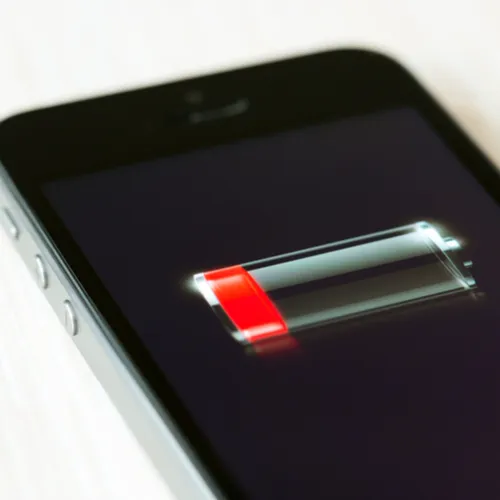
If your iPhone is having trouble holding on long enough for your commute home, it’s time to have a good, hard look at how it’s being used to determine what is causing its battery to die so fast.

Many people believe that their Bluetooth pairings are to blame for sapping iPhone battery power. It’s time to set the record straight: this is the one Bluetooth device you should disconnect if your iPhone battery is always dying.

house unit img
Women Are Swapping Their Boring Water For This Ice Pop Electrolyte Mix!
iphone

Perhaps you’re a big fan of Bluetooth headphones or speakers. Maybe you suspect your love of all-things Bluetooth is leaving you with a phone that can’t hold a charge for longer than a few hours. By all means, try to go a day without connecting to speakers and see if it makes a difference.


But experts say it’s very unlikely that Bluetooth is causing battery drainage — and that other culprits are probably at hand.
iphone

According to tech experts at Apple: “There is a myth that Wi-Fi and Bluetooth on iOS devices (and other manufacturer's smartphones) drain your battery. As a result, a lot of people turn off Wi-Fi and/or Bluetooth to "save battery life.’”


In reality, Bluetooth devices don’t take up as much power as one might think: “When Bluetooth has an active paired connection to a hands-free device it consumes 2.5 mw. As the battery capacity of an iPhone 8 (not plus) is about 6900 mwh, if Bluetooth was the only thing using power the battery would run down in about 2800 hours, or about 3 months.”
iphone

Not only is there no reason to stop using Bluetooth devices, but there’s rarely even a reason to turn them off (though it might make you feel more secure in a public space).


Still left wondering why your iPhone can’t hold a charge? Look no further than three possible reasons.
iphone


The three most likely reasons why your iPhone battery keeps dying, according to Wirecutter, are also totally preventable. Streaming videos and relying frequently on GPS navigation, consistency keeping the brightness level on your screen super high, and failing to turn off background app refresh are the major reasons batteries die. 


Tinkering with Bluetooth devices to see whether or not it makes a difference in your battery quality is fine. But focusing on keeping streaming, GPS, screen brightness, and background app refresh to a minimum are more likely to give you the battery results you want.


Author:

Lisa Fogarty is a lifestyle writer and reporter based in New York who covers health, wellness, relationships, sex, beauty, and parenting.

Close-up of Android phone showcasing app interface.
New iPhone 17 showcasing sleek design and features.
Woman working on laptop in a modern workspace.
Smartphone charging with a power adapter connected.
Display of popular apps on an iPhone screen.
Close-up of hands holding an iPhone 17 Pro Max.
Individual using an iPhone for various tasks.
Person holding iPhone displaying multiple apps.
Woman texting on her smartphone with focus.
Android phone showcasing diverse applications.
Samsung Galaxy Z Flip 7 smartphone in use.
Woman enjoying a fresh summer salad outdoors.
Holding an Android phone with app interface visible.
iPhone 14 displaying a variety of installed apps.
iPhone indicating low battery and charging settings.
Sony headphones and iPad being used with laptop.
Individual engaging with an iPhone for communication.
iPhone screen filled with various app icons.
Alert showing iPhone storage is full.
Person holding an iPhone in a casual setting.
Close-up of Android phone showcasing app interface.
New iPhone 17 showcasing sleek design and features.
Woman working on laptop in a modern workspace.
Smartphone charging with a power adapter connected.
Display of popular apps on an iPhone screen.
Close-up of hands holding an iPhone 17 Pro Max.
Individual using an iPhone for various tasks.
Person holding iPhone displaying multiple apps.
Woman texting on her smartphone with focus.
Android phone showcasing diverse applications.
Samsung Galaxy Z Flip 7 smartphone in use.
Woman enjoying a fresh summer salad outdoors.
Holding an Android phone with app interface visible.
iPhone 14 displaying a variety of installed apps.
iPhone indicating low battery and charging settings.
Sony headphones and iPad being used with laptop.
Individual engaging with an iPhone for communication.
iPhone screen filled with various app icons.
Alert showing iPhone storage is full.
Person holding an iPhone in a casual setting.

















